配置文件
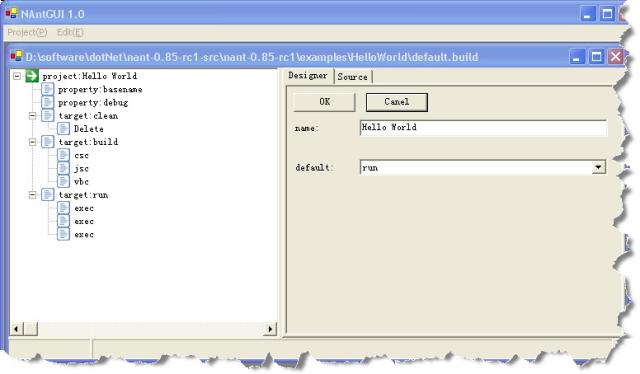
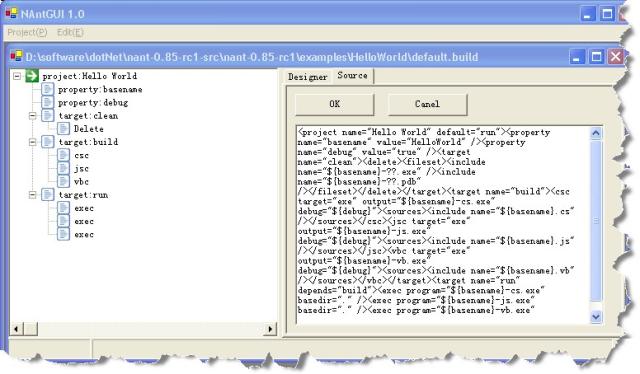
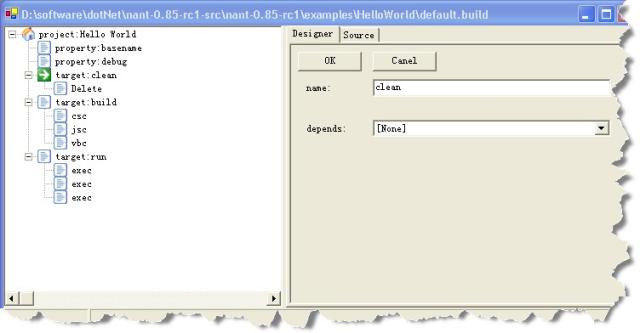
现在只实现了 target、delete的可视化编辑,其他的只能通过文本方式了。 
 xml version="1.0" encoding="utf-8" ?> <configuration> <configSections> <section name="NAntGUISettings" type="NAntGUI.ImpCommand.Config.NAntGUIConfigurationSectionHandler,NAntGUI.ImpCommand" /> configSections> <NAntGUISettings> <Commands> <Command Type="NAntGUI.ImpCommand.Project,NAntGUI.ImpCommand" Designer="NAntGUI.ImpCommand.ProjectDesinger,NAntGUI.ImpCommand" /> <Command Type="NAntGUI.ImpCommand.Target,NAntGUI.ImpCommand" Designer="NAntGUI.ImpCommand.TargetDesigner,NAntGUI.ImpCommand" /> <Command Type="NAntGUI.ImpCommand.UnknowCommand,NAntGUI.ImpCommand" Designer="NAntGUI.ImpCommand.UnknowCommandDesinger,NAntGUI.ImpCommand" /> <Command Type="NAntGUI.ImpCommand.FileOperation.DeleteCommand,NAntGUI.ImpCommand" Designer="NAntGUI.ImpCommand.FileOperation.DeleteCommandDesigner,NAntGUI.ImpCommand" /> Commands> NAntGUISettings> configuration>
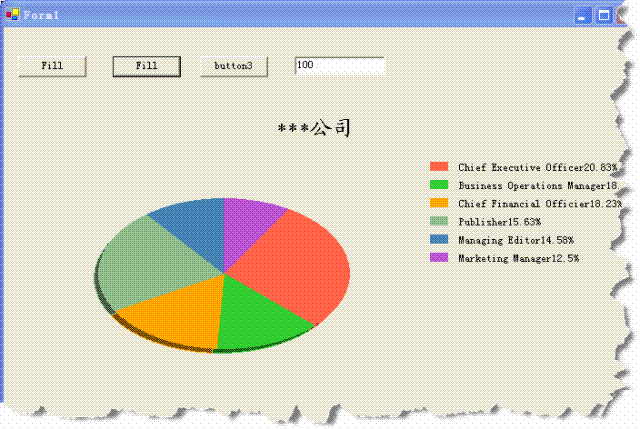

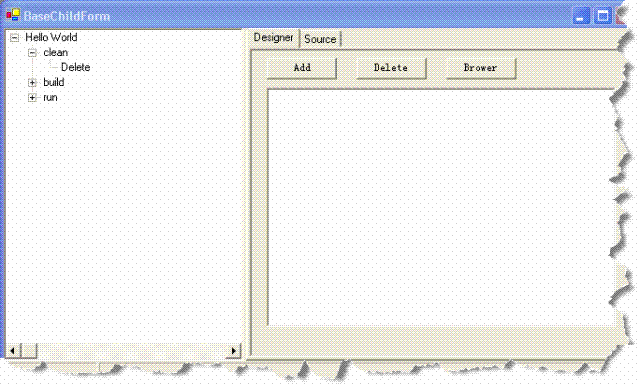
包括 Open Save..As 。以及 project 、target、property的图形化编辑。
其余部分就剩下开发每个命令的图形编辑以及配置相应命令的图形化编辑器就可以了。
如果有需要测试版的请和我联系 mailto:kilxy@dl.cn 。
配置文件:
xml version="1.0" encoding="utf-8" ?> <configuration> <configSections> <section name="NAntGUISettings" type="NAntGUI.ImpCommand.Config.NAntGUIConfigurationSectionHandler,NAntGUI.ImpCommand" /> configSections> <NAntGUISettings> <Commands> <Command Type="NAntGUI.ImpCommand.Project,NAntGUI.ImpCommand" Designer="NAntGUI.ImpCommand.ProjectDesinger,NAntGUI.ImpCommand" /> <Command Type="NAntGUI.ImpCommand.Target,NAntGUI.ImpCommand" Designer="NAntGUI.ImpCommand.TargetDesigner,NAntGUI.ImpCommand" /> <Command Type="NAntGUI.ImpCommand.Property,NAntGUI.ImpCommand" Designer="NAntGUI.ImpCommand.PropertyDesinger,NAntGUI.ImpCommand" /> <Command Type="NAntGUI.ImpCommand.UnknowCommand,NAntGUI.ImpCommand" Designer="NAntGUI.ImpCommand.UnknowCommandDesinger,NAntGUI.ImpCommand" /> <Command Type="NAntGUI.ImpCommand.FileOperation.DeleteCommand,NAntGUI.ImpCommand" Designer="NAntGUI.ImpCommand.FileOperation.DeleteCommandDesigner,NAntGUI.ImpCommand" /> Commands> NAntGUISettings> configuration> 界面: