Key UDF related Objects
|
Object |
Type |
Usage |
|
CSTM_FUNCTION_USERDEF_FIELDS |
Table |
Function UDF table store all the function level UDF values including STDCIF, STDCUSAC… |
|
CSTM_FUNCTION_UDF_FIELDS_MAP |
Table |
Function UDF field number and field name mapping |
|
CSTM_PRODUCT_UDF_FIELDS_MAP |
Table |
Product level UDF field number and field name mapping (excluding PC module) |
|
CSTM_CONTRACT_USERDEF_FIELDS |
Table |
Contract level UDF table store all the contract level UDF values (excluding PC module) |
|
PCTM_UD_FIELD_NAME |
Table |
UDF field name and field number mapping table for PC module |
|
PCTB_UDF_DETAILS |
Table |
PC contract level UDF values |
|
UDTM_FIELDS |
Table |
Master table to store all the UDF definitions |
|
UDTM_LOV |
Table |
Table to store all the UDF LOV values |
|
UDPKS_SERVER |
Package |
Main package for all the UDF related validation and processing |
|
UDPKS_AAAxx# |
Package |
Each UDF defined is having a corresponding package linked, this package is used for doing the field validation checking, value default…, AAA is the ALT_FIELD_NAME in udtm_fields table |
|
UVPKS_SERVICES |
Package |
UDF related package for UDF processing and validation |
Field Type -- Cube Entity

Validation can be done based on the values return in cube entity. Cube entity is nothing but a piece of SQL code that returns some values. For example, below cube entity is picking Chinese Name of Individual customers, so if we attached this UDF to STDCUSAC, whenever use input value for this field, the value will be validated against the result returned by this SQL, if the value is not in the result, then the value input is invalid.
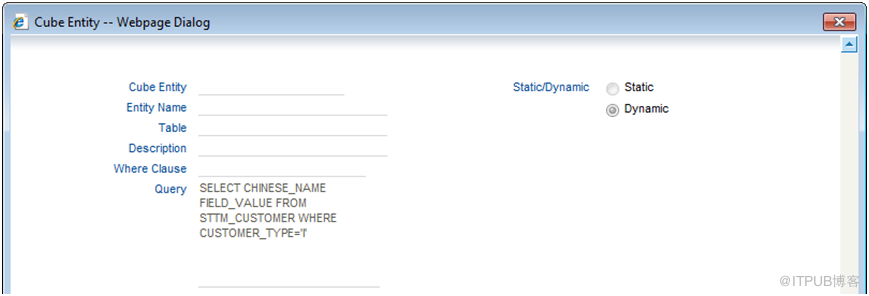
Udpks_server.fn_exec_cube_entity is the function to do the cube entity validation
Validation Type
-- Mask
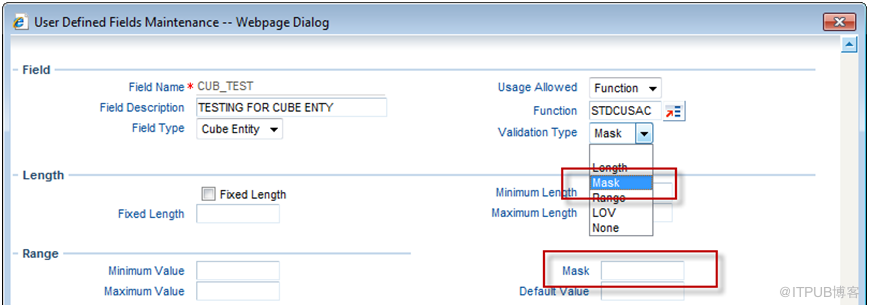
Mask is used to restrict the format of the user input value for UDF, for example, UDF value can only be 3 character + 4 digits, any value that input not in this format will not be able to saved.
The format mask:
1. a: English characters from a..z and A..Z
2. n: digits from 0…9
3. . : dot
4. - : -
5. A: A...Z and 0..9
For example, if I want the format of the input UDF to be 3 character + 4 digits, then we can put the mask as: aaannnn
Udpks_server.fn_check_mask is the function for doing the mask validation
Validation Rule
The UDF validation logic can be built in the UDF level; it can validate against other UDF value and can have more complex logic.
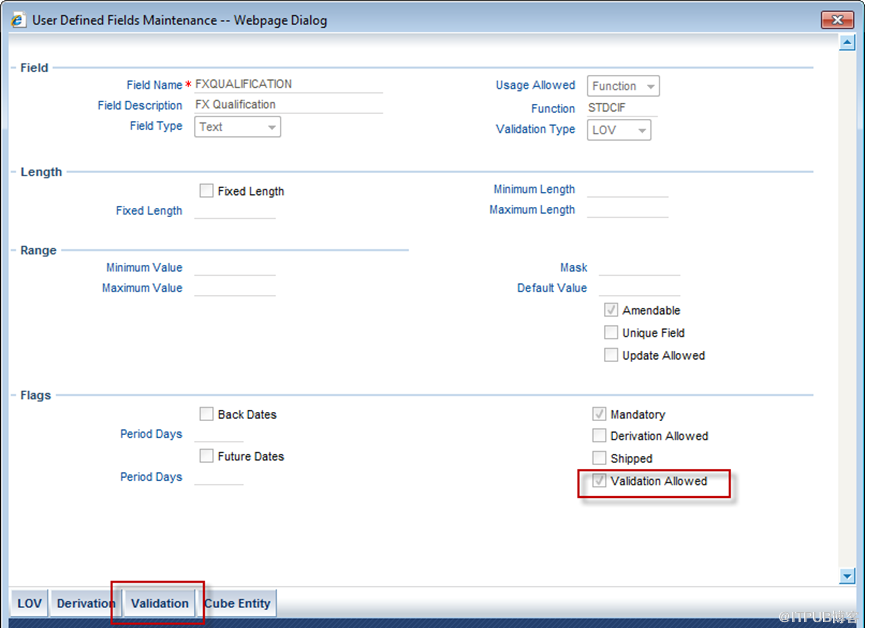
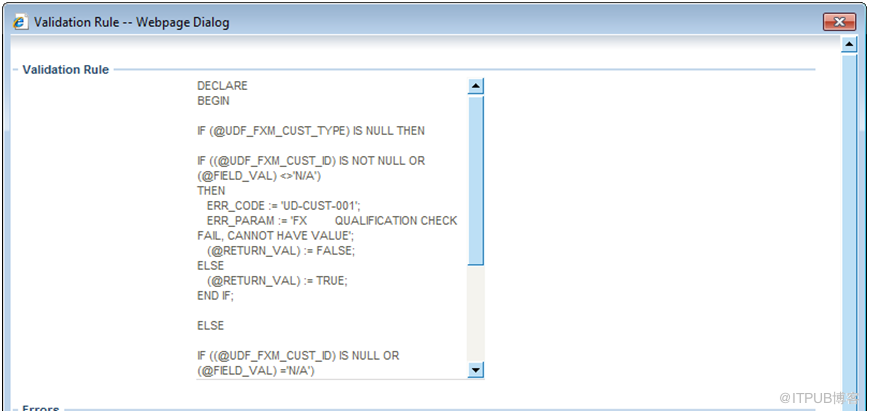
Sample Code:
|
DECLARE BEGIN IF (@UDF_FXM_CUST_TYPE) IS NULL THEN IF ((@UDF_FXM_CUST_ID) IS NOT NULL OR (@FIELD_VAL) <>'N/A') THEN ERR_CODE := 'UD-CUST-001'; ERR_PARAM := 'FX QUALIFICATION CHECK FAIL, CANNOT HAVE VALUE'; (@RETURN_VAL) := FALSE; ELSE (@RETURN_VAL) := TRUE; END IF; ELSE IF ((@UDF_FXM_CUST_ID) IS NULL OR (@FIELD_VAL) ='N/A') THEN ERR_CODE := 'UD-CUST-001'; ERR_PARAM := 'FX QUALIFICATION CHECK FAIL, CANNOT BE NULL'; (@RETURN_VAL) := FALSE; ELSE (@RETURN_VAL) := TRUE; END IF; END IF; END; |
The syntax is as below:
1. Needs to have a declare , begin, end, just like to define a store procedure
2. @UDF_XXXXX: XXXXX is another UDF field name, this is to get the value of another UDF defined in the same screen
3. @FIELD_VAL: is the value of the UDF itself
4. @RECORD_KEY: if the UDF is linked to a product, then the record key value will be the Contract Reference Number or Transaction reference number and this record key can be used in any statement; if the UDF is lined to a function ID such as STDCIF or STDCUSAC, then the record key will return a SQL where condition statement and can be used only in select statement, for example:
|
Select country into (@FIELD_VAL) from STTM_CUSTOMER WHERE(@RECORD_KEY) and default_media = ‘MAIL’; |
5. ERR_CODE: this is for storing the error code
6. ERR_PARAM: this is for storing the error parameter
7. @RETURN_VAL: this is the final return value for the validation, it can be TRUE or FALSE
For example, if we want to validate that the input field value should be larger than another field value FXU, and then we can defined the sample logic as below:
|
begin declare if @FIELD_VAL > @UDF_FXU then @RETURN_VAL:= true; else @RETURN_VAL:= false; end if; end; |
If we want to know the product code of the contract and return false if the product is not “PPTM” we will return false
|
begin declare if substr((@RECORD_KEY),4,4) <> ‘PPTM’ then @RETURN_VAL:= false; else @RETURN_VAL:= true; end if; end; |
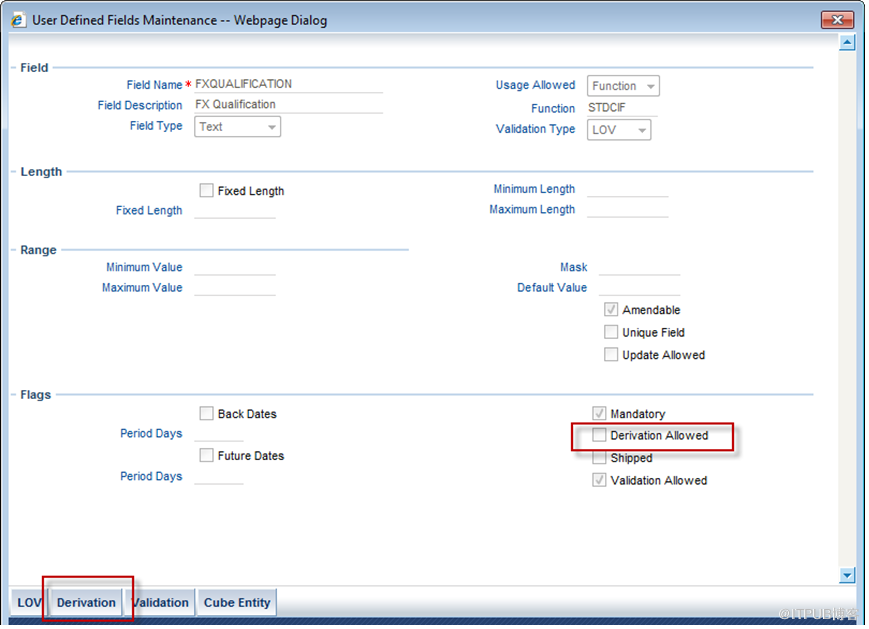
Derivation Rule
The UDF value can be derived based on certain logic built in UDF level, the syntax is same as used in validation rule.

PC Module UDF
For PC, for each product category, as long as there is UDF attached, it will have a dynamic package linked, the package name is: PCUDFPKS_XXXX#, XXX is the product category. All the UDF related processing logic such as defaulting, validation and so on are built in this package.
Validation Rule
Each UDF can have its own validation rule and the validation rule can have complex logic defined.
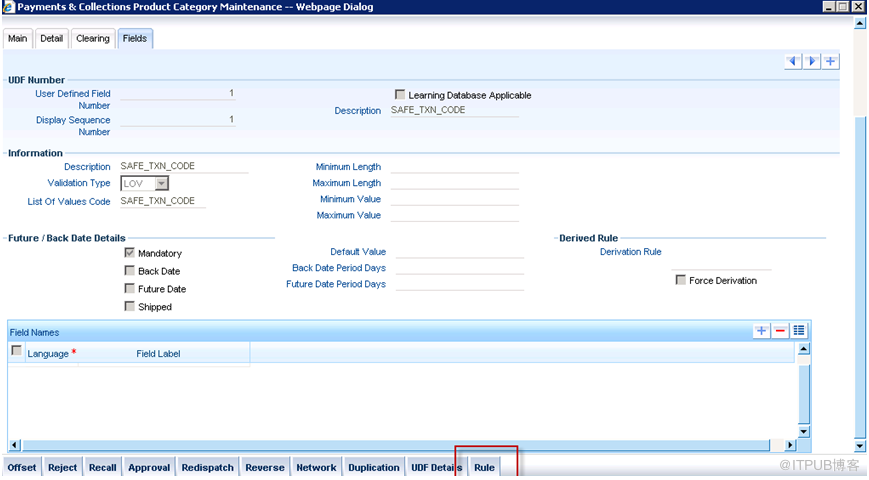

The syntax can is as follow:
1. @UDF(n): n is the field number, for example, PAYMENT_METHOD field number is 5, if we want to get its value, then we can use @UDF(5)
2. @VALUE: the value of the UDF itself
3. @GLB(p): p is global variable defined in Flexcube global package, such as user_id, application_date, lcy…it will generate corresponding global.pppp. e.g, if we want to know the LCY, then we can use @GLB(LCY)
4. @ELEM(p): it will pick the field that defined in pctm_udf_elems table. For example, if we defined a element_name as BANK_CD in this table, the purpose is to pick the column cust_bankcode, then we can use @ELEM(BANK_CD). By doing this, when system is getting the value, system is then select the cust_bankcode from pctb_contract_master table

Derivation Rule
The value of the UDF can be derived based on certain logic, same syntax as above applies
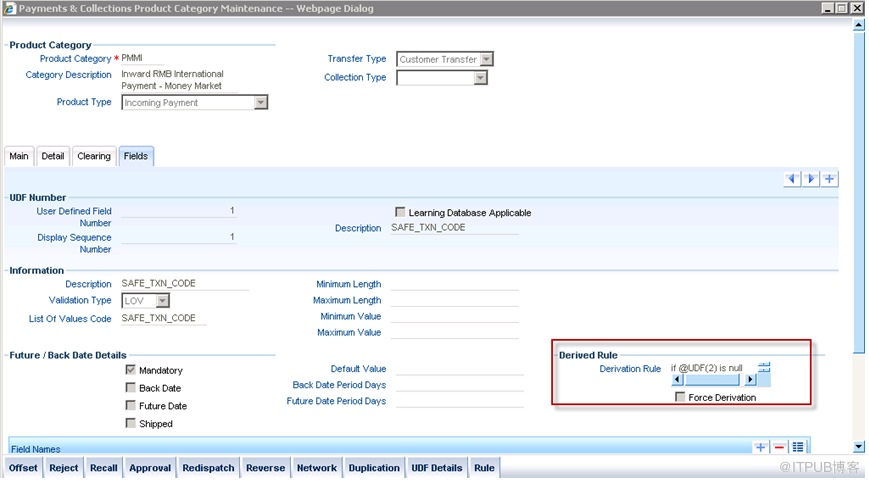
For example, below code sample is used to assign the value of this UDF depends on the value of UDF field 2
|
if @UDF(2) is null then @VALUE:='GOGOGO'; else @VALUE:='XXXXX'; end if; |