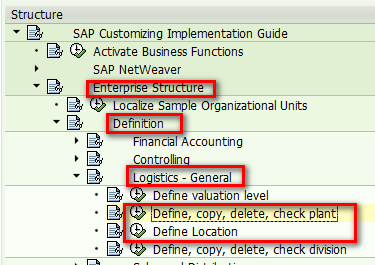
Requirement: You have performed initial download in CRM to download plants from ERP. Now you have made some further change on a given plant in ERP. You would like to synchronize those change back to CRM. You can maintain plant information in ERP:
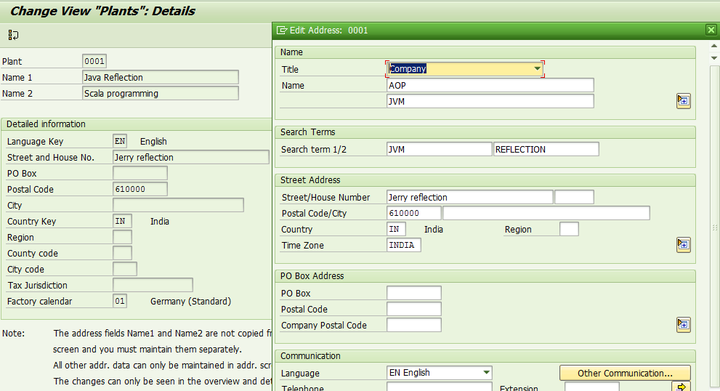
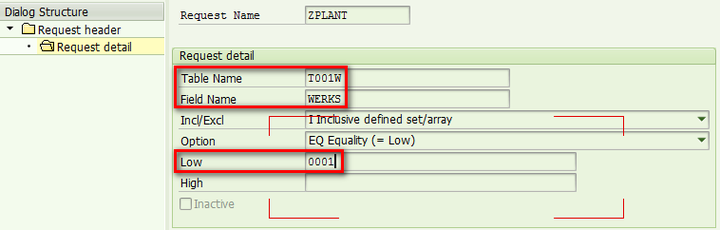
(1) create new download request in CRM via tcode R3AR2. In Low field, maintain plant ID in ERP as value:
(2) perform request download via tcode R3AR4.

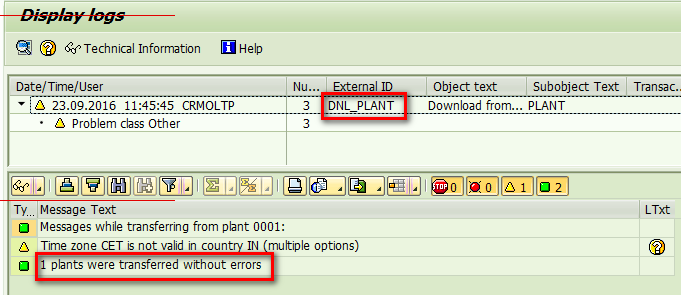
Once done, you should see in tcode SLG1 that the download for plant 0001 is done successfully:
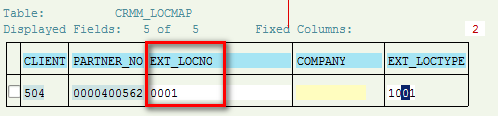
(3) Query table by ext_logno = plant id, then you can find Partner No. In this example it is 400562. A plant in ERP is mapped to a business partner in CRM.
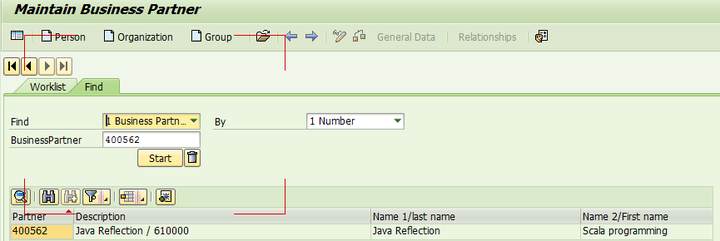
(4) Use tcode BP and search against BP id you find in previous step:
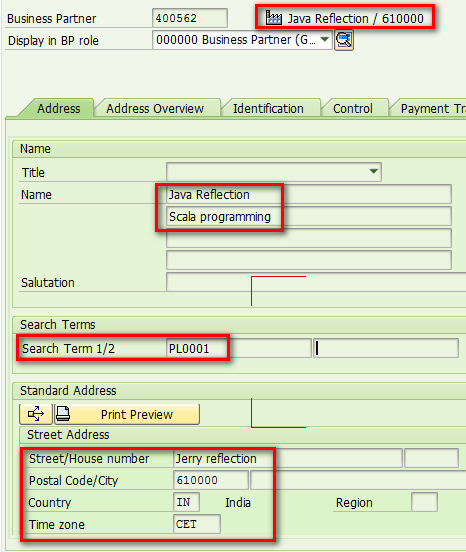
You can find that the change done on ERP plant is now synchronized into BP in CRM:
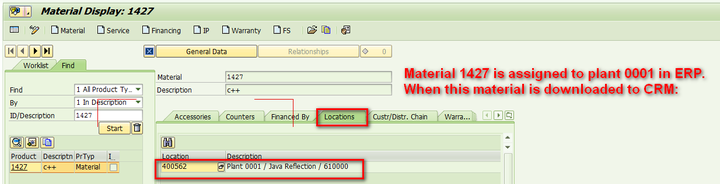
(5) If you assign a material into this plant 0001 in ERP, after this material is downloaded into CRM as a product, the corresponding relationship between generated BP for ERP plant and CRM product could be found in relationship tab “Location”:
要获取更多Jerry的原创文章,请关注公众号"汪子熙":