"15分钟做一个博客系统",是Ruby On Rails非常经典Demo练习。我也参考着视频,试着做了一遍,这里大概记录下过程。
视频地址:http://v.youku.com/v_show/id_XNTM4NjA3MDQw.html
----------------------------------------------------------------------详细过程--------------------------------------------------------------------------------------------------------------
版本信息
Rails版本:3.2.13
Ruby版本:1.9.3
OS:Windows 7控制台创建一个博客项目
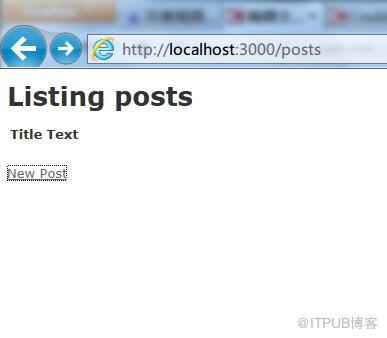
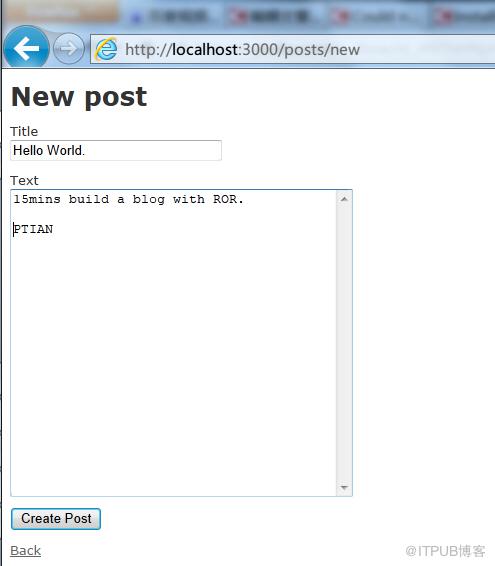
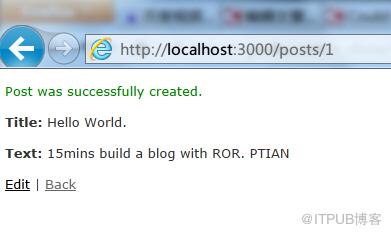
测试:http://localhost:3000/posts
修改index.html.erb
blog/app/views/posts/index.html.erb
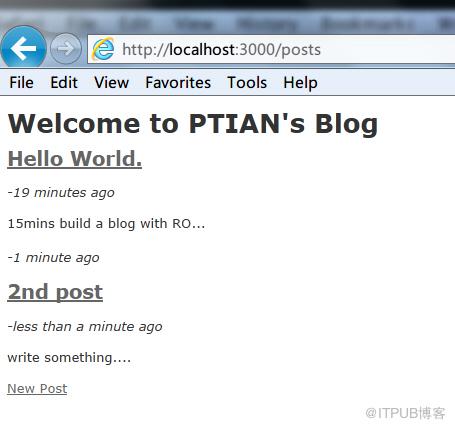
删除原有的内容,新的内容如下:
Welcome to PTIAN\'s Blog
<% @posts.each do |post| %><%= link_to post.title, post%>
-<%= time_ago_in_words post.created_at %> ago
<%= truncate post.text %>
<% end %><%= link_to "New Post", new_post_path%>
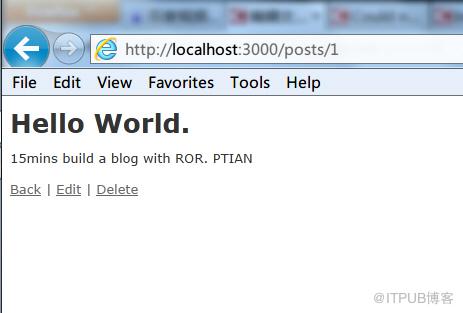
修改show.html.erb
blog/app/views/posts/show.html.erb
<%= @post.title %>
<%= @post.text %><%= link_to "Back", posts_path %> | <%= link_to "Edit", edit_post_path(@post) %> | <%= link_to "Delete",@post,:method => :delete, :confirm => "Are you sure?" %>
增加Comments项
继续修改show.html.erb
blog/app/views/posts/show.html.erb
<%= @post.title %>
<%= @post.text %>Comments
<% @post.comments.each do |comment| %><%= comment.text %>
<%= time_ago_in_words comment.created_at %> ago
<% end %> <%= form_for [@post,@post.comments.build] do |f| %><%= f.text_area :text, :size => \'40x10\' %>
<%= f.submit "Post Comment" %>
<% end %><%= link_to "Back", posts_path %> | <%= link_to "Edit", edit_post_path(@post) %> | <%= link_to "Delete",@post,:method => :delete, :confirm => "Are you sure?" %>
修改blog/app/models/post.rb
class Post < ActiveRecord::Base
  attr_accessible :text, :title
  has_many :comments
end
修改blog/app/models/comment.rb
class Comment < ActiveRecord::Base
  attr_accessible :post_id, :text
  belongs_to :post
end
修改blog/config/routes.rb
resources :posts do
    resources :comments
  end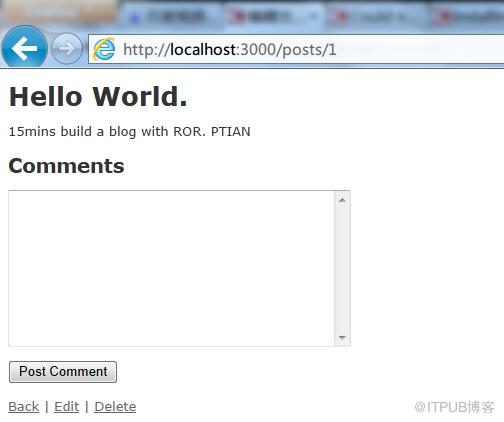
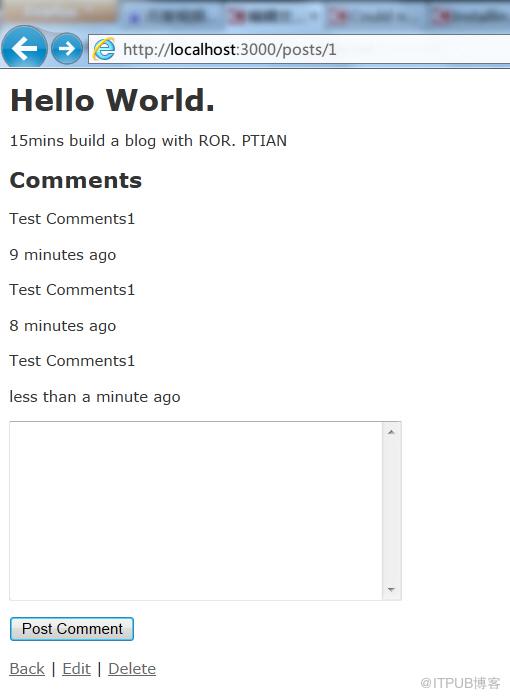
这个时候Comment就出来了,但是如果提交comment,还会报错,因为我们还没写comment的controller
创建comment的controller
打开一个新的命令行
D:\Ruby\projects>cd blog
D:\Ruby\projects\blog>rails g controller comments create destroy
打开新创建的blog\app\controllers\comments_controller.rb
class CommentsController < ApplicationController
  def create
  	@post = Post.find(params[:post_id])
  	@comment = @post.comments.build(params[:comment])
  	@comment.save

  	redirect_to @post
  end

  def destroy
  end
end
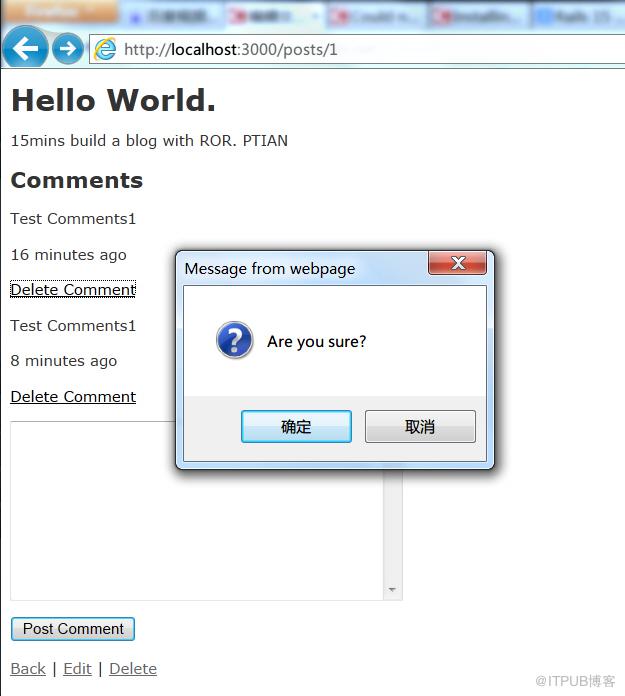
增加删除comment功能
修改blog/app/views/posts/show.html.erb
(增加Delete Comment链接)
修改blog\app\controllers\comments_controller.rb<%= @post.title %>
<%= @post.text %>Comments
<% @post.comments.each do |comment| %><%= comment.text %>
<%= time_ago_in_words comment.created_at %> ago
<%= link_to "Delete Comment", [@post, comment], :method => :delete, :confirm => "Are you sure?" %>
<% end %> <%= form_for [@post,@post.comments.build] do |f| %><%= f.text_area :text, :size => \'40x10\' %>
<%= f.submit "Post Comment" %>
<% end %><%= link_to "Back", posts_path %> | <%= link_to "Edit", edit_post_path(@post) %> | <%= link_to "Delete",@post,:method => :delete, :confirm => "Are you sure?" %>
class CommentsController < ApplicationController
  def create
  	@post = Post.find(params[:post_id])
  	@comment = @post.comments.build(params[:comment])
  	@comment.save

  	redirect_to @post
  end

  def destroy
  	@comment = Comment.find(params[:id])
  	@comment.destroy

  	redirect_to @comment.post
  end
end
给你的blog添加ATOM feed
修改blog\app\controllers\posts_controller.rb
@posts = Post.all
respond_to do |format|
format.html # index.html.erb
format.json { render json: @posts }
format.atom
end
end
修改blog\app\views\layouts\application.html.erb
header区域中添加下面的代码,用于显示Atom的图标
<%= auto_discovery_link_tag :atom, "/posts.atom" %>
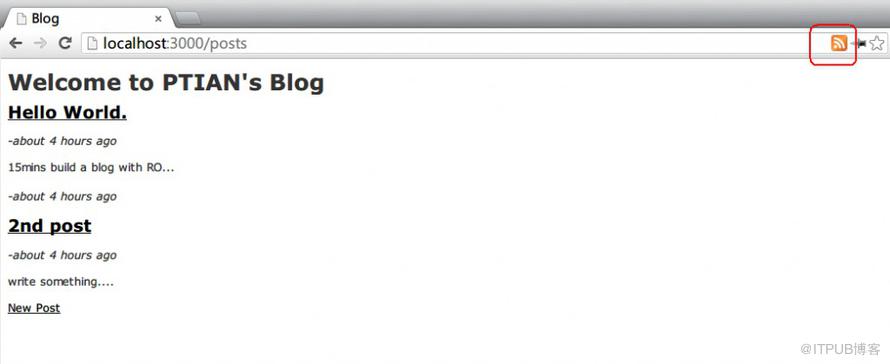
一个博客就基本完成了。
Source Code:15mins_blog_sourcecode_ptian.zip
转载请注明出处:http://blog.csdn.net/pan_tian/article/details/8763627