以下错误都是在SLES 11 X64上面总结的,其他发行版与其类似,但不一定完全相同。
一、版本问题导致安装报错
报错如下图 checking operating system version:must be redhat-3,suse-9 ………….

解决方法,直接修改操作系统的release文件,将原有的11改为9,检查即可通过
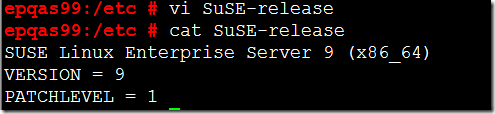
官方文档描述如下,也可参考原文档链接http://docs.oracle.com/cd/B19306_01/relnotes.102/b15666/toc.htm
On SUSE Linux Enterprise Server 10 and SUSE Linux Enterprise Server 11, the installation will pass the operating system prerequisite checks if you change each SUSE Linux Enterprise Server 10 or SUSE Linux Enterprise Server 11 to SUSE Linux Enterprise Server 9 in the /etc/SuSE-release file. Ensure that you replace the original values in the /etc/SuSE-release file after the Oracle installation is complete.
|
Original Value |
Changed Value |
|
SUSE Linux Enterprise Server 10 (x86_64) VERSION = 10 |
SUSE Linux Enterprise Server 9 (x86_64) VERSION = 9 |
|
SUSE Linux Enterprise Server 11 (x86_64) VERSION = 11 |
SUSE Linux Enterprise Server 9 (x86_64) VERSION = 9 |
This workaround causes the installer to consider the system to be running earlier version of the operating system and the operating system check passes. The changes to the release file should be reverted after the installation of all Oracle software is complete. The changes to the release file could impact the ability of other tools to be properly installed on the operating system.
二、所需rpm包没有安装完全导致安装报错
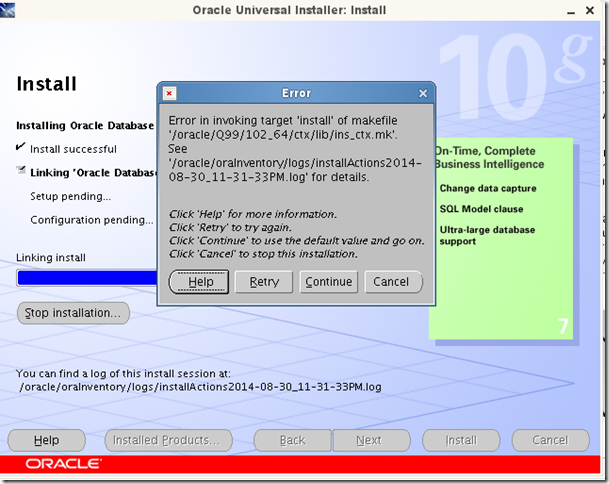
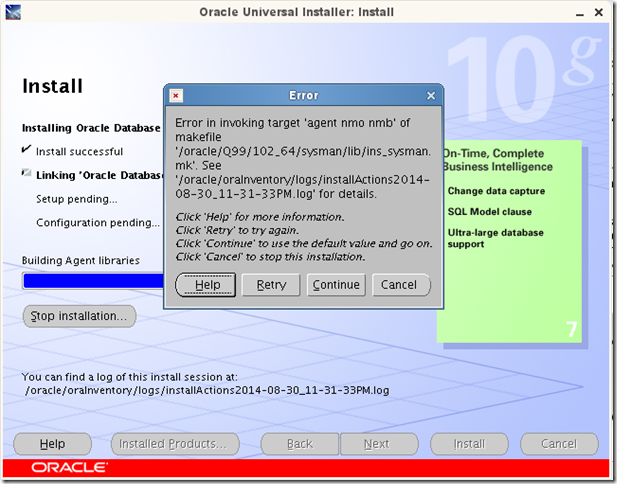
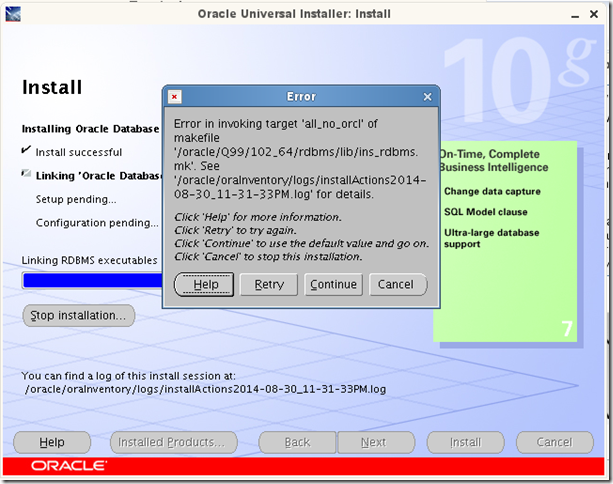
报错如下面的情况
1.
Error in invoking target ’install’' of makefile ‘/oracle/Q99/102_64/ctx/lib/ins_ctx.mk’.
Error in invoking target 'agent nmo nmb' of makefile '/oracle/Q99/102_64/db_1/sysman/lib/ins_sysman.mk'.
Error in invoking target 'all_no_orcl' of makefile '/oracle/Q99/102_64/rdbms/lib/ins_rdbms.mk'.
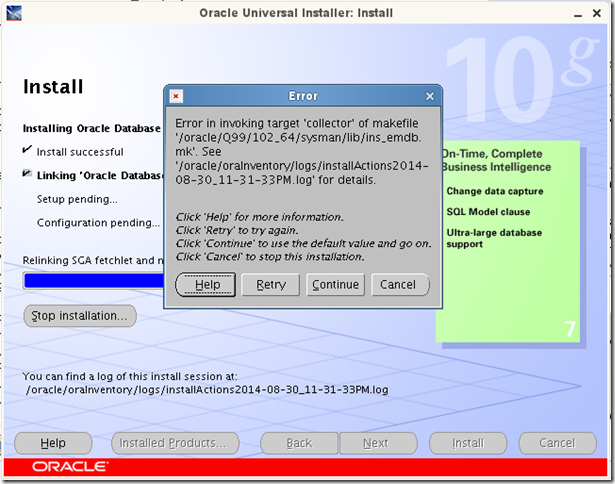
Error in invoking target 'collector' of makefile /oracle/Q99/102_64/sysman/lib/ins_emdb.mk'.
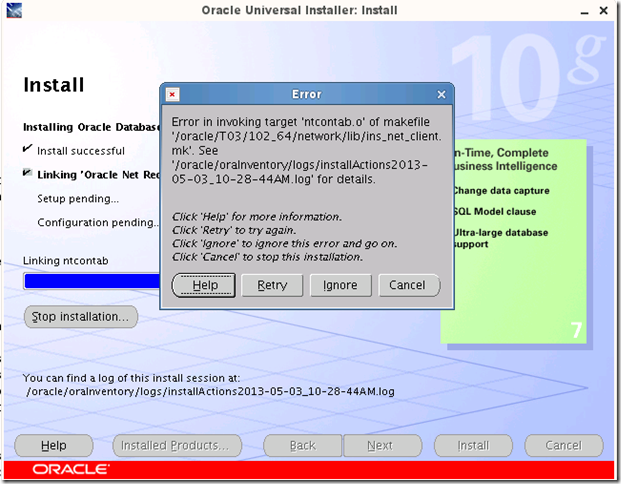
Error in invoking target 'ntcontab.o' of makefile /oracle/T03/102_64/network/lib/ins_net_client.mk'.
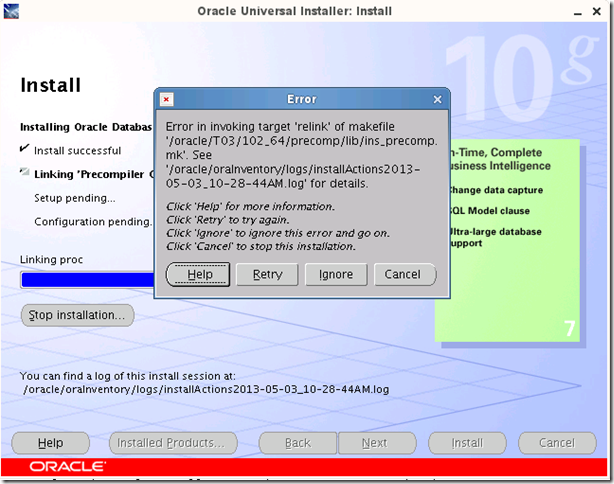
Error in invoking target 'relink' of makefile /oracle/T03/102_64/precomp/lib/ins_precomp.mk'.
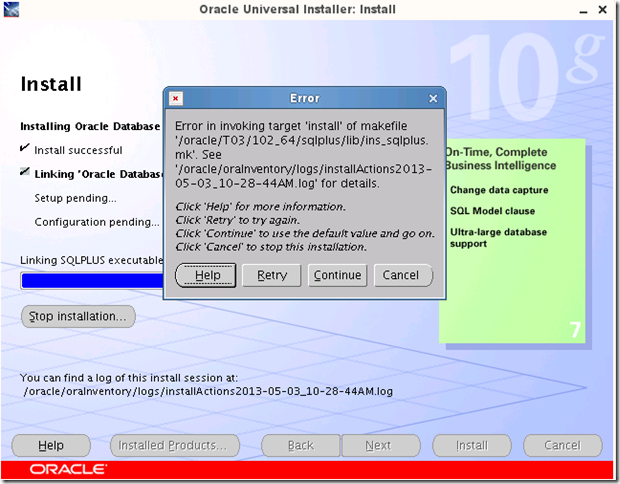
Error in invoking target 'install' of makefile /oracle/T03/102_64/sqlplus/lib/ins_sqlplus.mk'.
解决方法:
make的基本都是gcc、gcc++的rmp包没有安装或者安装不全导致,
对照如下列表检查包安装情况,如果没有安装,一一安装即可解决。
官方文档说明如下,也可参考原文档链接http://docs.oracle.com/cd/B19306_01/relnotes.102/b15666/toc.htm
The following (or later versions) are the list of packages for SUSE Linux Enterprise Server 11:
binutils-2.19
gcc-4.3
gcc-32bit-4.3
gcc-c++-4.3
glibc-2.9
glibc-32bit-2.9
glibc-devel-2.9
glibc-devel-32bit-2.9
libaioksh-93t
-0.3.104
libaio-32bit-0.3.104
libaio-devel-0.3.104
libaio-devel-32bit-0.3.104
libstdc++33-3.3.3
libstdc++33-32bit-3.3.3
libstdc++43-4.3.3_20081022
libstdc++43-32bit-4.3.3_20081022
libstdc++43-devel-4.3.3_20081022
libstdc++43-devel-32bit-4.3.3_20081022
libgcc43-4.3.3_20081022
libstdc++-devel-4.3
make-3.81
sysstat-8.1.5
从10g Release 2开始,以下这些版本中oracle 10也是支持的,只是所需rmp包略有差异,基本相同,
Linux Certification
Starting with Oracle Database 10g Release 2, the following operating systems are supported in addition to the list documented in Oracle Database Installation Guide for Linux x86-64:
-
Asianux 2
-
Asianux 3
-
Oracle Linux 4/Oracle VM
-
Oracle Linux 5/Oracle VM
-
Red Hat Enterprise Linux 4/Oracle VM
-
Red Hat Enterprise Linux 5/Oracle VM
-
SUSE Linux Enterprise Server 10
-
SUSE Linux Enterprise Server 11