一、问题背景介绍
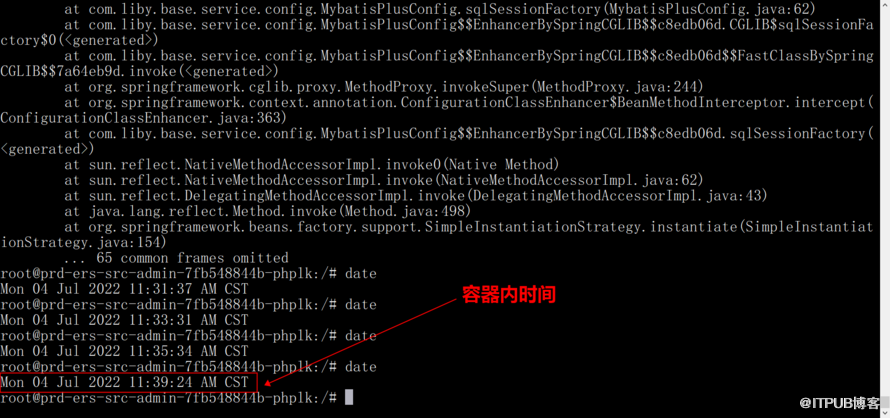
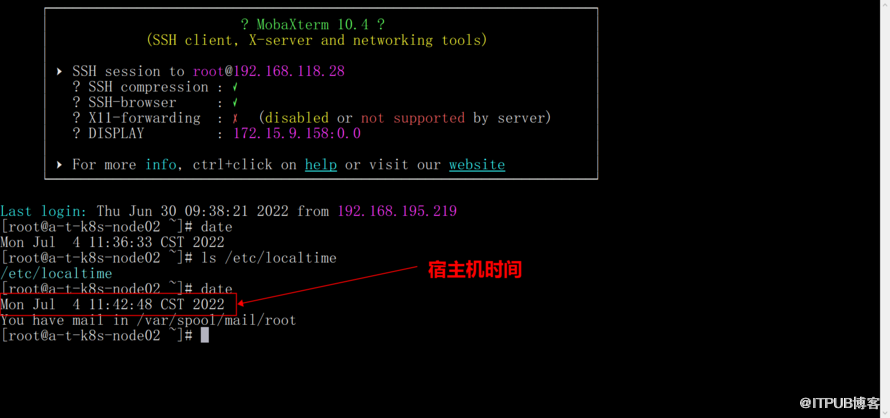
pod容器和宿主机都是 CST 东八区时间,pod容器比宿主机时间晚3分钟,也就是容器总比现实晚3分钟。导致总是连接数据失败。
二、问题过程分析
1、检查基础镜像是否配置时区与本地时间配置
详细配置:
volumeMounts:
- name: timezone
mountPath: /etc/localtime # 挂载到容器的目录
volumes:
- name: timezone
hostPath:
path: /usr/share/zoneinfo/Asia/Shanghai # 宿主机的目录
2、在其他节点上启多个pod,检查应用的pod在其他node节点时间是否一致
通过拉几多个pod副本,时钟还是无法正常同步成功。
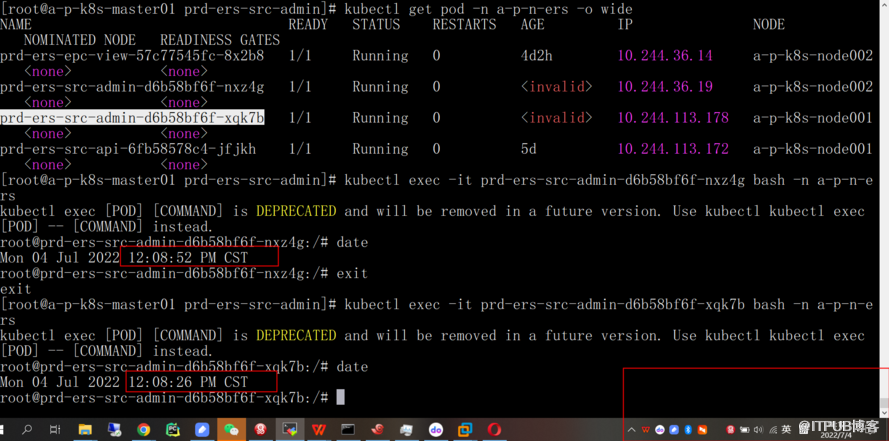
很奇诡,后面通过NTP时间同步pod容器时间。现在只差数据库连接问题
3、通过分析pod应用的日志发现一些问题
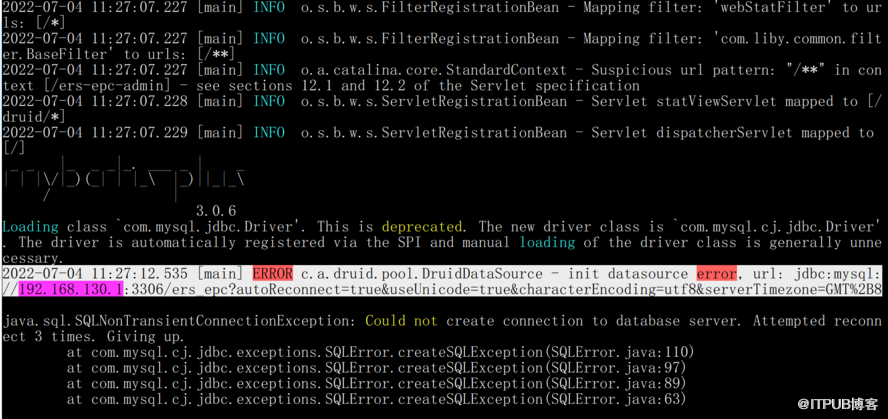
Loading class `com.mysql.jdbc.Driver'. This is deprecated. The new driver class is `com.mysql.cj.jdbc.Driver'. The driver is automatically registered via the SPI and manual loading of the driver class is generally unnecessary.
2022-07-04 14:08:28.892 [main] ERROR c.a.druid.pool.DruidDataSource - init datasource error, url: jdbc:mysql://192.168.130.1:3306/ers_epc?autoReconnect=true&useUnicode=true&characterEncoding=utf8&serverTimezone=GMT%2B8
java.sql.SQLNonTransientConnectionException: Could not create connection to database server. Attempted reconnect 3 times. Giving up.
at com.mysql.cj.jdbc.exceptions.SQLError.createSQLException(SQLError.java:110)
at com.mysql.cj.jdbc.exceptions.SQLError.createSQLException(SQLError.java:97)
at com.mysql.cj.jdbc.exceptions.SQLError.createSQLException(SQLError.java:89)
at com.mysql.cj.jdbc.exceptions.SQLError.createSQLException(SQLError.java:63)
at com.mysql.cj.jdbc.exceptions.SQLError.createSQLException(SQLError.java:73)
at com.mysql.cj.jdbc.ConnectionImpl.connectWithRetries(ConnectionImpl.java:905)
at com.mysql.cj.jdbc.ConnectionImpl.createNewIO(ConnectionImpl.java:830)
at com.mysql.cj.jdbc.ConnectionImpl.
at com.mysql.cj.jdbc.ConnectionImpl.getInstance(ConnectionImpl.java:240)
at com.mysql.cj.jdbc.NonRegisteringDriver.connect(NonRegisteringDriver.java:207)
Caused by: javax.net.ssl.SSLHandshakeException: No appropriate protocol (protocol is disabled or cipher suites are inappropriate)
通过上面的日志发现数据库服务器使用的默认美国的时区,也应用的时区不匹配。需要对应用时区统一配置为东八区(UTC)
三、优化建议
1、建议修改应用代码的数据库连接配置文件,将当前配置:
jdbc:mysql://192.168.130.1:3306/ers_epc?autoReconnect=true&useUnicode=true&characterEncoding=utf8&serverTimezone=GMT%2B8
修改为:
jdbc:mysql://192.168.130.1:3306/ers_epc?autoReconnect=true&useUnicode=true&useSSL=false&characterEncoding=utf8&serverTimezone=UTC
客户反馈通过优化上面配置,业务能正常连接数据库,业务验证成功。