Linux文件系统管理7
磁盘配额管理
操作系统:RHEL6.4 - 64位
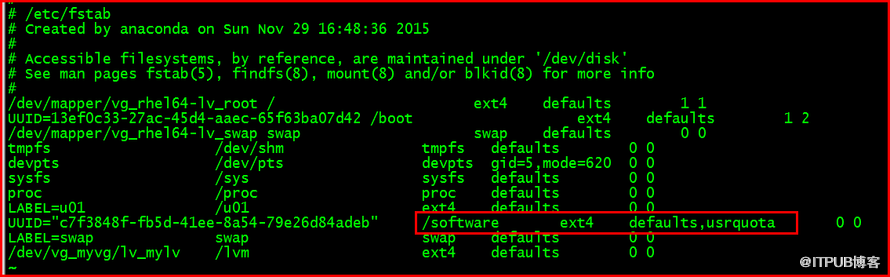
1 挂载属性中增加usrquota
编辑/etc/fstab 开启/software 磁盘配额
[root@rhel64 ~]# vi /etc/fstab
2 重新挂载文件系统
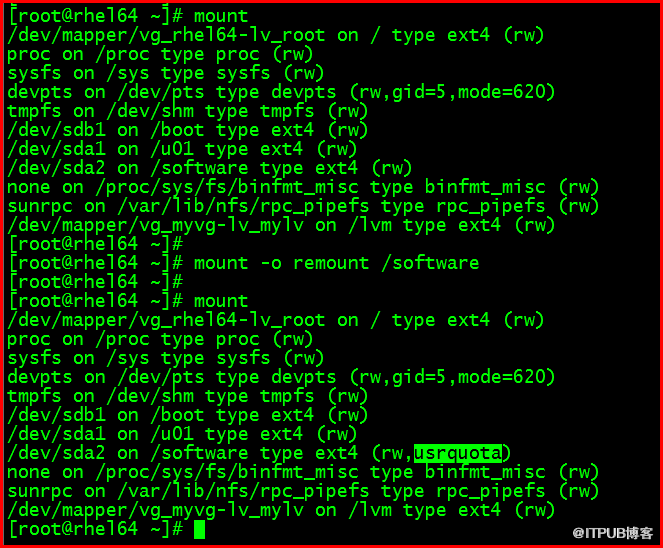
[root@rhel64 ~]# mount
[root@rhel64 ~]# mount -o remount /software
[root@rhel64 ~]# mount
3 quotacheck对文件系统进行磁盘配额检查
[root@rhel64 ~]# quotacheck -cum /software

[root@rhel64 ~]# ll /software/

4 启用文件系统磁盘配额
[root@rhel64 ~]# quotaon /software

5 编辑用户磁盘配额限制
[root@rhel64 ~]# edquota tom

block单位是K
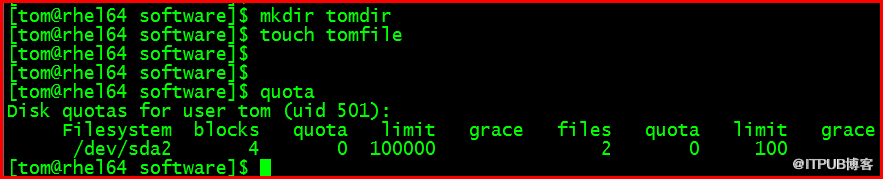
6 tom用户使用文件系统 并查看磁盘配额
[root@rhel64 ~]# chmod a+w /software/

[tom@rhel64 software]$ mkdir tomdir
[tom@rhel64 software]$ touch tomfile
[tom@rhel64 software]$ quota
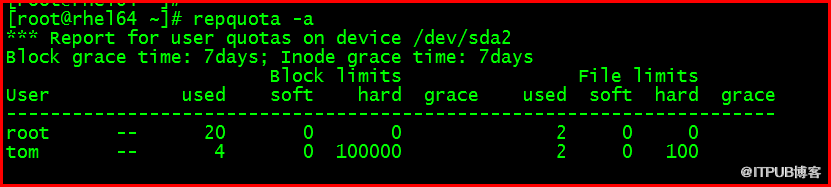
7 root用户查看磁盘配额
[root@rhel64 ~]# repquota -a
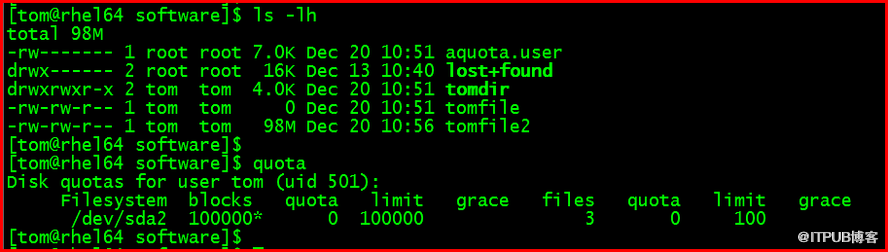
8 实验1 文件大小达到磁盘配额限制
[tom@rhel64 software]$ dd if=/dev/zero of=/software/tomfile2 bs=1M count=110

[tom@rhel64 software]$ ls -lh
[tom@rhel64 software]$ quota
9 实验2 i节点数达到磁盘配额限制
[tom@rhel64 software]$ rm -rf tom*
[tom@rhel64 software]$ quota

[tom@rhel64 software]$ mkdir tomdir{1,2,3,4}-{1,2,3,4,5}-{1,2,3,4,5}
[tom@rhel64 software]$ quota

[tom@rhel64 software]$ mkdir tomdir

10 关闭磁盘配额
[root@rhel64 ~]# quotaoff /software

修改/etc/fstab 删除usrquota
[root@rhel64 ~]# vi /etc/fstab
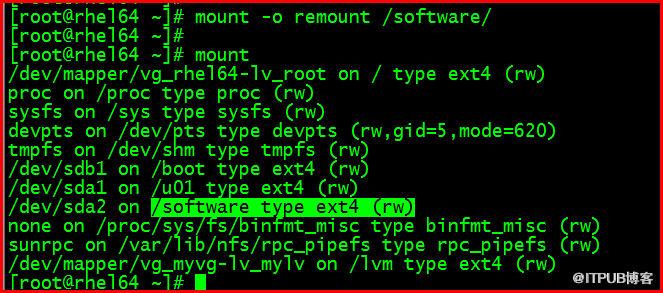
[root@rhel64 ~]# mount -o remount /software/
[root@rhel64 ~]# mount
吕星昊
2016.1.1