Oracle Truncate 表恢复 (ODU)
从 3.0.7 版本开始,恢复 Truncate 表更方便,只需要执行下面的步骤 :
· (1) OFFLINE表所在的表空间
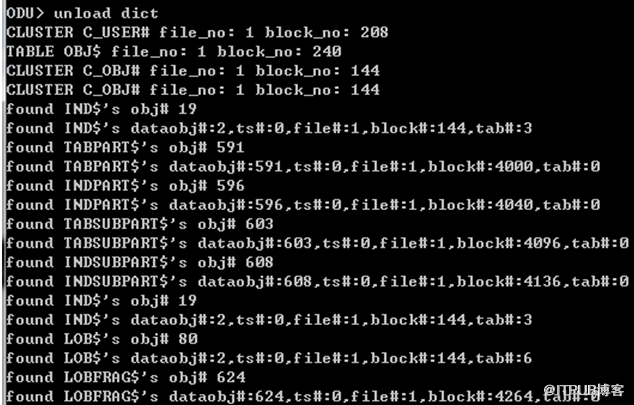
· (2) 生成数据字典:unload dict
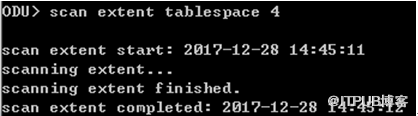
· (3) 扫描数据:scan extent
· (4)
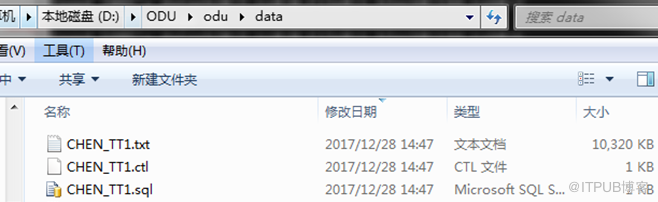
恢复表:unload table
username.tablename
object auto
create table tt1 as select * from dba_objects;
create table tt2 as select * from tt1;
select * from dba_objects where object_name='TT1'; ---OBJECT_ID 87295 ---DATA_OBJECT_ID 87295
---object_id: Dictionary object number of the object.
---Data_object_id: Dictionary object number of the segment that contains the object.
truncate table tt1;
select *from tt1;
一:OFFLINE表所在的表空间
select * from dba_objects where object_name='TT1'; ---OBJECT_ID 87290 ---DATA_OBJECT_ID 87297
select tablespace_name from user_tables where table_name='T1'; ---USERS
alter tablespace USERS offline;
alter system checkpoint;
二:
ODU
版本
3.0.9

三:生成数据字典
四:扫描数据
五:恢复表

自动生成以下三个文件
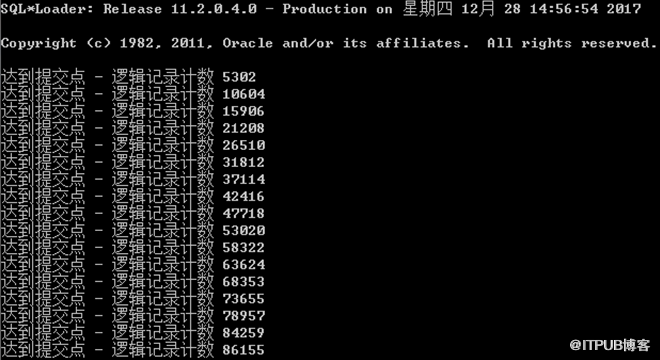
六:通过 sqlldr 加载数据到数据库

七:验证数据
select count(*) from tt1; ---86155
select * from tt1;

..........
http://www.laoxiong.net/category/odu
http://www.laoxiong.net/odu_recover_drop_table.html#more-95
欢迎关注我的微信公众号"IT小Chen",共同学习,共同成长!!!