一 准备工作
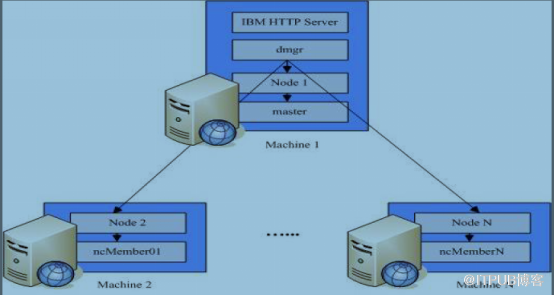
1 拓扑结构
|
角色 |
I p |
操作系统 |
主机名 |
组件 |
|
主机 |
192.1.240.10 |
Red Hat 5.4 |
cjc1 |
M aster,ncMember01,HTTP Server |
|
从机 |
192.1.240.11 |
Red Hat 5.4 |
cjc2 |
ncMember02,ncMember03 |
2 安装所需介质
主机:
[root@was1 was6_linux]# pwd
/home/was6_linux
[root@was1 was6_linux]# ll -rth
total 1.4G
-rw-r--r-- 1 root root 106M Jul 31  2014 7.0.0.17-WS-UPDI-LinuxAMD64.tar.gz
-rw-r--r-- 1 root root  58M Sep  8 13:39 6.1.0-WS-WASSDK-LinuxX64-FP0000031.pak
-rw-r--r-- 1 root root 382M Sep  8 13:44 Was61[1].Linux64.Disk2.zip
-rw-r--r-- 1 root root 463M Sep  8 13:46 Was61[1].Linux64.Disk1.zip
-rw-r--r-- 1 root root 419M Sep  8 13:46 6.1.0-WS-WAS-LinuxX64-FP0000031.pak
从机:
[root@was2 was6_linux]# ll -rth
total 1.4G
-rwxr-xr-x 1 root root  58M Sep  8 13:39 6.1.0-WS-WASSDK-LinuxX64-FP0000031.pak
-rw-r--r-- 1 root root 382M Sep  8 13:44 Was61[1].Linux64.Disk2.zip
-rw-r--r-- 1 root root 463M Sep  8 13:46 Was61[1].Linux64.Disk1.zip
-rwxr-xr-x 1 root root 419M Sep  8 13:46 6.1.0-WS-WAS-LinuxX64-FP0000031.pak
-rw-r--r-- 1 root root 106M Sep 10 08:58 7.0.0.17-WS-UPDI-LinuxAMD64.tar.gz
其中:
Was61[1].Linux64.Disk1.zip是WAS安装包,
Was61[1].Linux64.Disk2.zip是WAS工具安装包,
7.0.0.17-WS-UPDI-LinuxAMD64.tar.gz补丁安装工具包,
6.1.0-WS-WAS-LinuxX64-FP0000031.pak,6.1.0-WS-WASSDK-LinuxX64-FP0000031.pak是补丁包;
3 确保主从机器网络互通
主机:
[root@was1 was6_linux]# cat /etc/hosts
10.1.240.10    was1
10.1.240.11    was2
从机:
[root@was2 was6_linux]# cat /etc/hosts
10.1.240.10    was1
10.1.240.11    was2
[root@was1 was6_linux]# ping was1 -c 1
PING was1 (127.0.0.1) 56(84) bytes of data.
64 bytes from was1 (127.0.0.1): icmp_seq=1 ttl=64 time=0.018 ms

--- was1 ping statistics ---
1 packets transmitted, 1 received, 0% packet loss, time 0ms
rtt min/avg/max/mdev = 0.018/0.018/0.018/0.000 ms

[root@was1 was6_linux]# ping was2 -c 1
PING was2 (10.1.240.11) 56(84) bytes of data.
64 bytes from was2 (10.1.240.11): icmp_seq=1 ttl=64 time=1.32 ms

--- was2 ping statistics ---
1 packets transmitted, 1 received, 0% packet loss, time 0ms
rtt min/avg/max/mdev = 1.321/1.321/1.321/0.000 ms
4 安装所需安装包
5 确保主机和从机时间同步
(1) 设置主从登录免密码
主机was1 :生成公钥和私钥
[root@was1 ~]# ssh-keygen -t rsa
Generating public/private rsa key pair.
Enter file in which to save the key (/root/.ssh/id_rsa):
Enter passphrase (empty for no passphrase):
Enter same passphrase again:
Your identification has been saved in /root/.ssh/id_rsa.
Your public key has been saved in /root/.ssh/id_rsa.pub.
The key fingerprint is:
5a:d9:73:2a:a5:32:98:18:ea:b2:1e:fc:2f:fe:94:c9 root@was1
(2)将主机公钥发送到从机
[root@was1 .ssh]# scp id_rsa.pub was2:/root/.ssh/
从机was2:创建 authorized_keys ,将公钥信息追加到 authorized_keys 文件中
[root@was2 .ssh]# touch authorized_keys
[root@was2 .ssh]# chmod 600 /root/.ssh/authorized_keys
[root@was2 .ssh]# cat id_rsa.pub >> authorized_keys
主机 was1 :主机登录从机 was2 不需要密码,同理可以配置从机登录主机免密码
[root@was1 .ssh]# ssh was2 ls
anaconda-ks.cfg
cc.txt
Desktop
id_rsa.pub
install.log
install.log.syslog
pwd
vpd.properties
(2) 确保主从时间同步
[root@was1 .ssh]# date;ssh was2 date
Thu Sep 10 09:49:20 CST 2015
Thu Sep 10 09:49:19 CST 2015
二 安装WAS
1 主从解压安装包
主机:
[root@was1 ~]# cd /home/was6_linux/
[root@was1 was6_linux]# unzip Was61\[1\].Linux64.Disk1.zip
[root@was1 was6_linux]# unzip Was61\[1\].Linux64.Disk2.zip
[root@was1 was6_linux]# tar -zxvf 7.0.0.17-WS-UPDI-LinuxAMD64.tar.gz
从机:
[root@was2 ~]# cd /home/was6_linux/
[root@was2 was6_linux]# unzip Was61\[1\].Linux64.Disk1.zip
[root@was2 was6_linux]# unzip Was61\[1\].Linux64.Disk2.zip
[root@was2 was6_linux]# tar -zxvf 7.0.0.17-WS-UPDI-LinuxAMD64.tar.gz
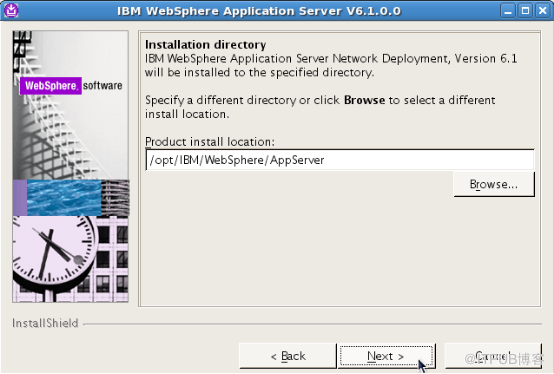
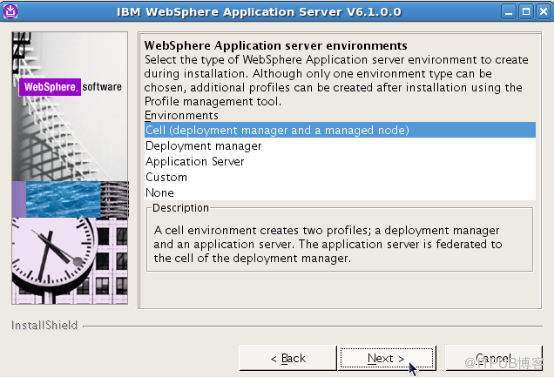
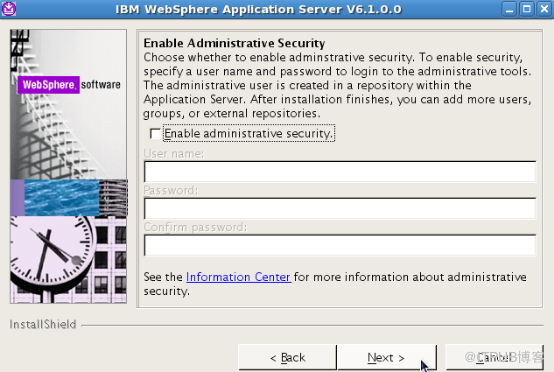
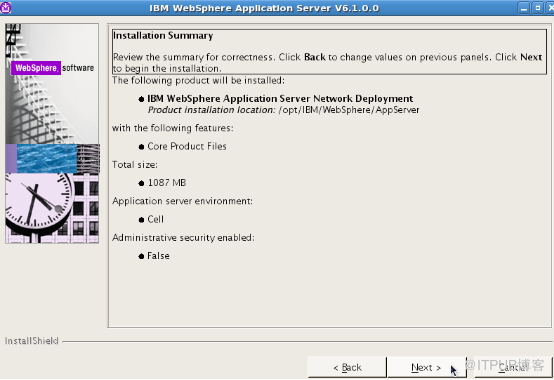
2 开始安装
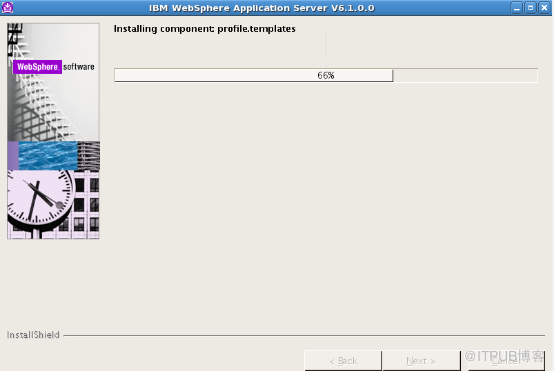
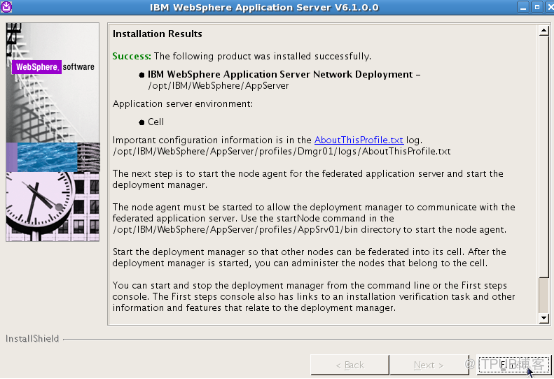
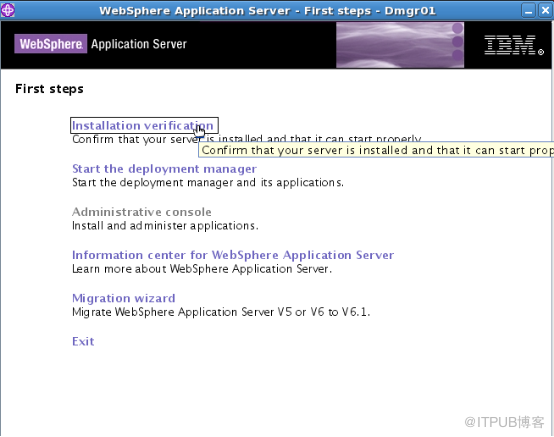
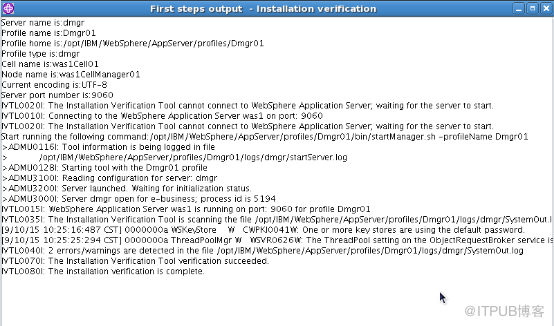
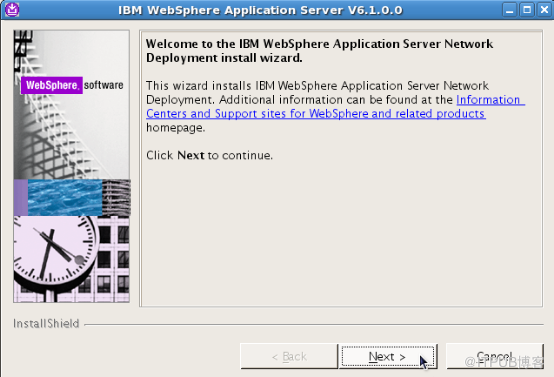
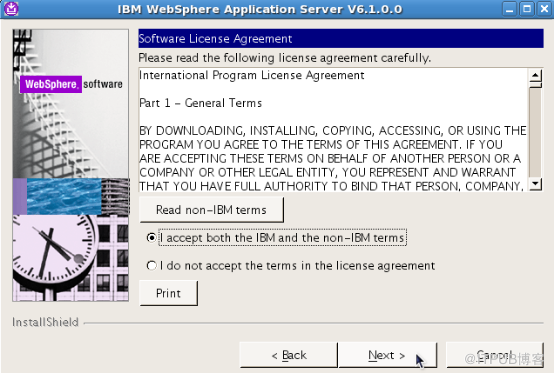
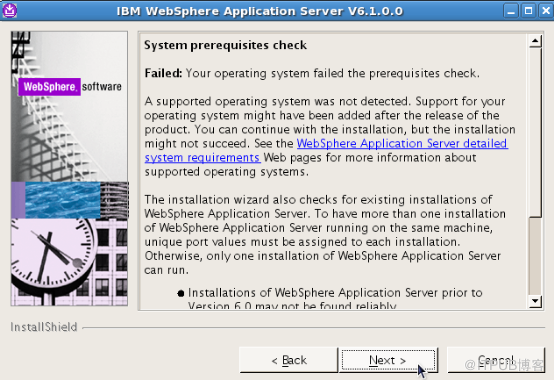
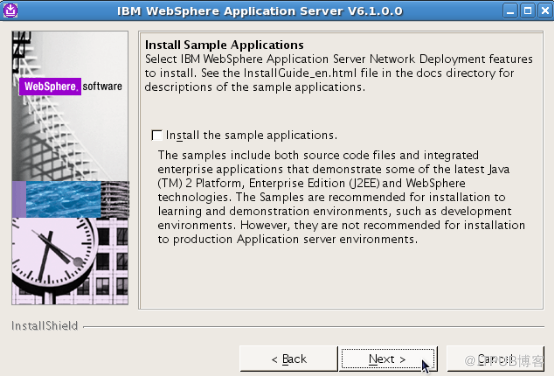
WAS
主机:
[root@was1 was6_linux]# cd WASV61_ND_LINX64/WAS/
[root@was1 WAS]# ./install
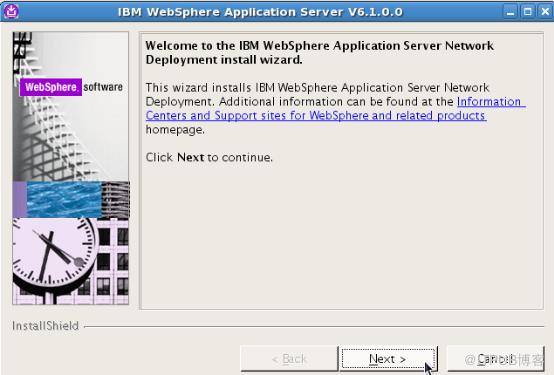
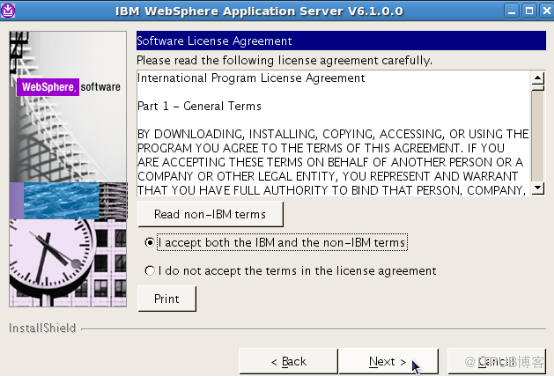
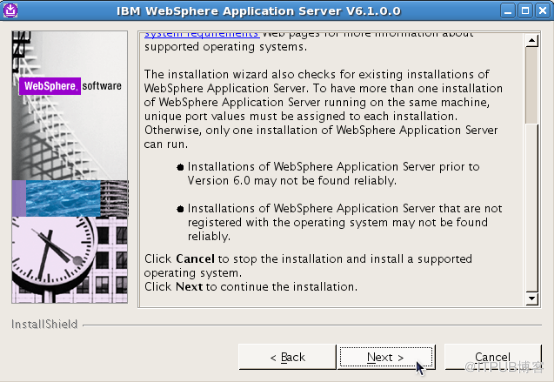

EXIT 退出
从机:
[root@was2 ~]# cd /home/was6_linux/WASV61_ND_LINX64/WAS/
[root@was2 WAS]# ./install
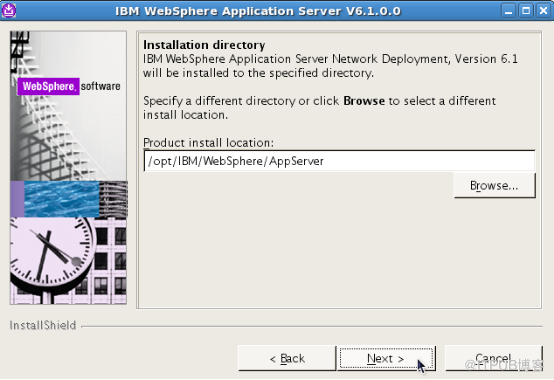
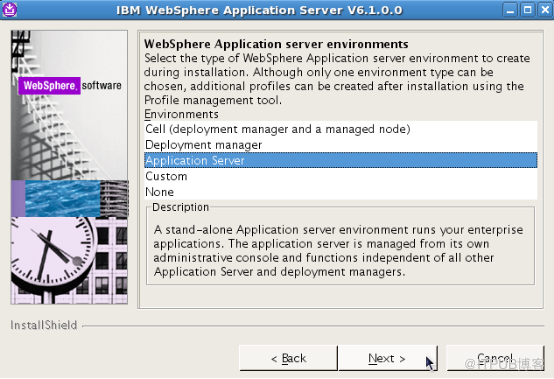
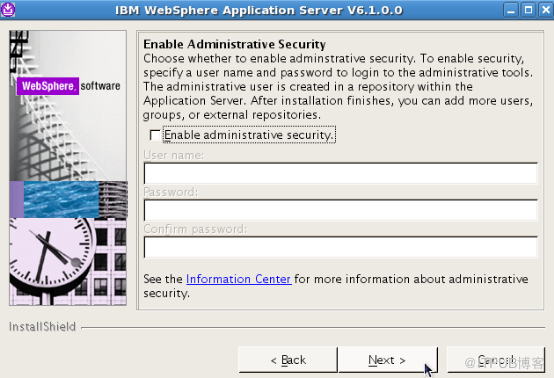
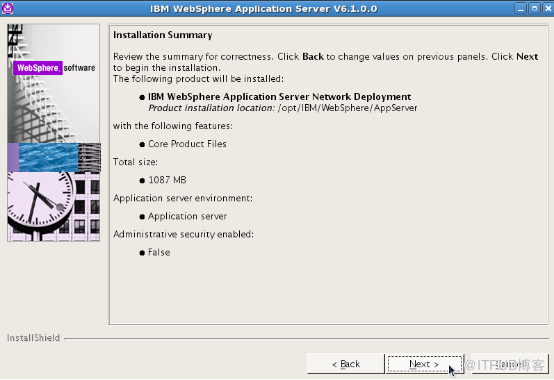
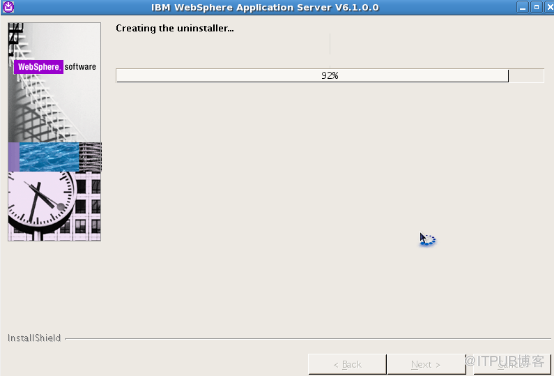
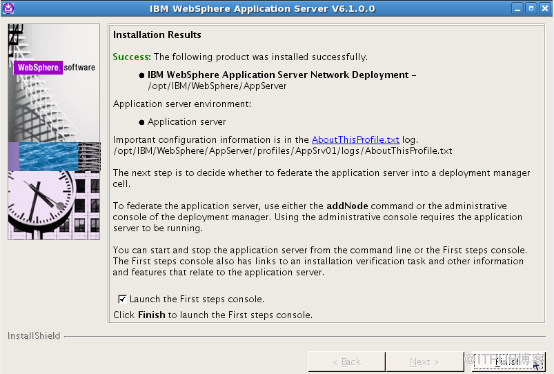

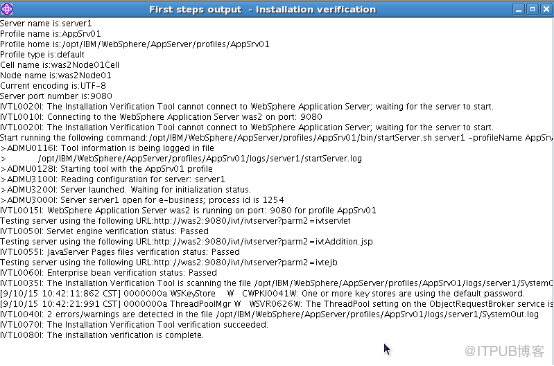
Exit 退出
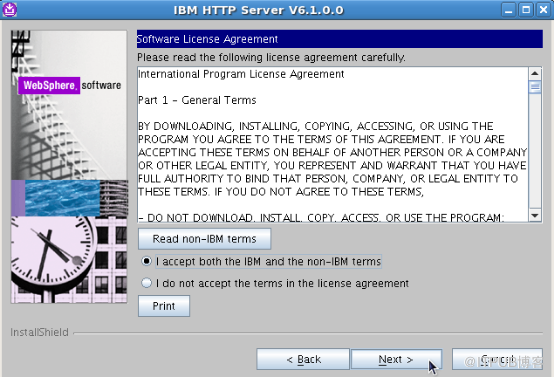
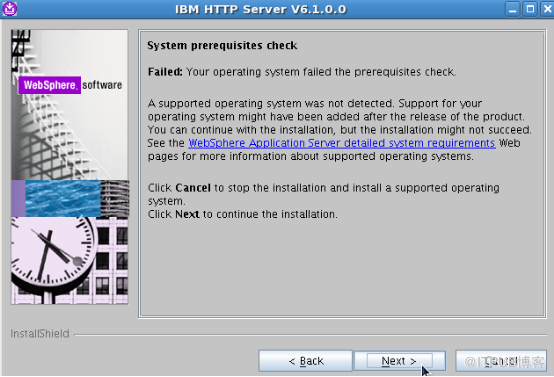
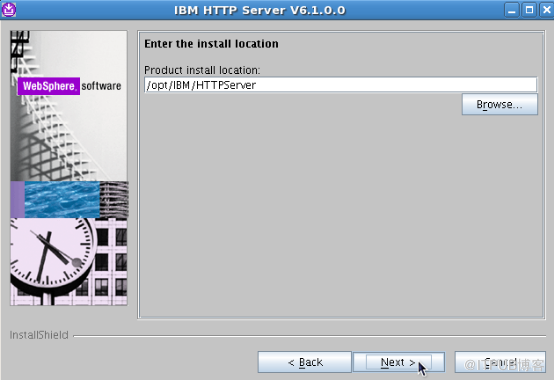
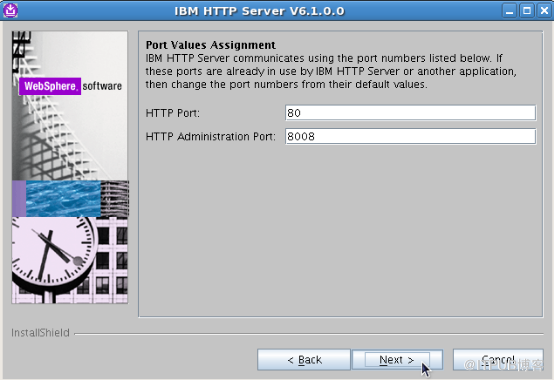
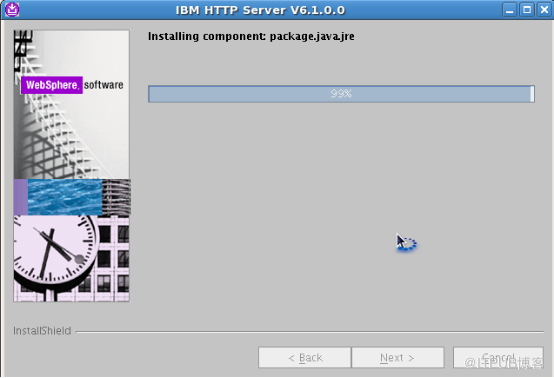
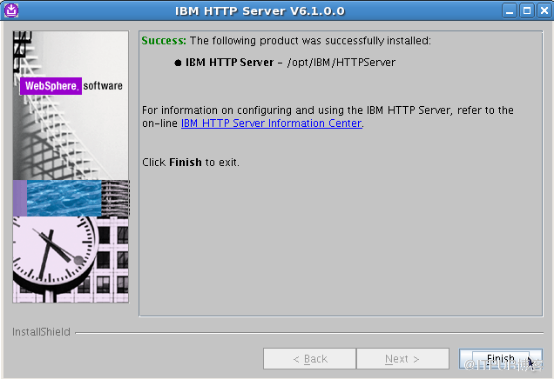
三 安装 IBM HTTP Server
主机安装,从机不安装
[root@was1 ~]# cd /home/was6_linux/TOOLS_ND_LINX64/IHS/
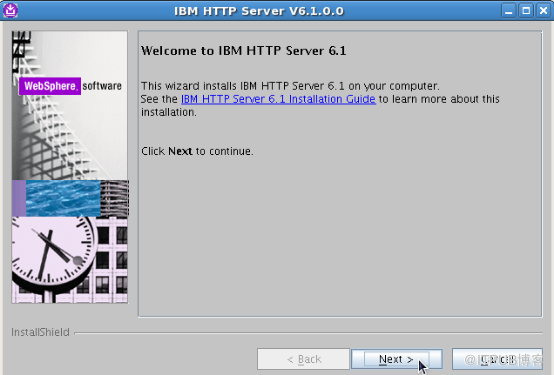
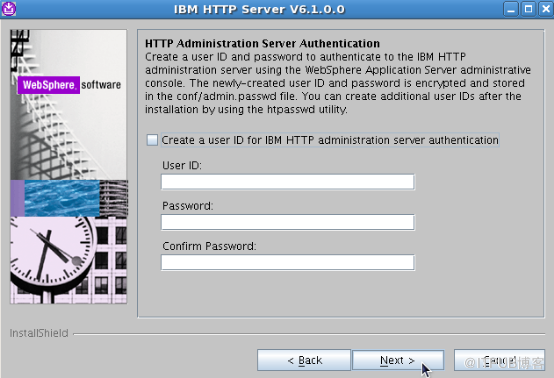
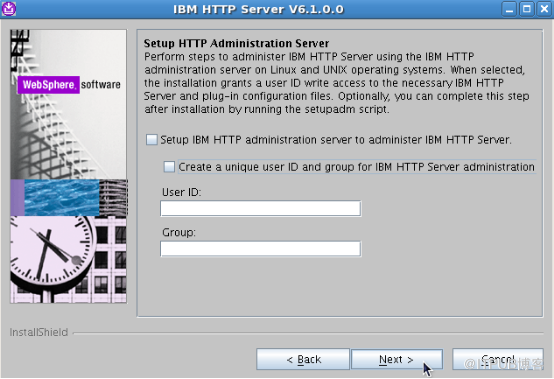
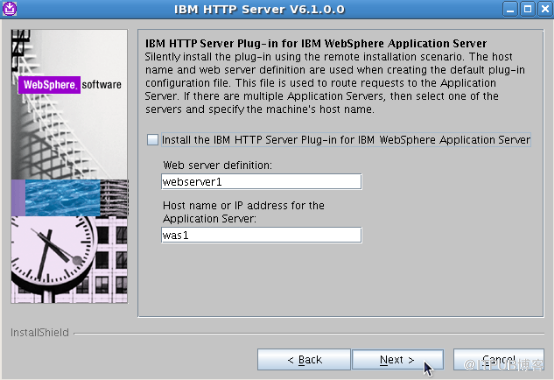
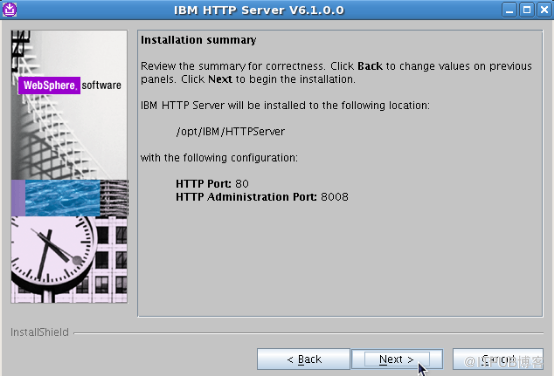
[root@was1 IHS]# ./install
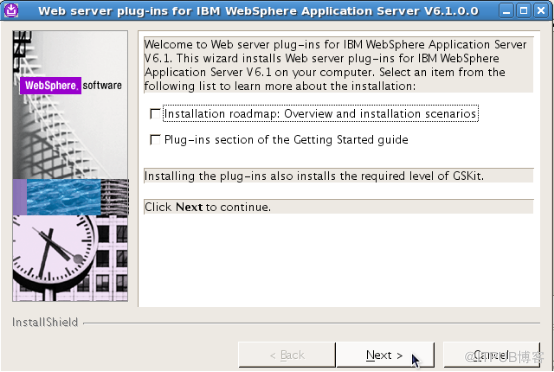
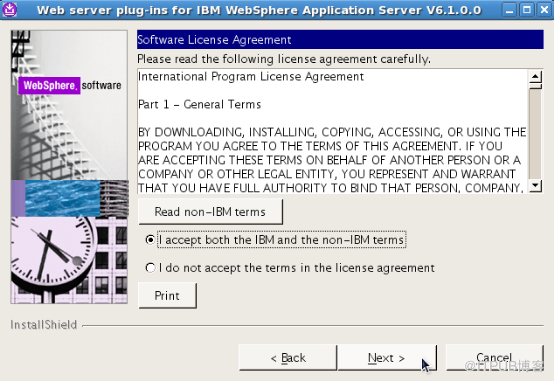
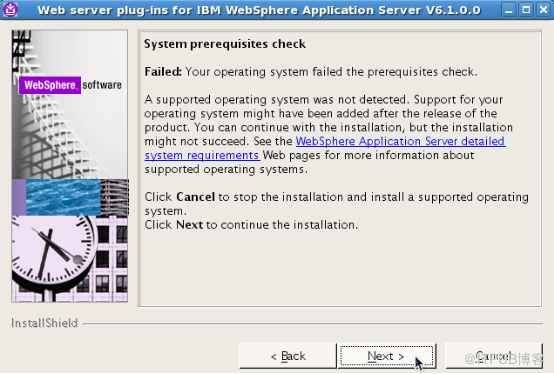
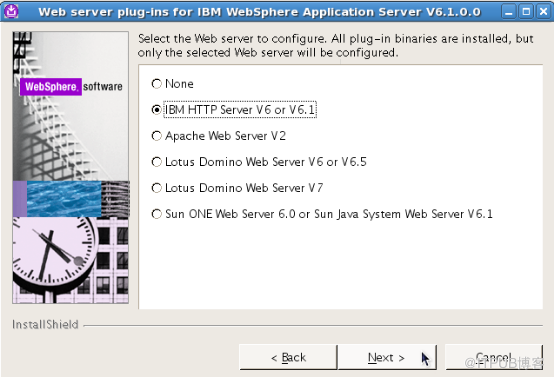
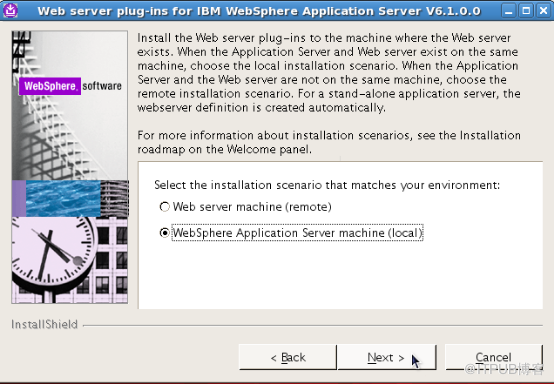
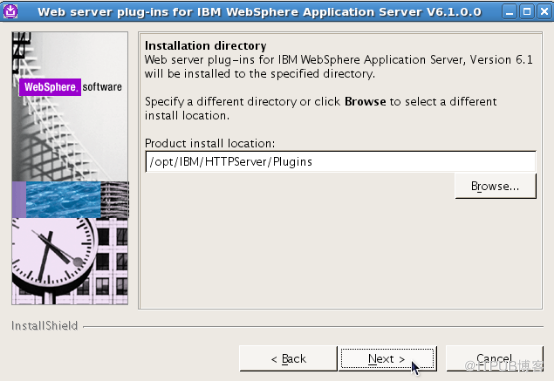
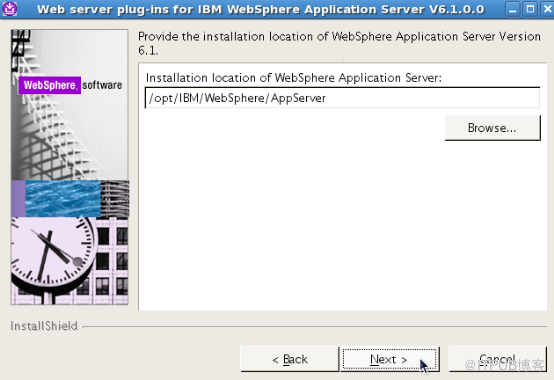
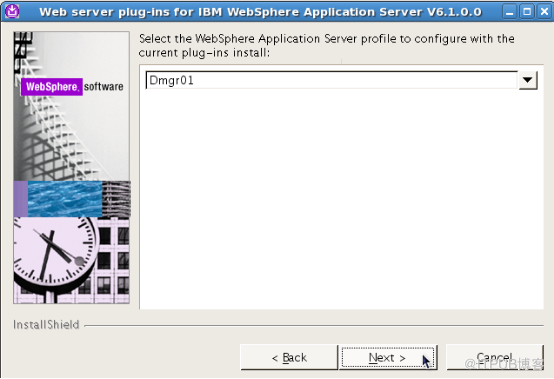
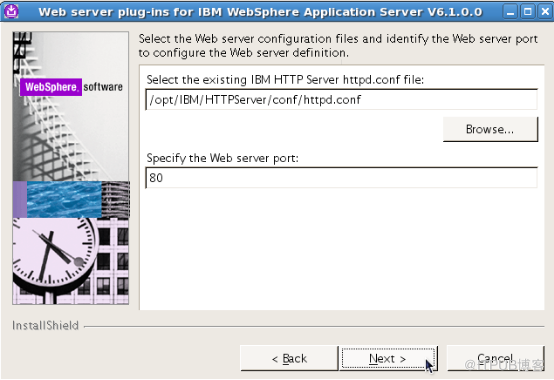
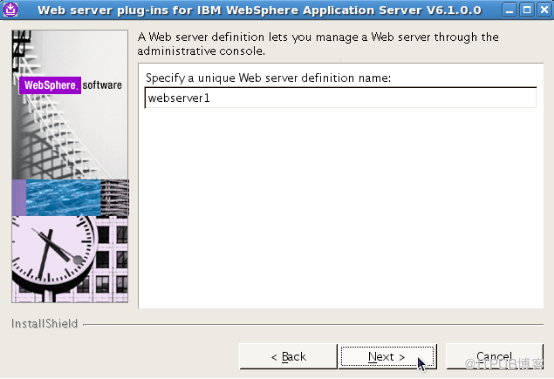
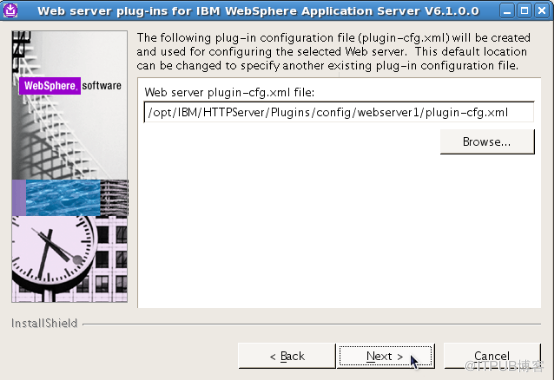
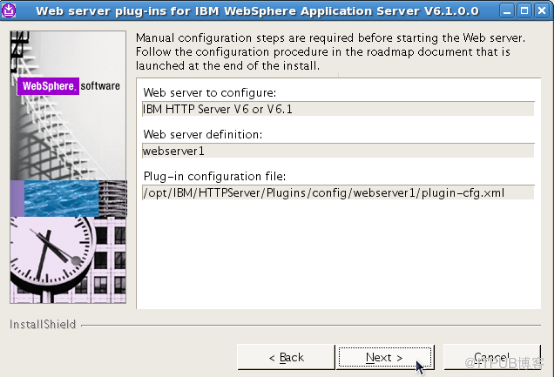
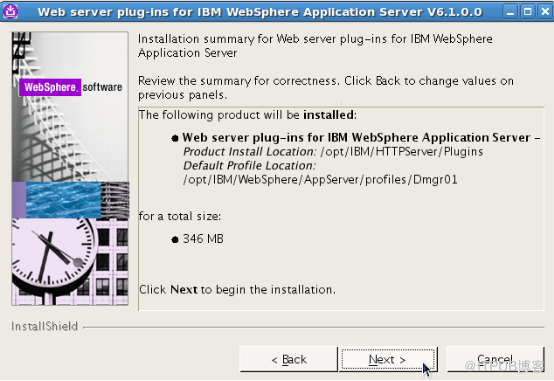
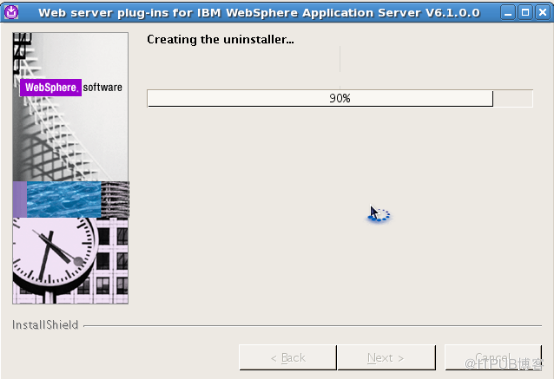
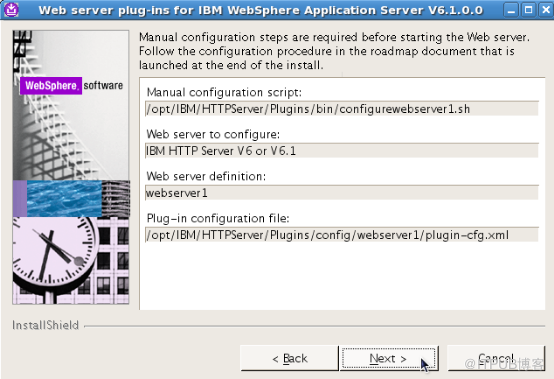
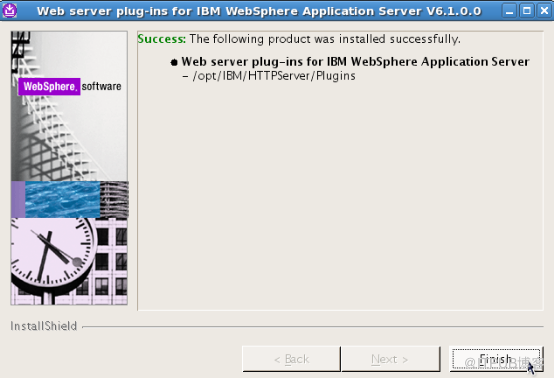
四 安装Plugin
主机安装,从机不安装
[root@was1 ~]# cd /home/was6_linux/TOOLS_ND_LINX64/plugin/
[root@was1 plugin]# ./install
五 安装WAS 补丁
主机,从机都需要打补丁
主机:
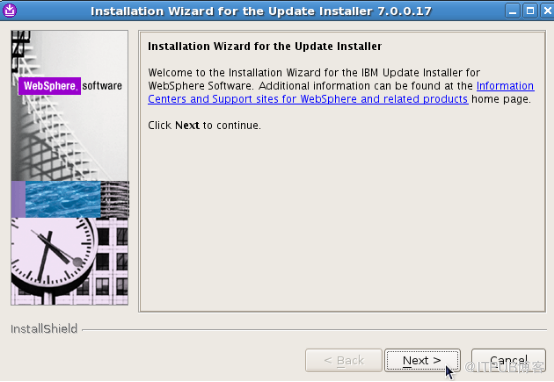
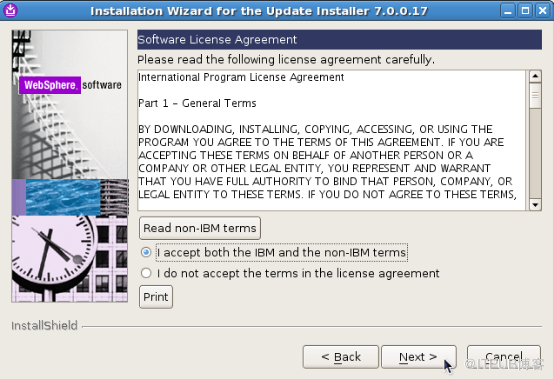
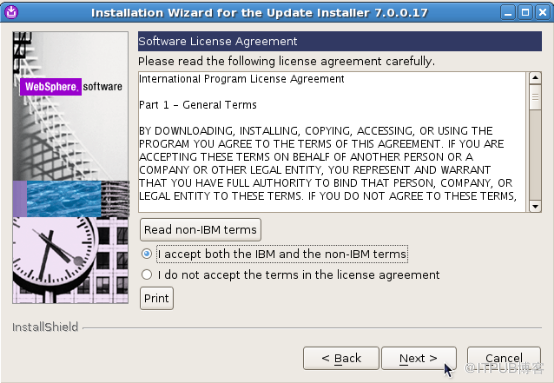
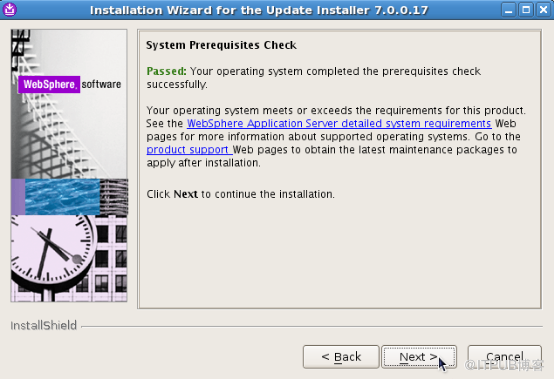
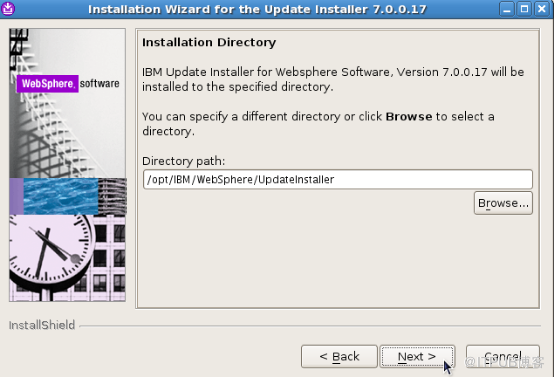
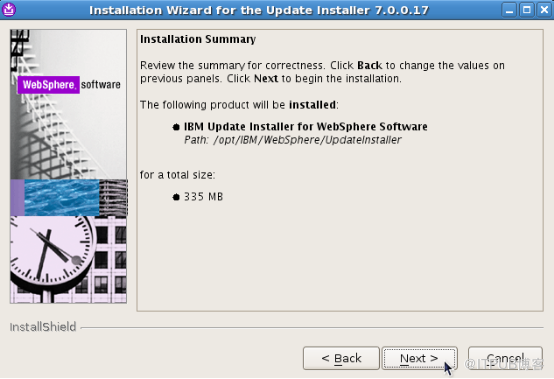
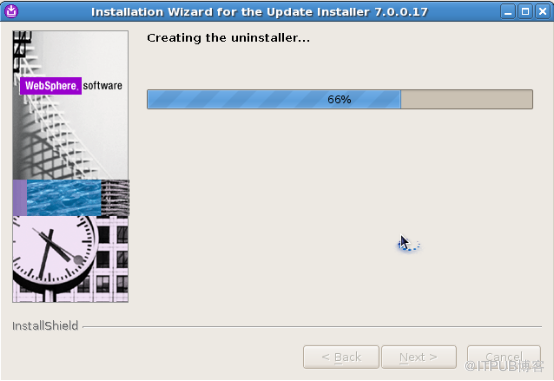
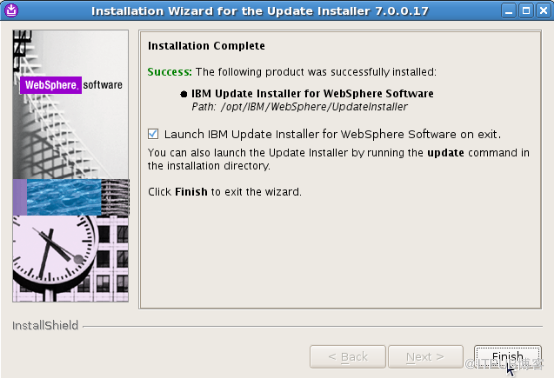
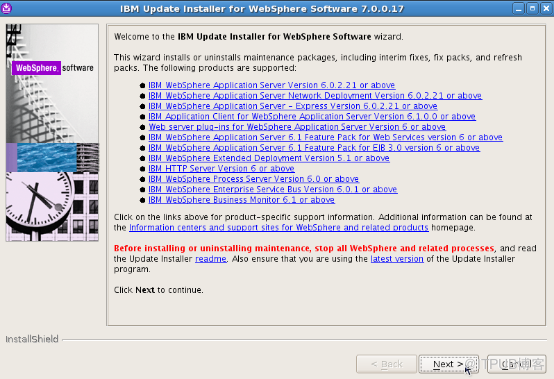
1 安装补丁工具
[root@was1 ~]# cd /home/was6_linux/UpdateInstaller/
[root@was1 UpdateInstaller]# ./install
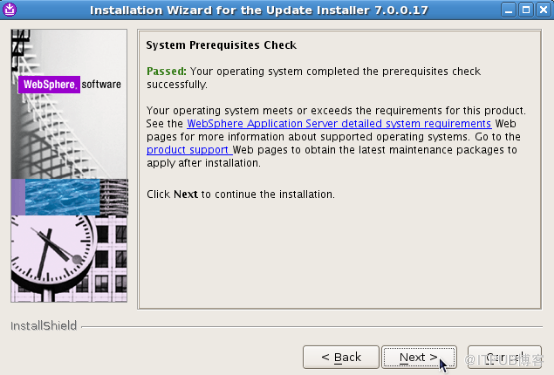
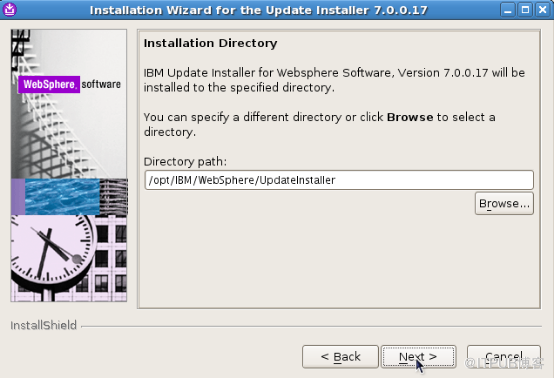
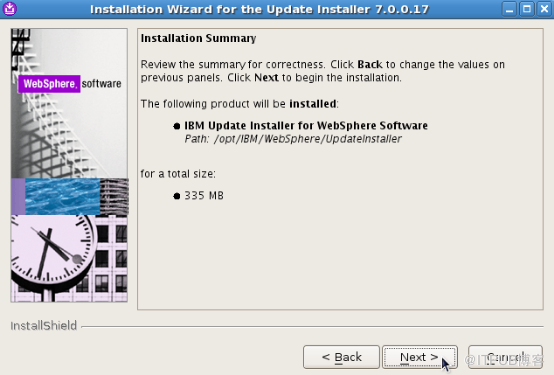
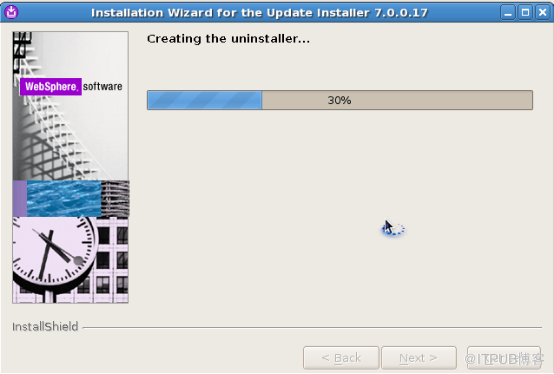
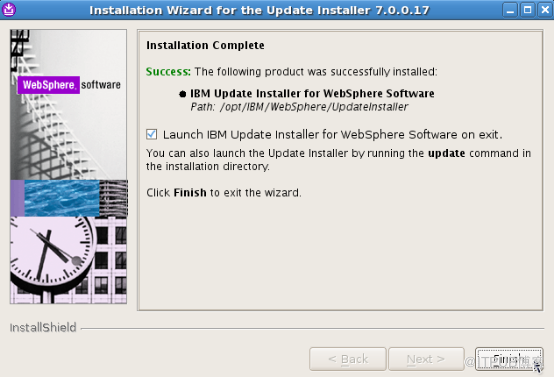
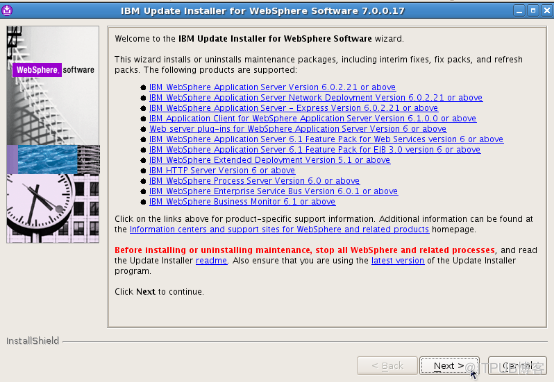
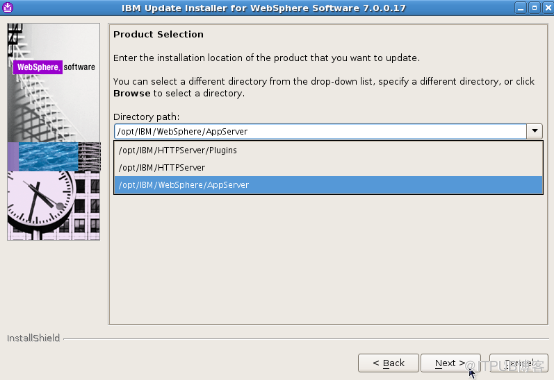
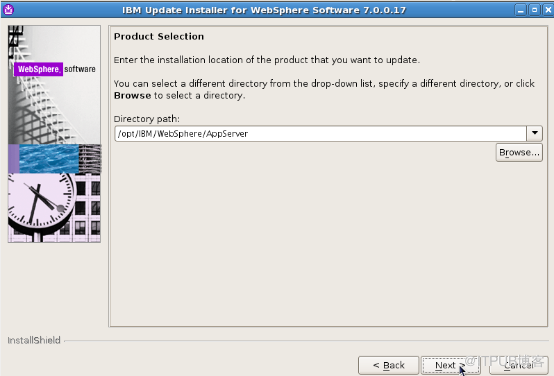
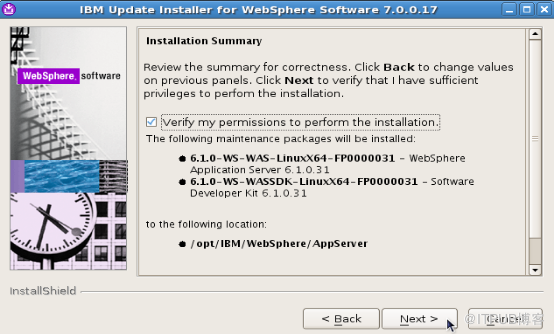
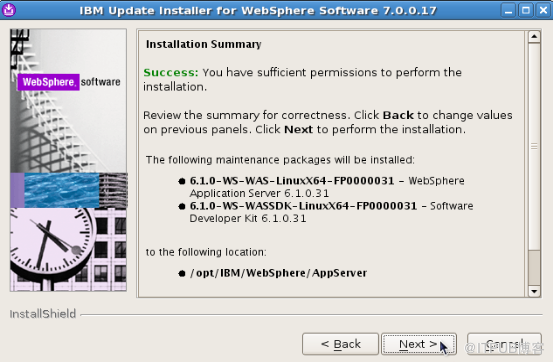
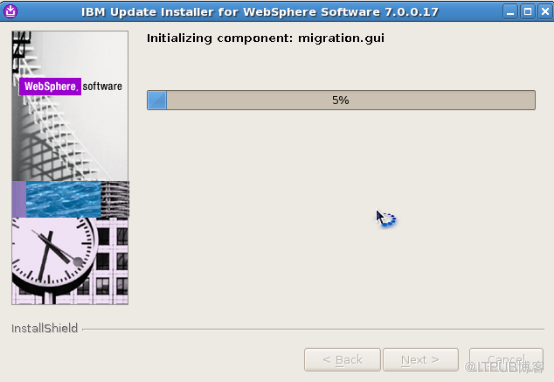
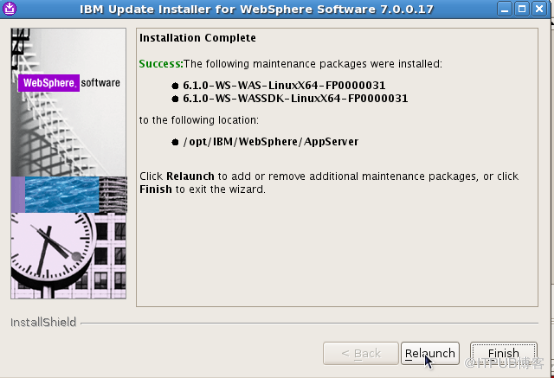
主机有三部分需要打补丁,而从机只有AppServer
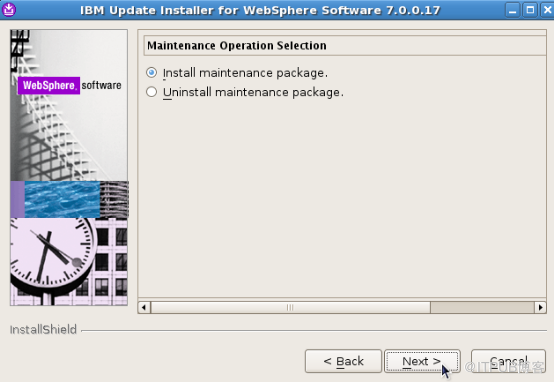
[root@was1 was6_linux]# cp 6.1.0-WS-WAS-LinuxX64-FP0000031.pak 6.1.0-WS-WASSDK-LinuxX64-FP0000031.pak /opt/IBM/WebSphere/UpdateInstaller/maintenance/
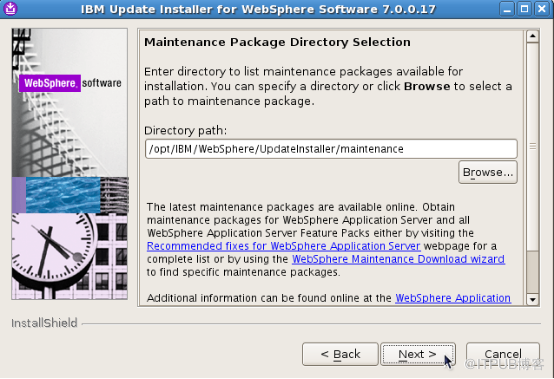

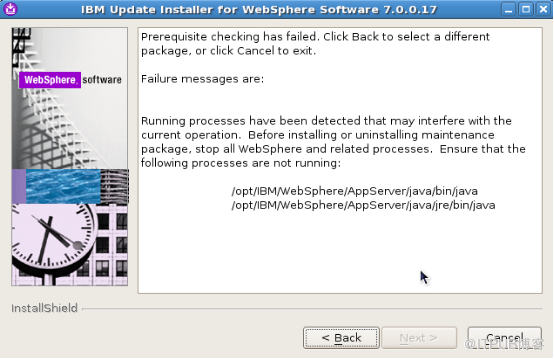
验证失败,需要停止所有应用
[root@was1 bin]# ./stopManager.sh
ADMU0116I: Tool information is being logged in file
           /opt/IBM/WebSphere/AppServer/profiles/Dmgr01/logs/dmgr/stopServer.log
ADMU0128I: Starting tool with the Dmgr01 profile
ADMU3100I: Reading configuration for server: dmgr
ADMU3201I: Server stop request issued. Waiting for stop status.
ADMU4000I: Server dmgr stop completed.
BACK-NEXT 重新验证
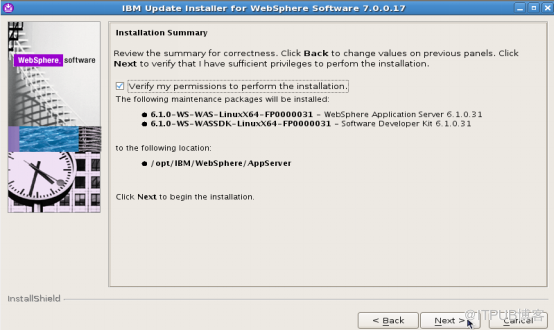
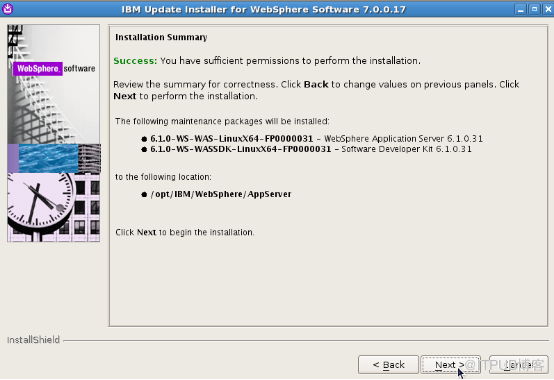
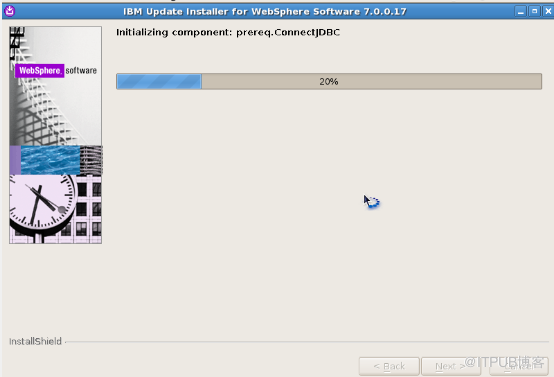
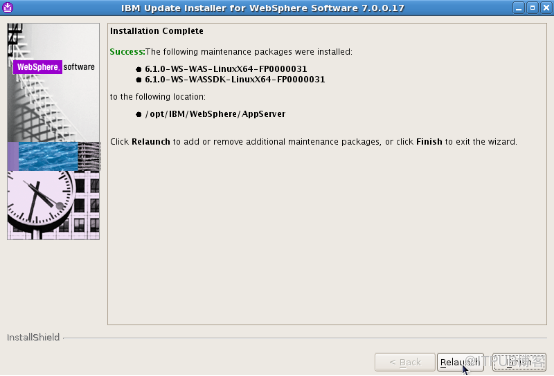
为Plugins 安装补丁
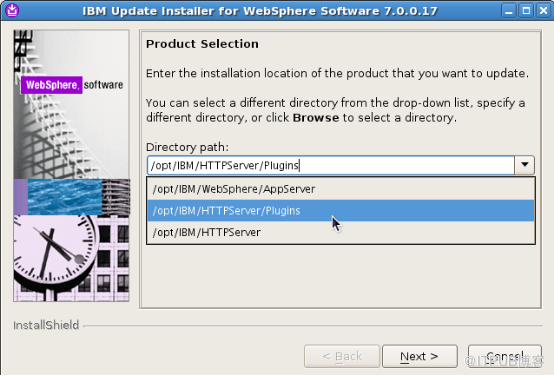
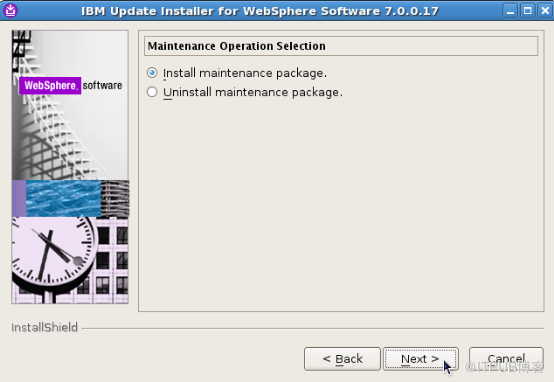
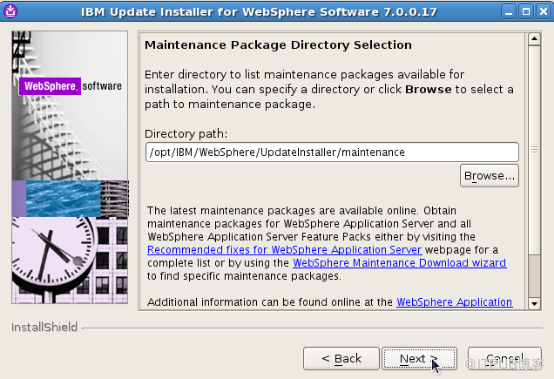
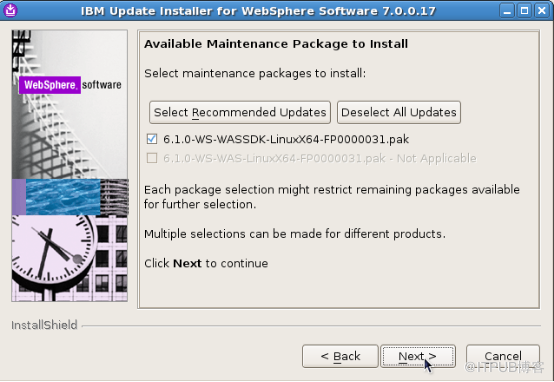
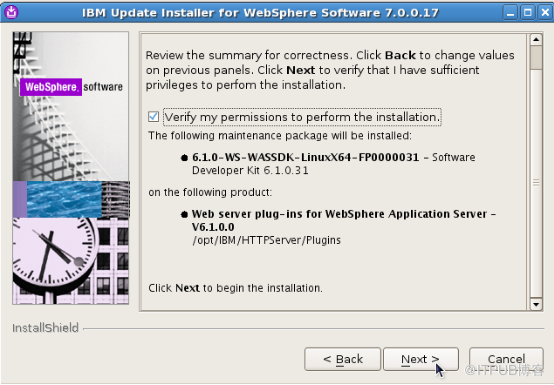
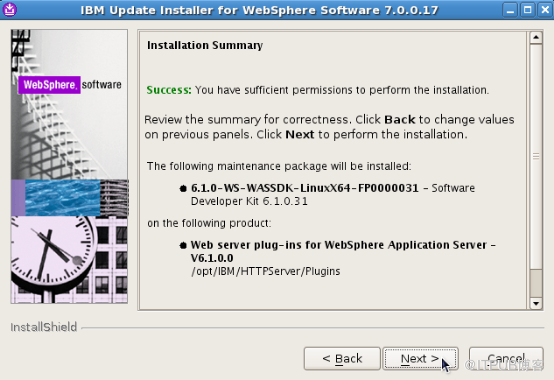

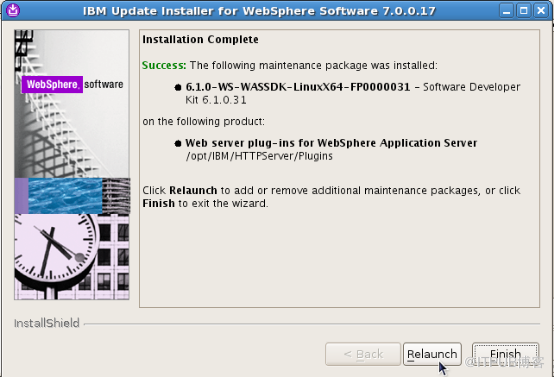
为HTTP Server 安装补丁
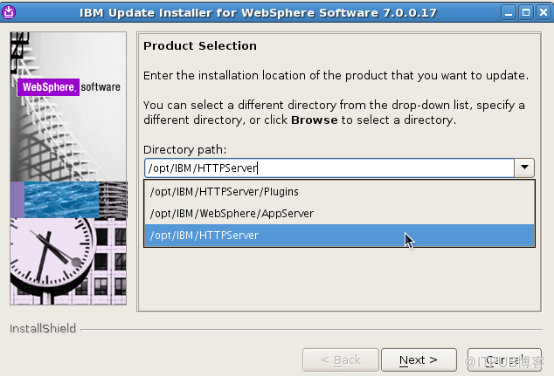
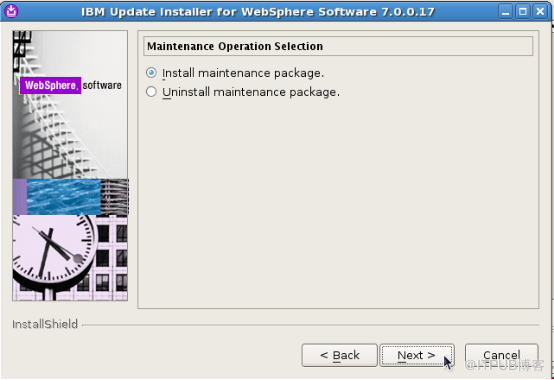


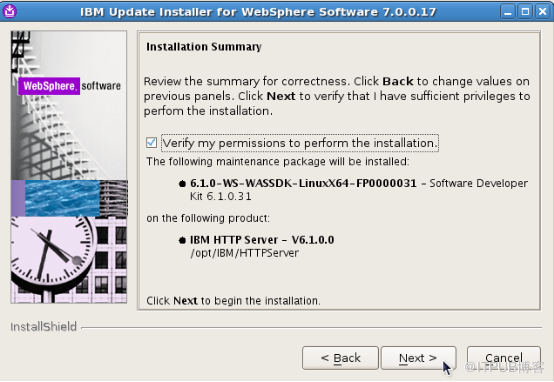
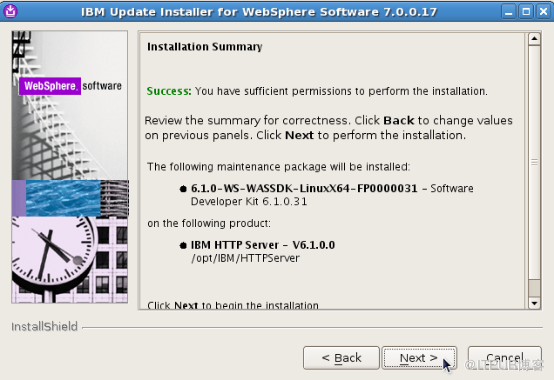
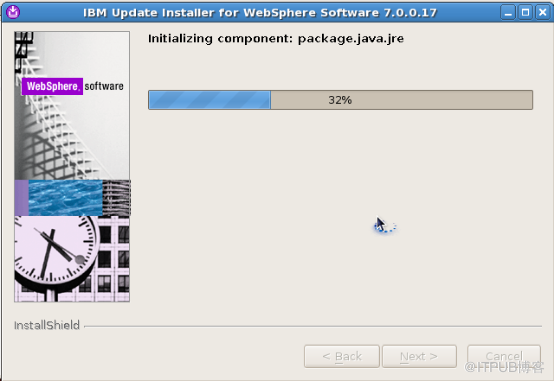
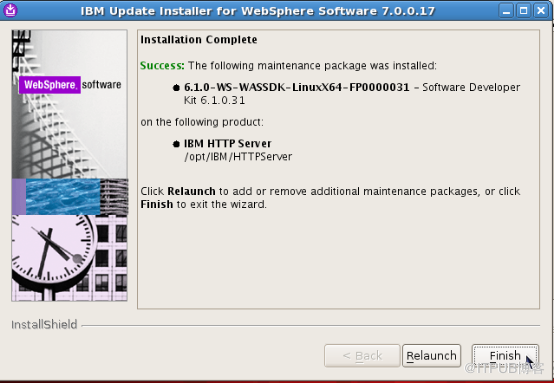
所有组件都打完补丁后,按Finish 完成退出
从机:
1 安装补丁工具
[root@was2 ~]# cd /home/was6_linux/UpdateInstaller/
[root@was2 UpdateInstaller]# ./install
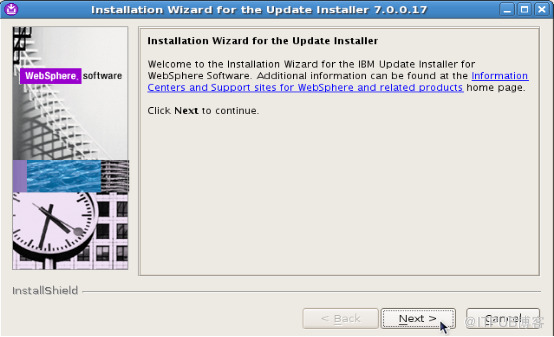
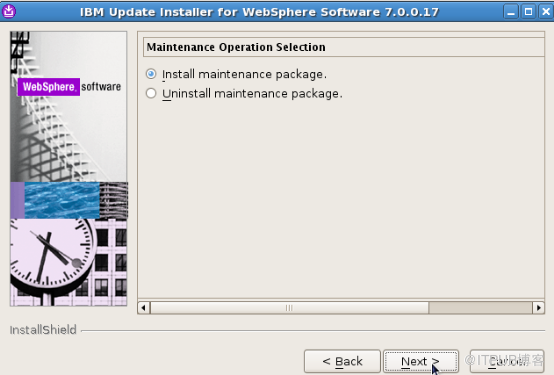
[root@was2 was6_linux]# cp 6.1.0-WS-WAS-LinuxX64-FP0000031.pak 6.1.0-WS-WASSDK-LinuxX64-FP0000031.pak /opt/IBM/WebSphere/UpdateInstaller/maintenance/
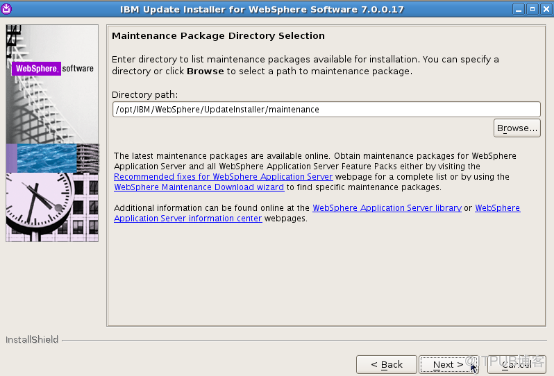
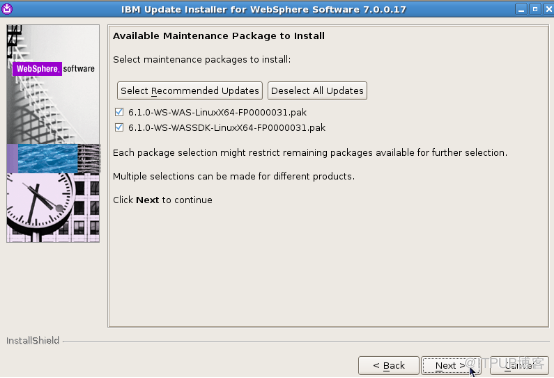
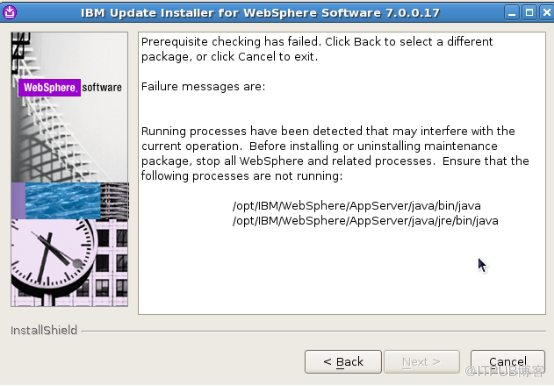
验证失败,需要停止所有应用
[root@was2 was6_linux]# cd /opt/IBM/WebSphere/AppServer/bin/
[root@was2 bin]# ./stopServer.sh  server1
ADMU0116I: Tool information is being logged in file
           /opt/IBM/WebSphere/AppServer/profiles/AppSrv01/logs/server1/stopServer.log
ADMU0128I: Starting tool with the AppSrv01 profile
ADMU3100I: Reading configuration for server: server1
ADMU3201I: Server stop request issued. Waiting for stop status.
ADMU4000I: Server server1 stop completed.

[root@was2 bin]# ps -ef|grep less
root     19145  2909  0 13:00 pts/2    00:00:00 grep less
BACK-NEXT 重新验证
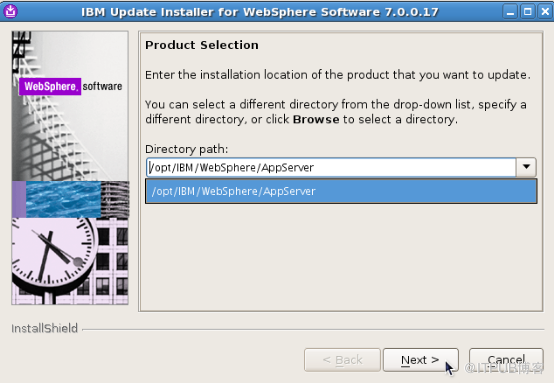
只有一个AppServer
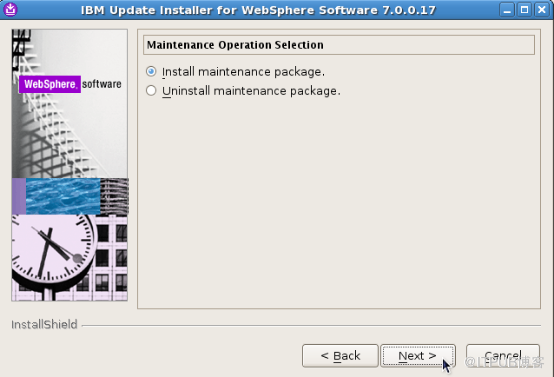
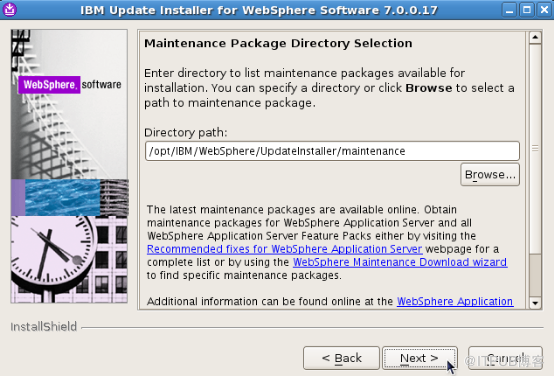
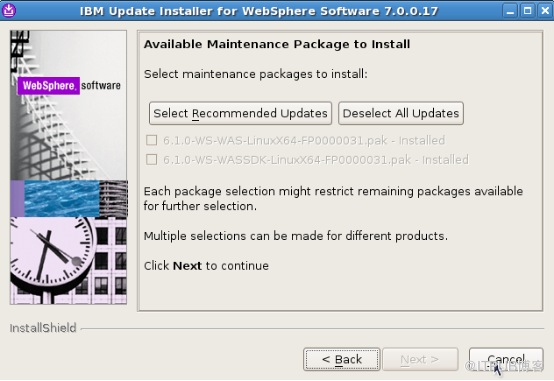
取消,退出安装
六 配置主从节点关系
1 主从节点联合
主机启动DM
[root@was1 ~]# cd /opt/IBM/WebSphere/AppServer/bin/
[root@was1 bin]# ./startManager.sh
ADMU0116I: Tool information is being logged in file
           /opt/IBM/WebSphere/AppServer/profiles/Dmgr01/logs/dmgr/startServer.log
ADMU0128I: Starting tool with the Dmgr01 profile
ADMU3100I: Reading configuration for server: dmgr
ADMU3200I: Server launched. Waiting for initialization status.
ADMU3000I: Server dmgr open for e-business; process id is 20818
从机启动 Server
[root@was2 bin]# ./startServer.sh server1
ADMU0116I: Tool information is being logged in file
           /opt/IBM/WebSphere/AppServer/profiles/AppSrv01/logs/server1/startServer.log
ADMU0128I: Starting tool with the AppSrv01 profile
ADMU3100I: Reading configuration for server: server1
ADMU3200I: Server launched. Waiting for initialization status.
ADMU3000I: Server server1 open for e-business; process id is 30385
运行addNode.sh进行节点联合
主机:
主机在安装“单元 (Deployment Manager 和受管节点 ) ”是节点已经和 DM 管理,不需要额外执行 addNode.sh
[root@was1 bin]# ./addNode.sh was1 8879
ADMU0116I: Tool information is being logged in file
           /opt/IBM/WebSphere/AppServer/profiles/Dmgr01/logs/addNode.log
ADMU0128I: Starting tool with the Dmgr01 profile
CWPKI0308I: Adding signer alias "dummyclientsigner" to local keystore
           "ClientDefaultTrustStore" with the following SHA digest:
           0B:3F:C9:E0:70:54:58:F7:FD:81:80:70:83:A6:D0:92:38:7A:54:CD
CWPKI0308I: Adding signer alias "dummyserversigner" to local keystore
           "ClientDefaultTrustStore" with the following SHA digest:
           FB:38:FE:E6:CF:89:BA:01:67:8F:C2:30:74:84:E2:40:2C:B4:B5:65
ADMU0001I: Begin federation of node was1CellManager01 with Deployment Manager
           at was1:8879.
ADMU0001I: Begin federation of node was1CellManager01 with Deployment Manager
           at was1:8879.
ADMU0009I: Successfully connected to Deployment Manager Server: was1:8879
ADMU0033E: The node was1CellManager01 already has been added to the cell.
ADMU0027E: An error occurred during federation ADMU0033E: The node
           was1CellManager01 already has been added to the cell.; rolling back
           to original configuration.
ADMU0211I: Error details may be seen in the file:
           /opt/IBM/WebSphere/AppServer/profiles/Dmgr01/logs/addNode.log
ADMU0111E: Program exiting with error:
           com.ibm.ws.management.tools.DoNotDoAddNodeException: ADMU0033E: The
           node was1CellManager01 already has been added to the cell.
ADMU1211I: To obtain a full trace of the failure, use the -trace option.
ADMU0211I: Error details may be seen in the file:
           /opt/IBM/WebSphere/AppServer/profiles/Dmgr01/logs/addNode.log
从机:
[root@was2 bin]# pwd
/opt/IBM/WebSphere/AppServer/bin
[root@was2 bin]# ./addNode.sh was1 8879
ADMU0116I: Tool information is being logged in file
           /opt/IBM/WebSphere/AppServer/profiles/AppSrv01/logs/addNode.log
ADMU0128I: Starting tool with the AppSrv01 profile
CWPKI0309I: All signers from remote keystore already exist in local keystore.
ADMU0001I: Begin federation of node was2Node01 with Deployment Manager at
           was1:8879.
ADMU0001I: Begin federation of node was2Node01 with Deployment Manager at
           was1:8879.
ADMU0009I: Successfully connected to Deployment Manager Server: was1:8879
ADMU0505I: Servers found in configuration:
ADMU0506I: Server name: server1
ADMU2010I: Stopping all server processes for node was2Node01
ADMU0512I: Server server1 cannot be reached. It appears to be stopped.
ADMU0024I: Deleting the old backup directory.
ADMU0015I: Backing up the original cell repository.
ADMU0012I: Creating Node Agent configuration for node: was2Node01
ADMU0014I: Adding node was2Node01 configuration to cell: was1Cell01
ADMU0016I: Synchronizing configuration between node and cell.
ADMU0018I: Launching Node Agent process for node: was2Node01
ADMU0020I: Reading configuration for Node Agent process: nodeagent
ADMU0022I: Node Agent launched. Waiting for initialization status.
ADMU0030I: Node Agent initialization completed successfully. Process id is:
           31474
ADMU9990I:
ADMU0300I: The node was2Node01 was successfully added to the was1Cell01 cell.
ADMU9990I:
ADMU0306I: Note:
ADMU0302I: Any cell-level documents from the standalone was1Cell01
           configuration have not been migrated to the new cell.
ADMU0307I: You might want to:
ADMU0303I: Update the configuration on the was1Cell01 Deployment Manager with
           values from the old cell-level documents.
ADMU9990I:
ADMU0306I: Note:
ADMU0304I: Because -includeapps was not specified, applications installed on
           the standalone node were not installed on the new cell.
ADMU0307I: You might want to:
ADMU0305I: Install applications onto the was1Cell01 cell using wsadmin
           $AdminApp or the Administrative Console.
ADMU9990I:
ADMU0003I: Node was2Node01 has been successfully federated.
2 进入控制台配置集群结构
查看控制台端口
[root@was1 logs]# pwd
/opt/IBM/WebSphere/AppServer/profiles/Dmgr01/logs
[root@was1 logs]# vim AboutThisProfile.txt
Application server environment to create: Cell Deployment manager
Location: /opt/IBM/WebSphere/AppServer/profiles/Dmgr01
Disk space required: 30 MB
Profile name: Dmgr01
Make this profile the default: True
Cell name: was1Cell01
Node name: was1CellManager01
Host name: was1
Enable administrative security (recommended): False
Administrative console port: 9060
Administrative console secure port: 9043
Bootstrap port: 9809
SOAP connector port: 8879
Run deployment manager as a service: True
Create a Web server definition: False
[root@was1 Dmgr01]# firefox was1:9060/ibm/console
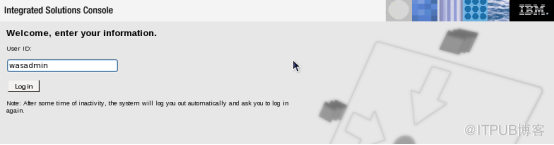
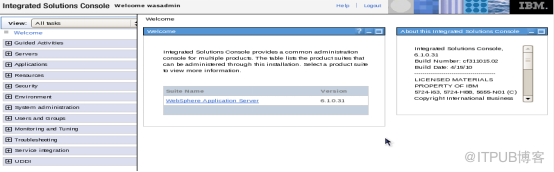
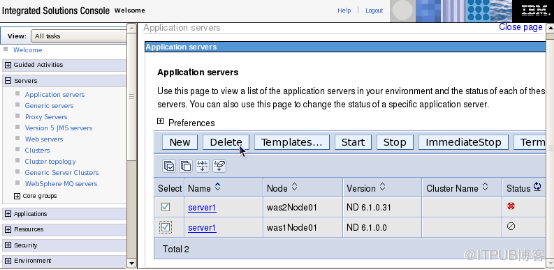
删除旧的应用服务器Server
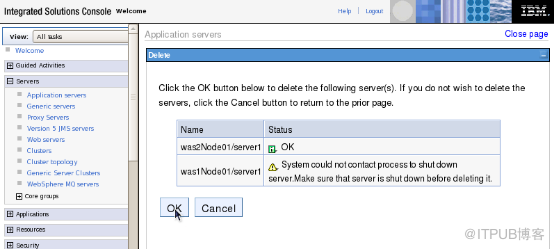
确认删除
删除完成
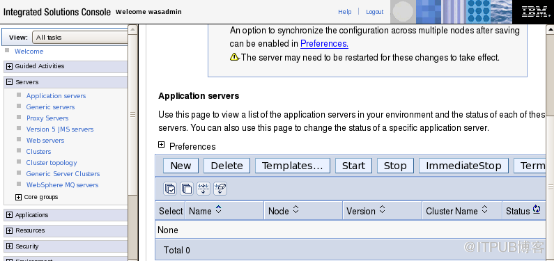
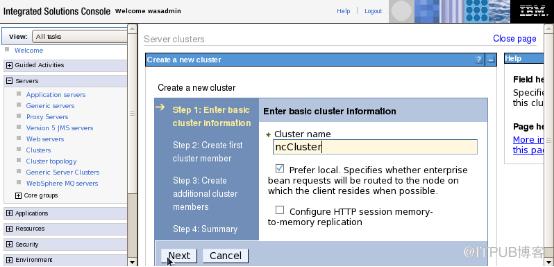
创建集群
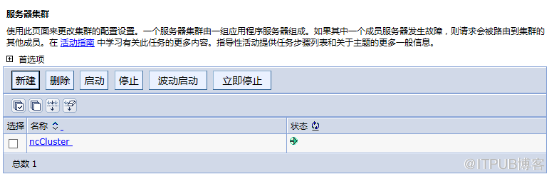
集群名为ncCluster
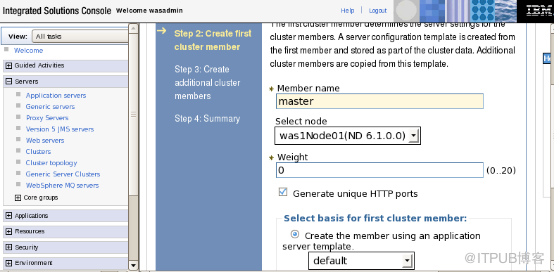
创建集群第一个成员master, 节点在主机上,权重为 0
配置其他成员,ncMem01 在主机上, ncMem02,ncMem03 在从机上,权重均为 10
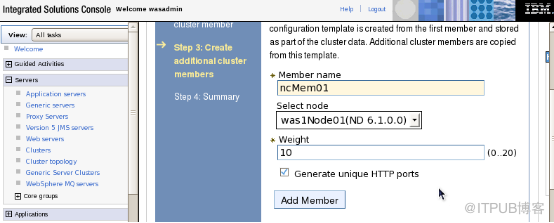
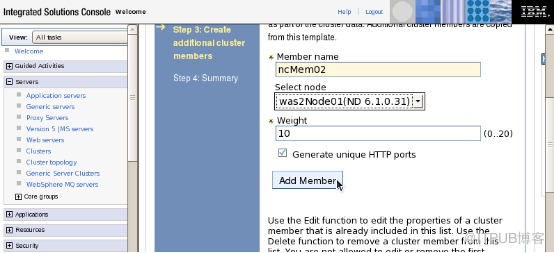
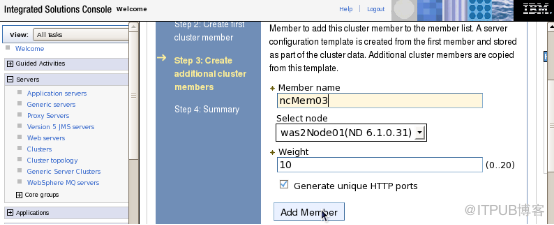
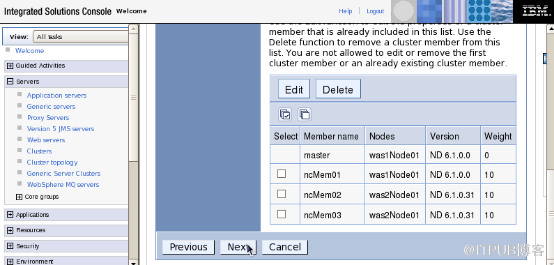
Next-Finish
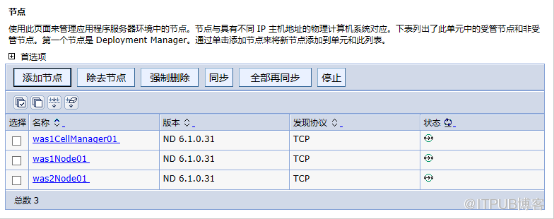
启动节点
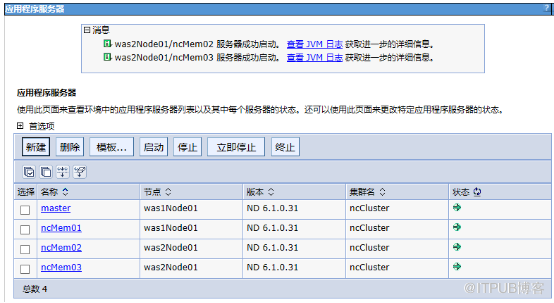
节点状态 均为 已同步
集群状态 已启动
###chenjuchao 2015-09-10###