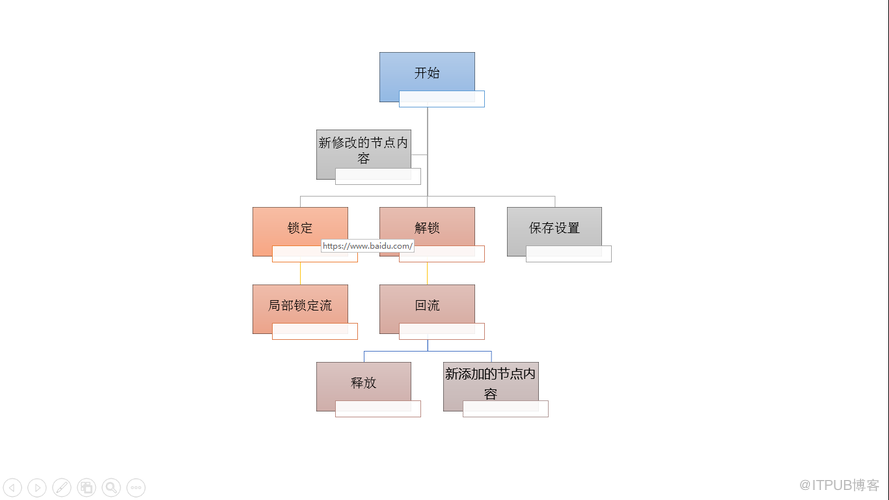
本文介绍在Java程序中如何来编辑PPT幻灯片中已有的SmartArt图形,包括重置图形样式、颜色、添加/删除图形节点、编辑节点内容、添加超链接到节点(链接到网页、链接到指定幻灯片)等。
工具: Free Spire.Presentation for Java 免费版,jar导入,参考如下方法:
方法1. 官网 下载jar包,解压,将lib文件夹下的Spire.Presentation.jar文件导入Java程序;
方法2. 在Maven程序中导入需要先配置pom.xml文件,如下:
            com.e-iceblue
            http://repo.e-iceblue.cn/repository/maven-public/


  e-iceblue
  spire.presentation.free
  3.9.0
配置好后,导入jar。
Java 示例
 import com.spire.presentation.*;
 import com.spire.presentation.diagrams.*;

 public class ModifySmartArt {
     public static void main(String[] args) throws Exception {
//加载PPT文档
         Presentation ppt = new Presentation();
         ppt.loadFromFile("sample.pptx");

         //获取SmartArt图形
         ISmartArt smartart = (ISmartArt) ppt.getSlides().get(0).getShapes().get(0);

         //重置图形样式及颜色
         smartart.setStyle(SmartArtStyleType.SUBTLE_EFFECT);
         smartart.setColorStyle(SmartArtColorType.COLORFUL_ACCENT_COLORS_2_TO_3);

         //获取SmartArt图形的节点集合
         ISmartArtNodeCollection nodes = smartart.getNodes();
         nodes.get(1).getTextFrame().setText("新修改的节点内容");//更改节点内容

         nodes.get(1).getTextFrame().setAutofitType(TextAutofitType.SHAPE);//设置节点形状的文本自适应类型

         //添加超链接到节点
         nodes.get(2).setClick(new ClickHyperlink("https://www.baidu.com/"));//添加指向网页的超链接
         nodes.get(3).setClick(new ClickHyperlink(ppt.getSlides().get(1)));//添加指向指定幻灯片的超链接

         //添加节点
         ISmartArtNode newnode = nodes.get(5).getChildNodes().addNode();
         newnode.getTextFrame().setText("新添加的节点内容");

         //nodes[0].ChildNodes[3].ChildNodes.RemoveNodeByPosition(0);//删除节点


         //保存到本地并打开
         ppt.saveToFile("output.pptx", FileFormat.PPTX_2013);
         ppt.dispose();
     }
 }
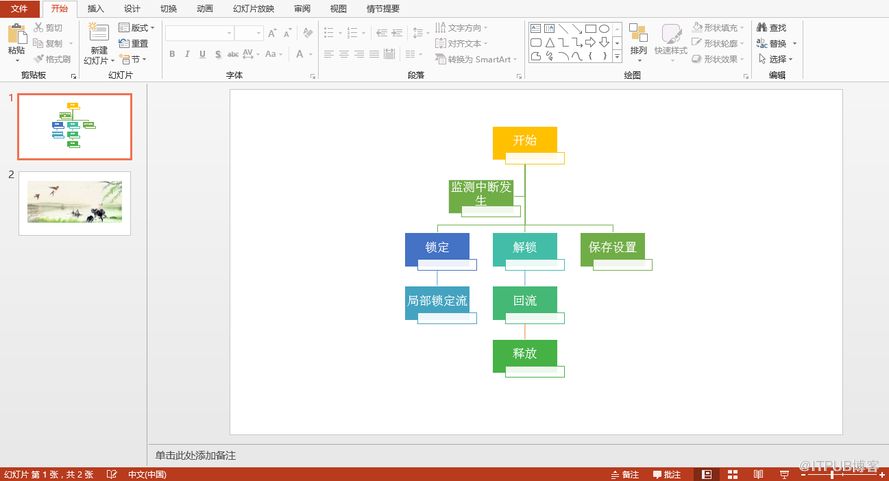
编辑结果如下,添加的超链接效果需要在幻灯片播放中查看: