1.国外sonatype仓库的版本
1.1老OSSHR账号注册说明
https://central.sonatype.org/faq/what-happened-to-issues-sonatype-org/
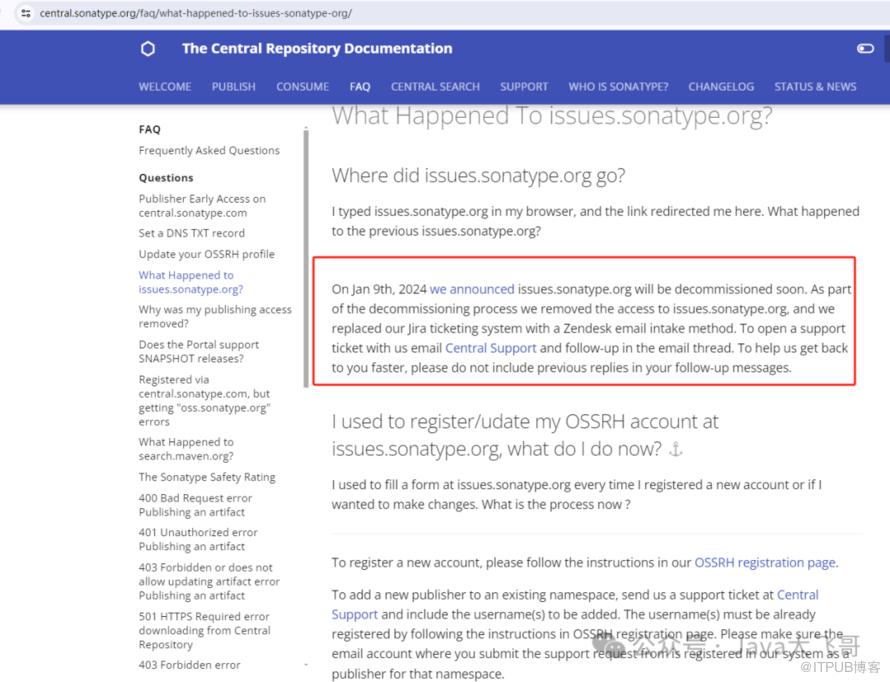
https://blog.csdn.net/SpongeBob_shouse/article/details/1288037531.2新账号注册说明
https://central.sonatype.org/publish-ea/publish-ea-guide/#why-do-we-have-requirements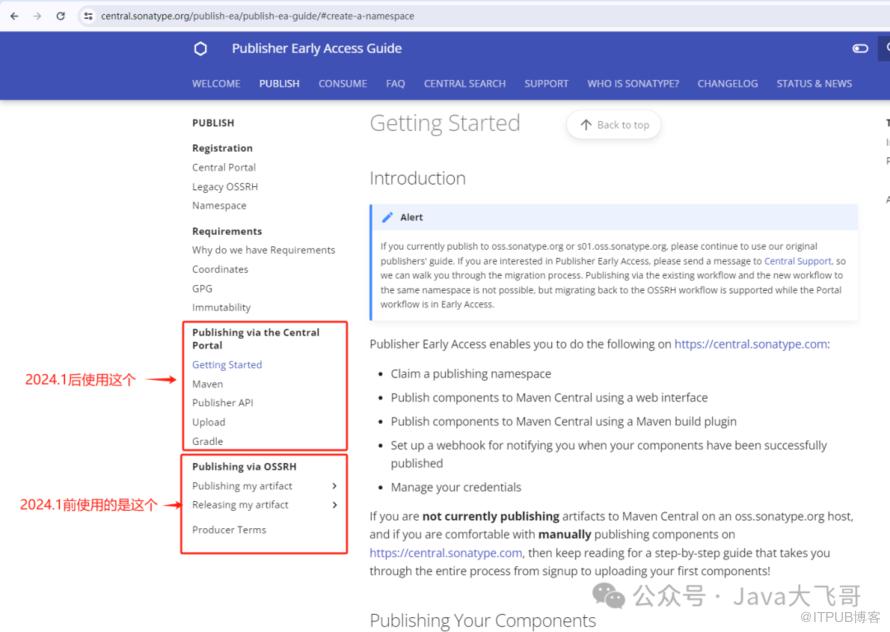
2.新账号注册(必选)
https://central.sonatype.com/https://central.sonatype.org/register/legacy/
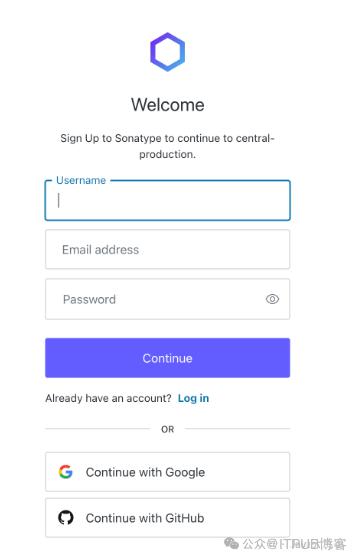
https://central.sonatype.com/3.新账号登录创建Namespace
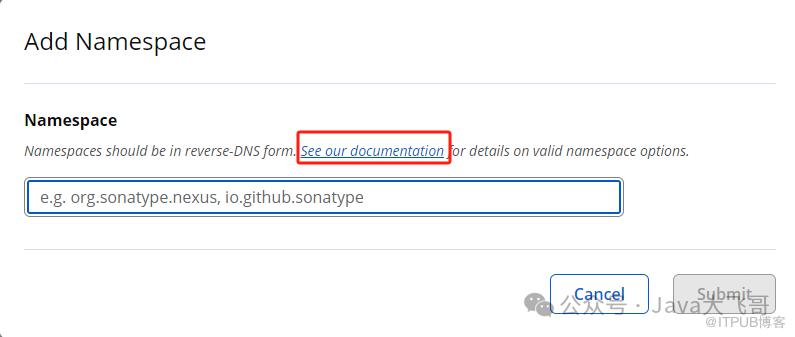
3.1创建Namespace的名字的格式要求(必选)
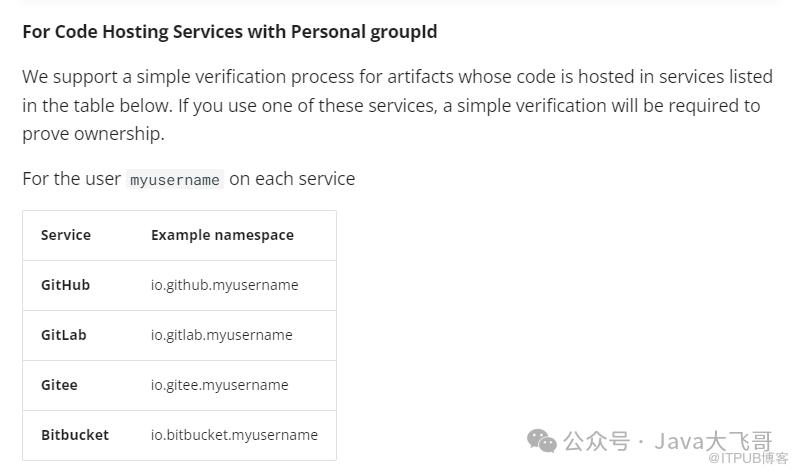
https://central.sonatype.org/register/namespace/#managing-your-credentialsgithub的格式:io.github.你的github的账号usernamegitee的格式:io.gitee.你的gitee的账号username如果你的github、gitee的username是大写的,这里默认使用的是小写,也就是它不区分大小写(如果你的账号是大写注册,这里你填写小写即可)
3.2发布一个静态网站(可选)
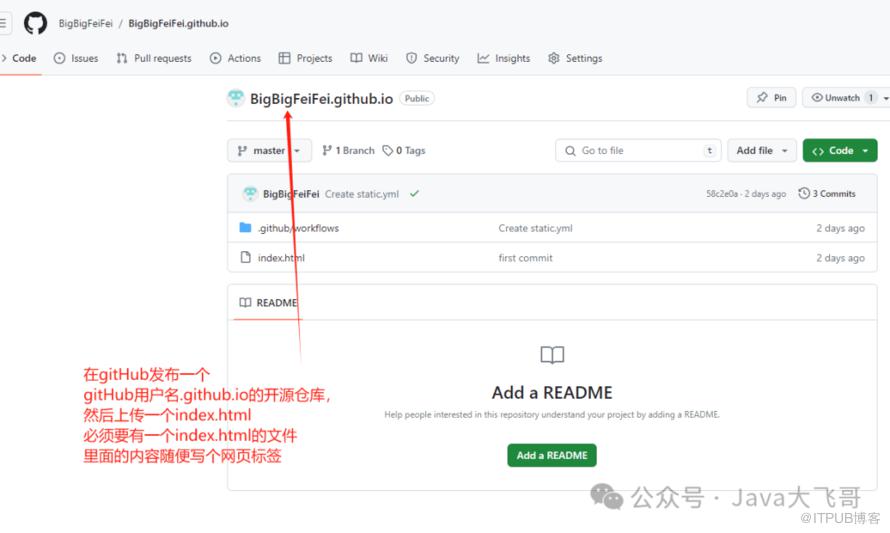
<html><head>我的page-testhead><body>this is my project<body>html>
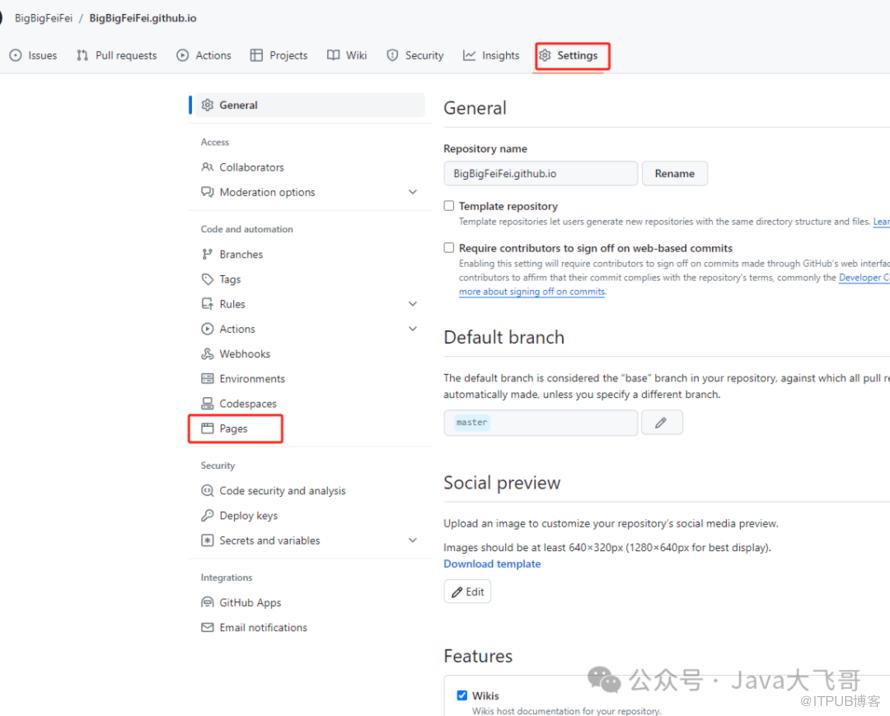
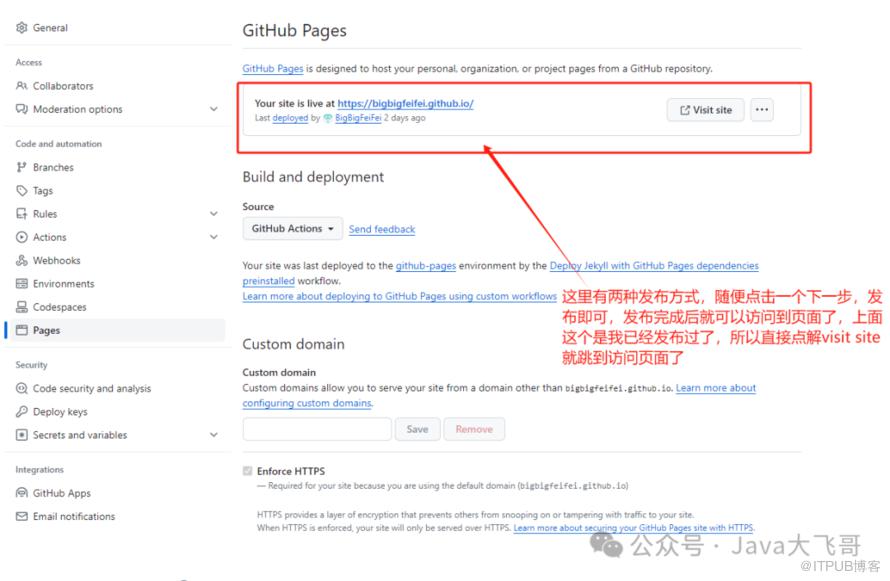
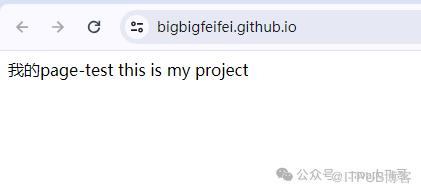
<groupId>io.github.bigbigfeifeigroupId>这个是github的是这种搞的,gitee的page估计也是跟github差不多的操作,gitee的pages需要实名认证才可以使用,需要上传身份证正反面和手持身份证正反面的照片,这个也比较严格,经过验证这一步是不需要的,因为我亲测了github这种搞了一个静态页面域名可以访问到,然后发布一个项目可以发布到中央仓库上,然后我的gitee的pages提交的实名认证还没有审核过,gitee就没有发布一个bigbigfeifei.gitee.io的域名能访问到的静态页面,访问的时候是404,然后我也去发布了一个groupId如下的项目,然后去账号后台申请配置下setting的token-username和token后,也是可以正常发到中央仓库,所以这一步可以不做,略过即可
<groupId>io.gitee.bigbigfeifeigroupId>3.3设置dns(可选)
https://central.sonatype.org/faq/how-to-set-txt-record/#by-dns这个里面还有比如阿里云的dns设置啊,就是一些云厂商的dns的设置
Windows:CMD:nslookup -type=TXT yourdomain.comPowershell:yourdomain.com -Type TXTLinux⚓︎host -t txt yourdomain.comdescriptive text "OSSRH-XXYYZZ"ordig -t txt yourdomain.commacOS⚓︎dig -t txt yourdomain.com
3.3 namespace的校验(必选)
https://central.sonatype.org/register/namespace/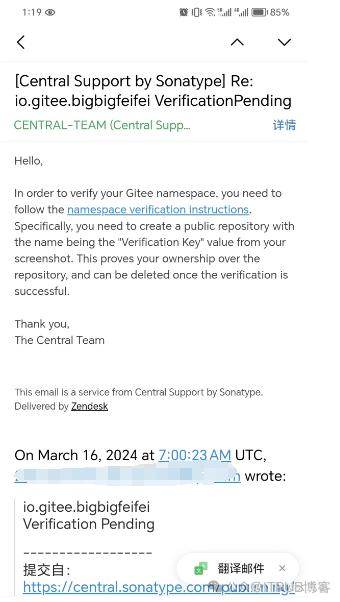
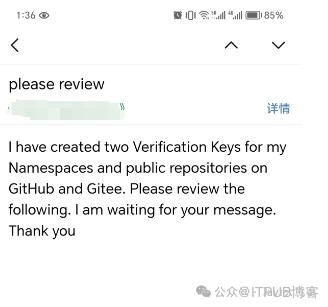
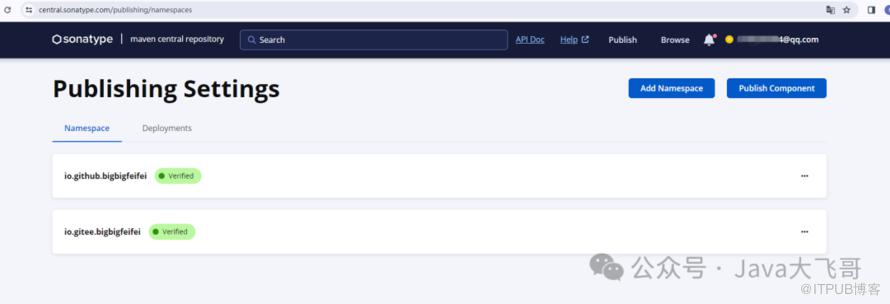
根据namespace对应的verification-key去github或gitee代码仓库上创建各自的公开代码仓库如下:https://github.com/BigBigFeiFei/verification-keyxxxxxhttps://gitee.com/BigBigFeiFei/verification-keyxxxxx
4.下载安装好gpg 创建和私钥
https://www.gpg4win.org/download.htmlhttps://central.sonatype.org/publish/requirements/gpg/#answer
D:\GnuPG\bin\gpg
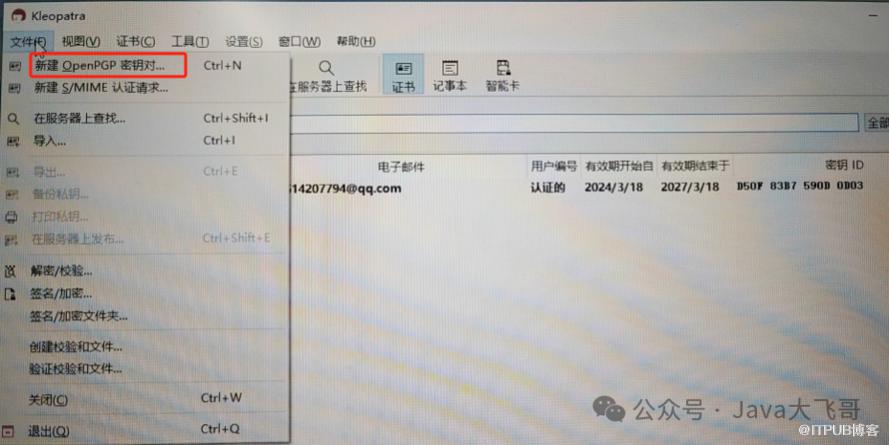
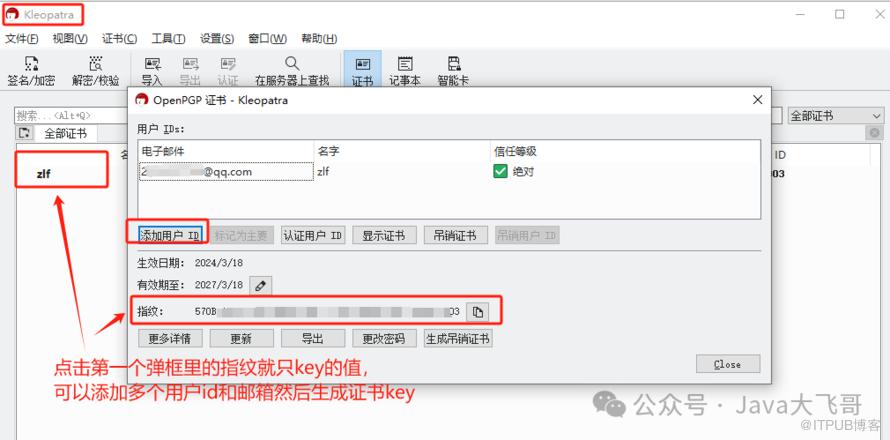
gpg --keyserver hkp://pool.sks-keyservers.net --send-keys 公钥ID或上面提到的keygpg --keyserver hkp://keyserver.ubuntu.com:11371 --send-keys 你自己的密钥(去重空格)

gpg --keyserver hkp://pool.sks-keyservers.net --recv-keys 公钥ID或上面提到的keygpg --keyserver hkp://keyserver.ubuntu.com:11371 --recv-keys 你自己的密钥(去除空格)

5.idea中maven的setting.xml文件配置
<servers><server><id>centralid><username>token-usernameusername><password>tokenpassword>server>servers><profiles><profile><id>centralid><activation><activeByDefault>trueactiveByDefault>activation><properties><gpg.executable>D:\GnuPG\bin\gpggpg.executable><gpg.passphrase>你的gpg的密码gpg.passphrase>properties>profile>profiles>
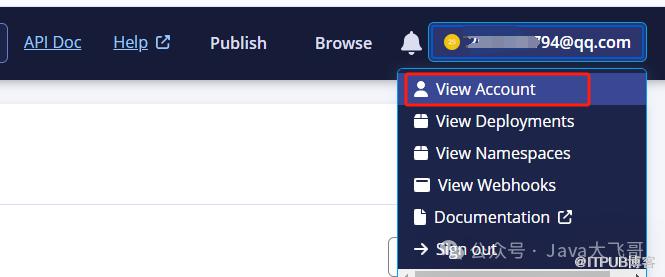
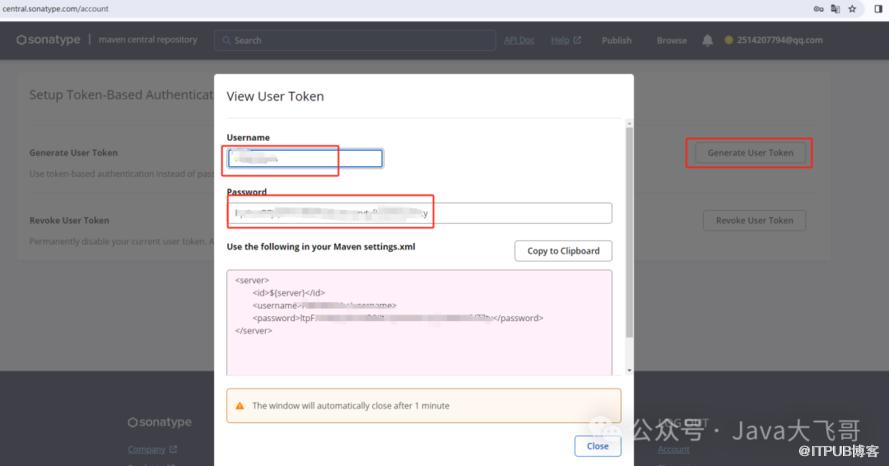
https://central.sonatype.org/publish/generate-token/
6.项目中配置pom
https://central.sonatype.org/publish/requirements/#provide-files-checksums<properties><java.version>1.8java.version><maven.compiler.source>${java.version}maven.compiler.source><maven.compiler.target>${java.version}maven.compiler.target><project.build.sourceEncoding>UTF-8project.build.sourceEncoding><project.reporting.outputEncoding>UTF-8project.reporting.outputEncoding><serverId>centralserverId>properties><build><plugins><plugin><groupId>org.apache.maven.pluginsgroupId><artifactId>maven-compiler-pluginartifactId><configuration><source>${maven.compiler.source}source><target>${maven.compiler.target}target>configuration>plugin><plugin><groupId>org.apache.maven.pluginsgroupId><artifactId>maven-source-pluginartifactId><version>2.2.1version><executions><execution><phase>packagephase><goals><goal>jar-no-forkgoal>goals>execution>executions>plugin><plugin><groupId>org.apache.maven.pluginsgroupId><artifactId>maven-javadoc-pluginartifactId><version>2.9.1version><configuration><additionalparam>-Xdoclint:noneadditionalparam>configuration><executions><execution><phase>packagephase><goals><goal>jargoal>goals>execution>executions>plugin><plugin><groupId>org.apache.maven.pluginsgroupId><artifactId>maven-gpg-pluginartifactId><version>1.6version><executions><execution><phase>verifyphase><goals><goal>signgoal>goals>execution>executions>plugin><plugin><groupId>org.sonatype.centralgroupId><artifactId>central-publishing-maven-pluginartifactId><version>0.4.0version><extensions>trueextensions><configuration><publishingServerId>centralpublishingServerId><tokenAuth>truetokenAuth>configuration>plugin>plugins>build><distributionManagement><snapshotRepository><id>${serverId}id><url>https://central.sonatype.com/url>snapshotRepository>distributionManagement>
<groupId>io.github.账号usernamegroupId>或者:<groupId>io.gitee.账号usernamegroupId>
<groupId>io.github.bigbigfeifeigroupId><artifactId>es-spring-boot-startartifactId><version>1.0version><description>es启动器description>
<url>https://github.com/BigBigFeiFei/es-spring-boot-starturl><scm><url>https://github.com/BigBigFeiFei/es-spring-boot-starturl><connection>scm:git:https://github.com/BigBigFeiFei/es-spring-boot-start.gitconnection><developerConnection>scm:git:https://github.com/BigBigFeiFei/es-spring-boot-start.gitdeveloperConnection>scm><developers><developer><id>BigFeiid><name>BigFeiname><email>xxxx@qq.comemail><url>https://github.com/BigBigFeiFei/es-spring-boot-starturl><timezone>+8timezone>developer>developers><licenses><license><name>The Apache Software License, Version 2.0name><url>http://www.apache.org/licenses/LICENSE-2.0.txturl>license>licenses>
7.发布项目
7.1 idea中点击deploy发布
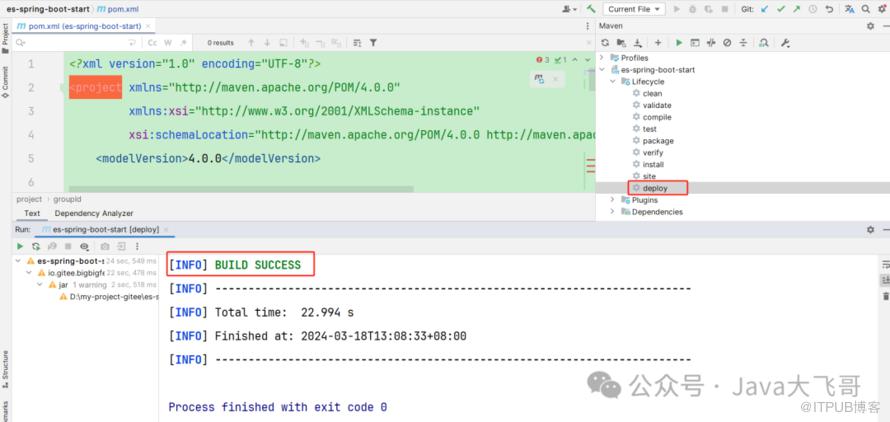
mvn clean deploy -e//-e参数可以打印出deploy的相关错误信息,以便排查问题
https://www.cnblogs.com/tobyhomels/p/15890023.htmlhttps://blog.csdn.net/zdwzzu2006/article/details/130788625
<plugin><groupId>org.sonatype.pluginsgroupId><artifactId>nexus-staging-maven-pluginartifactId><version>1.6.8version><extensions>trueextensions><configuration><serverId>${serverId}serverId><nexusUrl>https://s01.oss.sonatype.org/nexusUrl><autoReleaseAfterClose>trueautoReleaseAfterClose>configuration>plugin><distributionManagement><snapshotRepository><id>${serverId}id><name>OSS Snapshots Repositoryname><url>https://s01.oss.sonatype.org/content/repositories/snapshots/url>snapshotRepository><repository><id>${serverId}id><name>OSS Staging Repositoryname><url>https://s01.oss.sonatype.org/service/local/staging/deploy/maven2/url>repository>distributionManagement>
https://s01.oss.sonatype.org/https://central.sonatype.org/publish/publish-portal-maven/#namespace-details-and-actions<plugin><groupId>org.sonatype.centralgroupId><artifactId>central-publishing-maven-pluginartifactId><version>0.4.0version><extensions>trueextensions><configuration><publishingServerId>centralpublishingServerId><tokenAuth>truetokenAuth>configuration>plugin>
7.2新账号登录后点击发布
登录注册地址:https://central.sonatype.com/
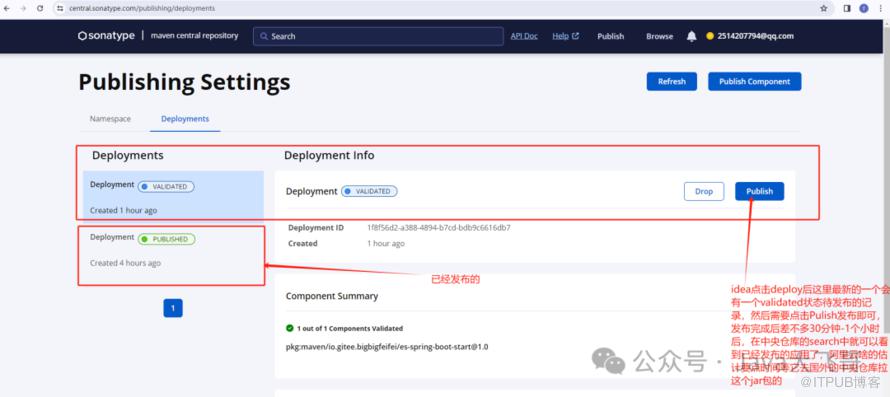
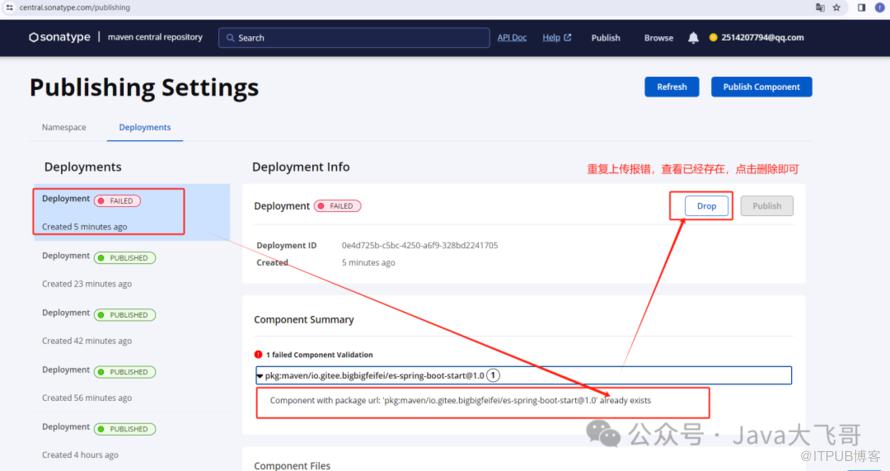
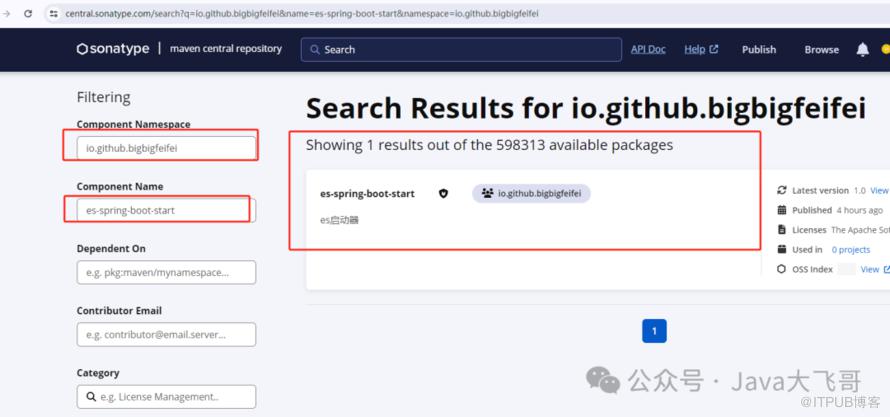
7.3搜索发布的依赖
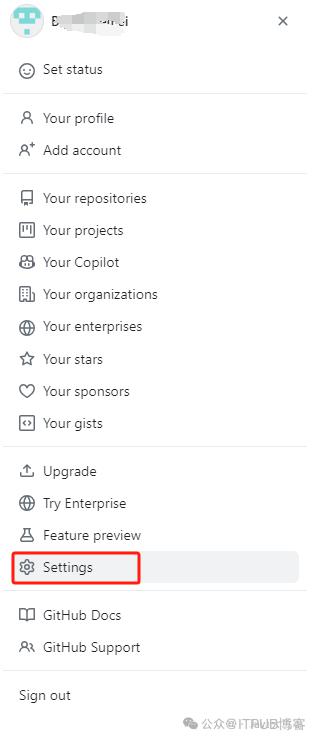
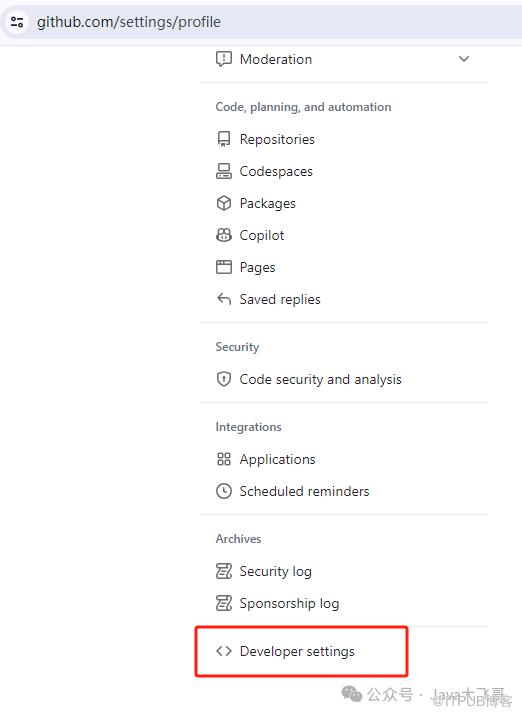
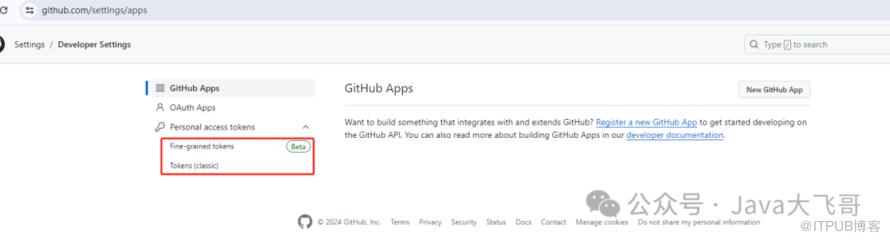
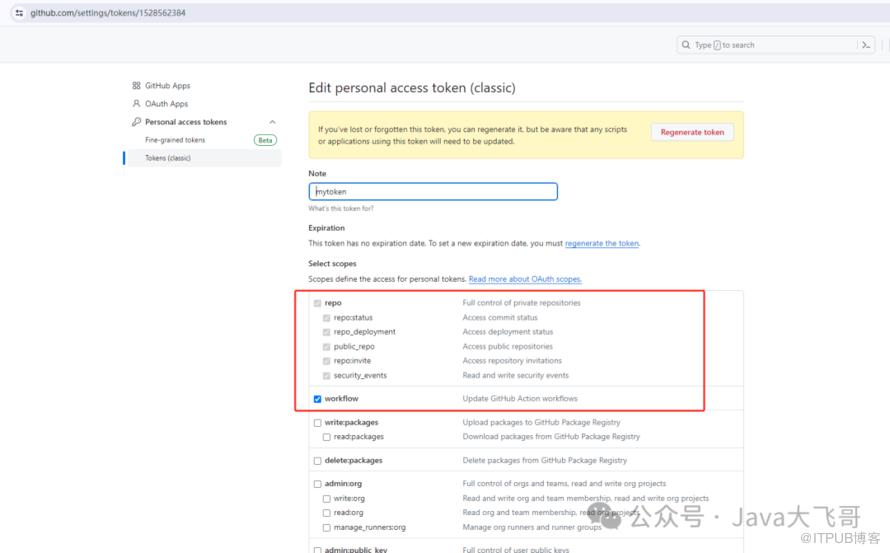
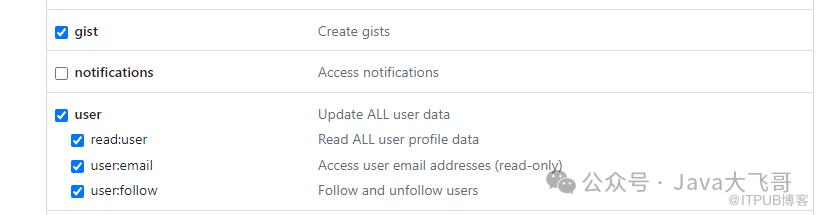
8.github使用生成的token拉取项目
在账号的setting中点击
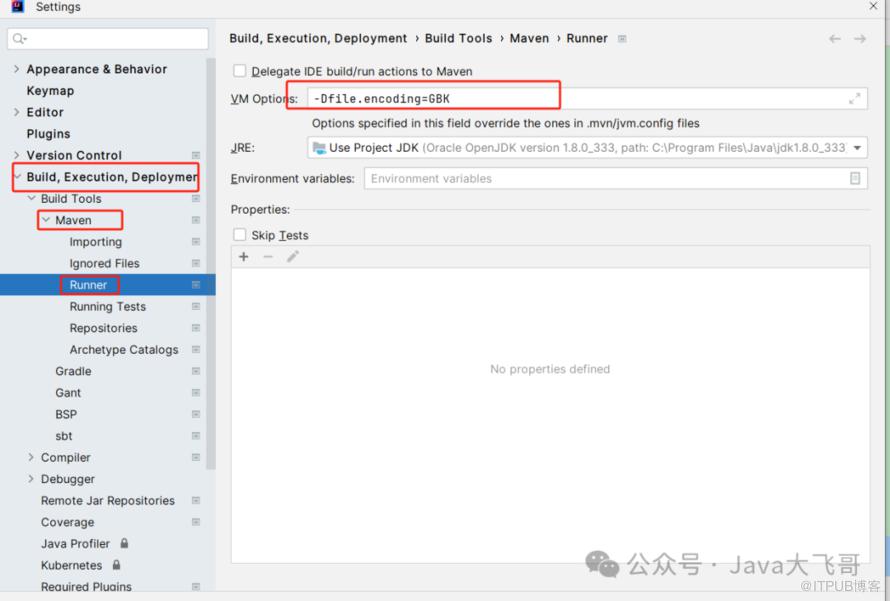
git remote set-url origin https://你的token@github.com/BigBigFeiFei/项目.git-Dfile.encoding=GBK