钉钉开放平台文档地址
https://open.dingtalk.com/document/
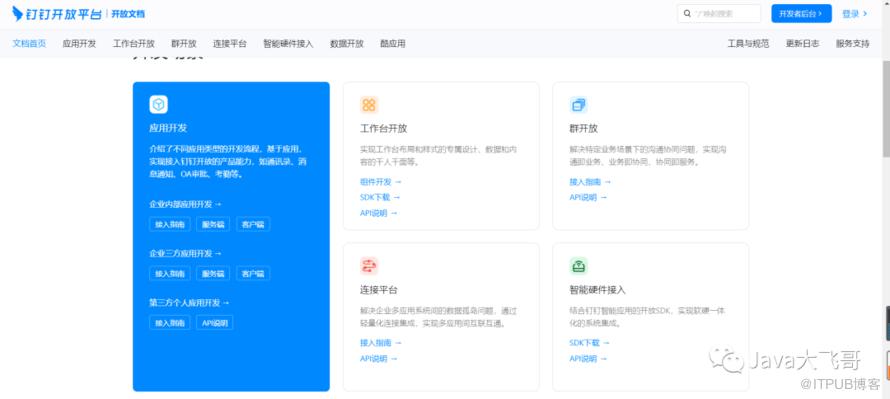
服务端SDK下载地址
https://open.dingtalk.com/document/resourcedownload/download-server-sdk
就拿java的服务端SDK来说分为两个大的版本:老版本SDK和新版本SDK.
钉钉相关依赖的官方maven仓库地址
https://s01.oss.sonatype.org/?spm=ding_open_doc.document.0.0.4564722fJDmwRj#nexus-search;quick~dingtalk
1.自定义机器人接入
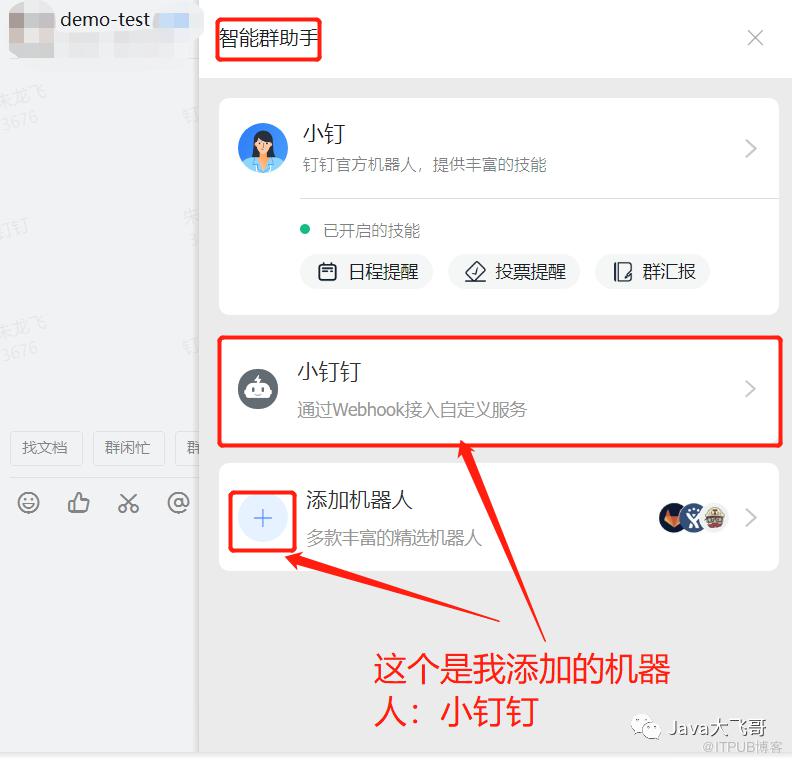
这种方式只需要在钉钉中拉一个群,人员超过三个人即可拉一个聊天的群,然后设置智能群助手,添加机器人:
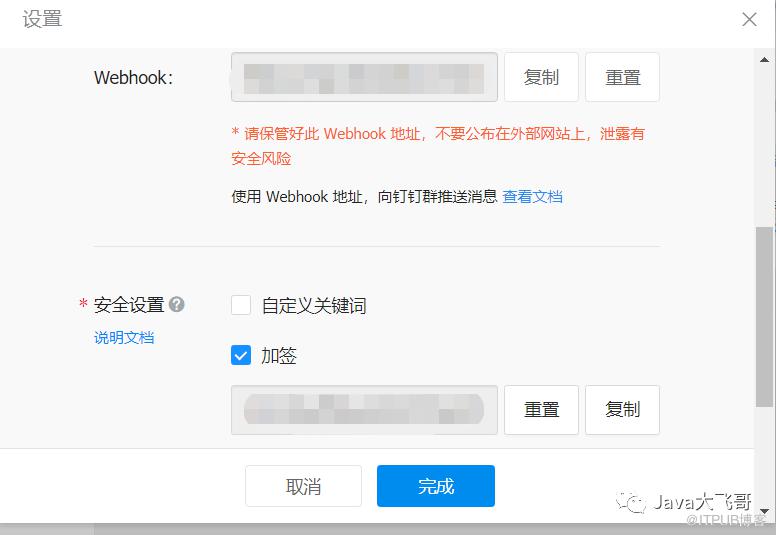
机器人设置:
webHook地址就是下面的url地址(不包含sign和timestamp): https://oapi.dingtalk.com/robot/send?access_token=xxxxxx
加签的key就是下面代码中的的secret的值
1.1接口文档
https://open.dingtalk.com/document/group/custom-robot-access
1.2引入pom依赖
            com.aliyun
            alibaba-dingtalk-service-sdk
            2.0.0
1.3代码编写
      // 签名
      private String getSign(String secret, Long timestamp) {
            try {
                String stringToSign = timestamp + "\n" + secret;
                Mac mac = Mac.getInstance("HmacSHA256");
                mac.init(new SecretKeySpec(secret.getBytes("UTF-8"), "HmacSHA256"));
                byte[] signData = mac.doFinal(stringToSign.getBytes("UTF-8"));
                String sign = URLEncoder.encode(new String(Base64.encodeBase64(signData)), "UTF-8");
                log.info("【发送钉钉群消息】获取到签名sign = {}", sign);
                return sign;
            } catch (Exception e) {
                log.error("【发送钉钉群消息】计算签名异常,errMsg = {}", e);
                return null;
            }
        }

        //接口调用code
        Long timestamp = System.currentTimeMillis();
        String secret = "xxxxxx";
        String sign = this.getSign(secret, timestamp);
        DingTalkClient client = new DefaultDingTalkClient("https://oapi.dingtalk.com/robot/send?access_token=xxxxxx"+"&sign="+sign+"×tamp="+timestamp);
        OapiRobotSendRequest request = new OapiRobotSendRequest();
        request.setMsgtype("text");
        OapiRobotSendRequest.Text text = new OapiRobotSendRequest.Text();
        text.setContent("测试文本消息");
        request.setText(text);
        OapiRobotSendResponse rsp = client.execute(request);
文本 (text)
链接 (link)
markdown(markdown)
ActionCard
-
FeedCard
2.企业机器人向内部群发消息
2.1如何调用机器人API
https://open.dingtalk.com/document/group/call-robot-api-operations
2.2接口文档
https://open.dingtalk.com/document/group/the-robot-sends-a-group-message
企业机器人向内部群发送消息是属于新版本skd的酷应用的接口
2.3酷应用是什么?
https://open.dingtalk.com/document/org/cool-application-introduction
简单来说:酷应用 = 场景 + 组件 + 场景的逻辑做成事儿为主
2.4酷应用官方训练营
https://h5.dingtalk.com/live/video_lesson.htm?feedId=e8a07af9-339a-47ca-84cd-15e8939789b9&mcnId=6580122020211712477&feedProperty=1#/
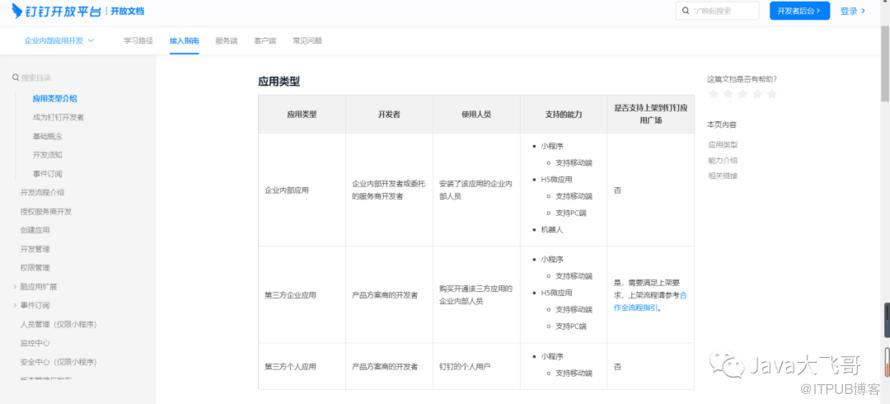
2.5酷应用分类
2.6API在线调试工具
API Explorer是一款可视化的API在线调试工具,集成了API总览、快速检索、开发文档、可视化调试、同步动态生成可执行SDK Demo代码,功能丰富、简单易用。
https://open-dev.dingtalk.com/apiExplorer?spm=ding_open_doc.document.0.0.3361722f69ljpO#/?devType=org&api=robot_1.0%23OrgGroupSend
2.7引入POM依赖
            com.aliyun
            dingtalk
            1.4.44


            com.aliyun
            tea-openapi
            0.2.6


            com.aliyun
            tea-util
            0.2.14


            com.aliyun
            openapiutil
            0.1.14


            com.aliyun
            endpoint-util
            0.0.7


            com.aliyun
            tea
            1.1.14
2.8接口代码示例
        Config config = new Config();
        config.protocol = "https";
        config.regionId = "central";
        com.aliyun.dingtalkrobot_1_0.Client client = new com.aliyun.dingtalkrobot_1_0.Client(config);
        OrgGroupSendHeaders orgGroupSendHeaders = new OrgGroupSendHeaders();
        orgGroupSendHeaders.xAcsDingtalkAccessToken = "xxxxxxxxxxxxxxx";
        OrgGroupSendRequest orgGroupSendRequest = new OrgGroupSendRequest()
                .setMsgParam("{\"content\":\"今天吃肘子\"}")
                .setMsgKey("sampleText")
                .setOpenConversationId("cid6KeBBLoveMJOGXoYKF5x7EeiodoA==")
                .setRobotCode("dingue4kfzdxbynxxxxxx")
                .setCoolAppCode("COOLAPP-1-101A83B831A5212Cxxxxxxxxxxx");
        try {
            client.orgGroupSendWithOptions(orgGroupSendRequest, orgGroupSendHeaders, new RuntimeOptions());
        } catch (TeaException err) {
            if (!com.aliyun.teautil.Common.empty(err.code) && !com.aliyun.teautil.Common.empty(err.message))              {
                // err 中含有 code 和 message 属性,可帮助开发定位问题
            }

        } catch (Exception _err) {
            TeaException err = new TeaException(_err.getMessage(), _err);
            if (!com.aliyun.teautil.Common.empty(err.code) && !com.aliyun.teautil.Common.empty(err.message))              {
                // err 中含有 code 和 message 属性,可帮助开发定位问题
            }

        }