
大家好,我是 JiekeXu,很高兴又和大家见面了,今天和大家一起来看看 Oracle SQL*Loader 使用简介,欢迎点击上方蓝字“JiekeXu DBA之路”关注我的公众号,标星或置顶,更多干货第一时间到达!
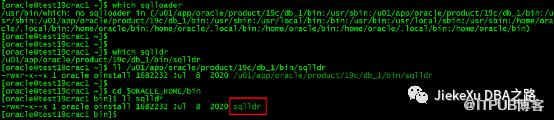
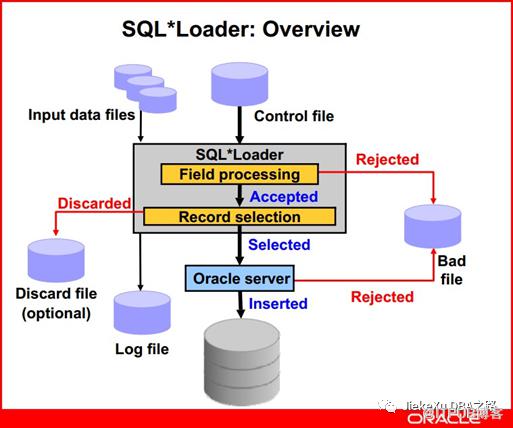
SQL*Loader 原理
将外部数据(比如文本型)导入Oracle 数据库中。(可用于不同类型数据库数据迁移)本质是在段(segment 表)重新insert 记录。
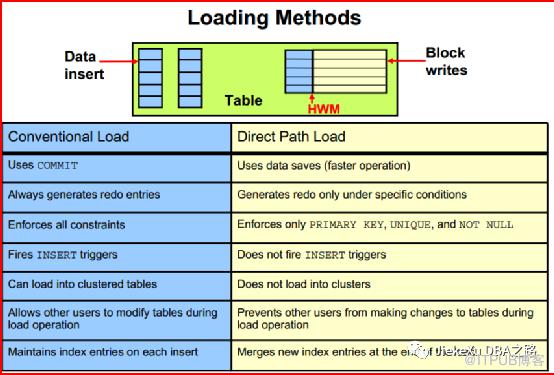
传统插入数据和直接插入数据:
【实验】直接路径插入数据
SCOTT@PROD>create table test as select * from emp; SCOTT@PROD>insert into test select * from test; SCOTT@PROD>/
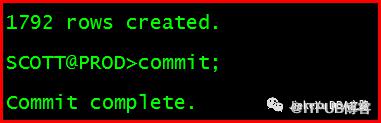
SCOTT@PROD>delete from test;SCOTT@PROD>commit;
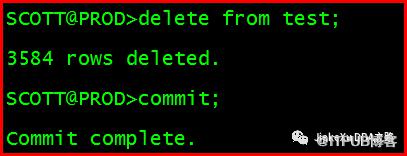
SCOTT@PROD>analyze table test compute statistics; SCOTT@PROD>selecttable_name,blocks,empty_blocks from user_tables where table_name='TEST';

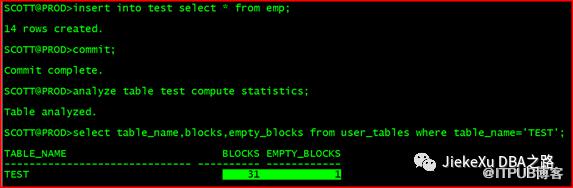
普通 insert
SCOTT@PROD>insert into test select * from emp;SCOTT@PROD>commit;SCOTT@PROD>analyze table test compute statistics; SCOTT@PROD>select table_name,blocks,empty_blocks from user_tables where table_name='TEST';
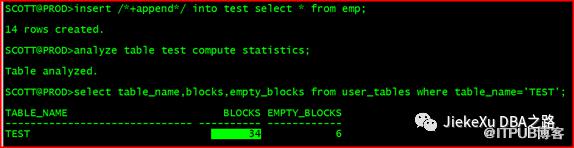
直接路径插入
SCOTT@PROD>insert /*+append*/ into test select * from emp; SCOTT@PROD>analyze table test compute statistics;SCOTT@PROD>selec ttable_name,blocks,empty_blocks from user_tables where table_name='TEST';
Sqlldr 用法
--示例sqlldr test/mypassword@pdb1 /home/oracle/test.ctl log=test.log
[oracle@test19crac1 bin]$ sqlldr -help SQL*Loader: Release 19.0.0.0.0 - Production on Wed Aug 30 00:22:53 2023Version 19.3.0.0.0 Copyright (c) 1982, 2019, Oracle and/or its affiliates. All rights reserved. Usage: SQLLDR keyword=value [,keyword=value,...] Valid Keywords: userid -- ORACLE username/password control -- control file name log -- log file name bad -- bad file name data -- data file name discard -- discard file name discardmax -- number of discards to allow (Default all) skip -- number of logical records to skip (Default 0) load -- number of logical records to load (Default all) errors -- number of errors to allow (Default 50) rows -- number of rows in conventional path bind array or between direct path data saves (Default: Conventional path 250, Direct path all) bindsize -- size of conventional path bind array in bytes (Default 1048576) silent -- suppress messages during run (header,feedback,errors,discards,partitions) direct -- use direct path (Default FALSE) parfile -- parameter file: name of file that contains parameter specifications parallel -- do parallel load (Default FALSE) file -- file to allocate extents from skip_unusable_indexes -- disallow/allow unusable indexes or index partitions (Default FALSE)skip_index_maintenance -- do not maintain indexes, mark affected indexes as unusable (Default FALSE)commit_discontinued -- commit loaded rows when load is discontinued (Default FALSE) readsize -- size of read buffer (Default 1048576)external_table -- use external table for load; NOT_USED, GENERATE_ONLY, EXECUTEcolumnarrayrows -- number of rows for direct path column array (Default 5000)streamsize -- size of direct path stream buffer in bytes (Default 256000)multithreading -- use multithreading in direct path resumable -- enable or disable resumable for current session (Default FALSE)resumable_name -- text string to help identify resumable statementresumable_timeout -- wait time (in seconds) for RESUMABLE (Default 7200)date_cache -- size (in entries) of date conversion cache (Default 1000)no_index_errors -- abort load on any index errors (Default FALSE)partition_memory -- direct path partition memory limit to start spilling (kb) (Default 0) table -- Table for express mode loaddate_format -- Date format for express mode loadtimestamp_format -- Timestamp format for express mode loadterminated_by -- terminated by character for express mode loadenclosed_by -- enclosed by character for express mode loadoptionally_enclosed_by -- optionally enclosed by character for express mode loadcharacterset -- characterset for express mode loaddegree_of_parallelism -- degree of parallelism for express mode load and external table load trim -- trim type for express mode load and external table load csv -- csv format data files for express mode load nullif -- table level nullif clause for express mode loadfield_names -- field names setting for first record of data files for express mode loaddnfs_enable -- option for enabling or disabling Direct NFS (dNFS) for input data files (Default FALSE)dnfs_readbuffers -- the number of Direct NFS (dNFS) read buffers (Default 4)sdf_prefix -- prefix to append to start of every LOB File and Secondary Data File help -- display help messages (Default FALSE)empty_lobs_are_null -- set empty LOBs to null (Default FALSE) defaults -- direct path default value loading; EVALUATE_ONCE, EVALUATE_EVERY_ROW, IGNORE, IGNORE_UNSUPPORTED_EVALUATE_ONCE, IGNORE_UNSUPPORTED_EVALUATE_EVERY_ROWdirect_path_lock_wait -- wait for access to table when currently locked (Default FALSE) PLEASE NOTE: Command-line parameters may be specified either byposition or by keywords. An example of the former case is 'sqlldrscott/tiger foo'; an example of the latter is 'sqlldr control=foouserid=scott/tiger'. One may specify parameters by position beforebut not after parameters specified by keywords. For example,'sqlldr scott/tiger control=foo logfile=log' is allowed, but'sqlldr scott/tiger control=foo log' is not, even though theposition of the parameter 'log' is correct.
SQL*Loader 控制文件
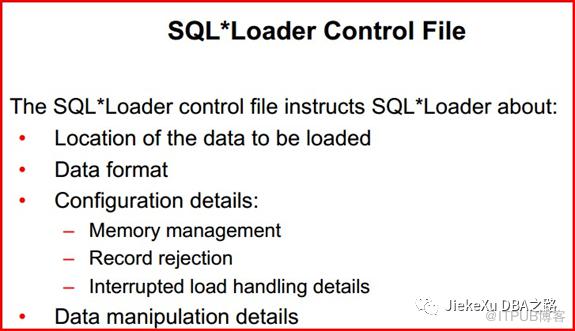
--CONSTANTZONECONSTANTZONE示例:使用 sqlldr,将 emp1.dat 导入到 scott 下的普通表 emp1
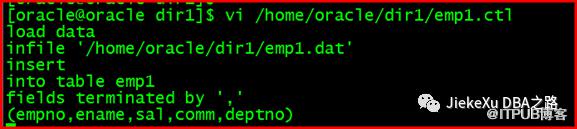
建立控制文件
[oracle]$vi /home/oracle/dir1/emp1.ctl
load data
infile '/home/oracle/dir1/emp1.dat'
insert
into table emp1
fields terminated by ',' (empno,ename,sal,comm,deptno)
在 scott下建立 emp1表结构(内部表)
SCOTT@PROD>create table emp1 as select * from emp1_ext where 1=2;

ORACLE_LOADER引擎导入(normal方式)
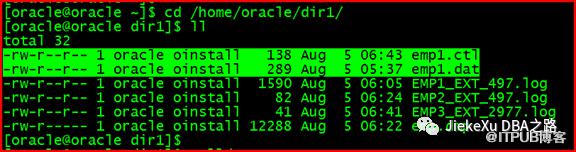
[oracle@oracle~]$ cd/home/oracle/dir1
[oracle@oracledir1]$ll
[oracle@oracledir1]$sqlldr
[oracle@oracle]$sqlldrscott/tigercontrol=emp1.ctllog=emp1.logdata=emp1.dat

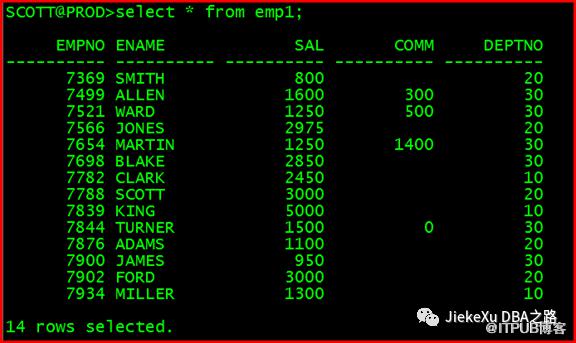
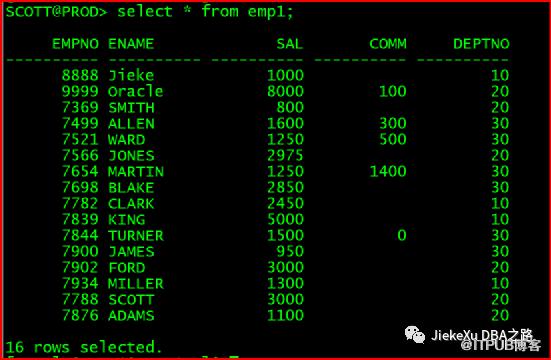
验证结果
SCOTT@PROD>select * from emp1;
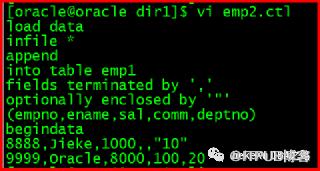
数据源和控制文件合并在 .ctl 里描述
load data
infile *
append
into table emp1
fields terminated by ','
optionally enclosed by '"'
(empno,ename,sal,comm,deptno)
begindata
8888,Jieke,1000,,"10"
9999,ORACLE,8000,100,20
[oracle@oracledir1]$sqlldrscott/tigercontrol=emp2.ctllog=emp2.log
官方文档链接:
https://docs.oracle.com/en/database/oracle/oracle-database/19/sutil/oracle-sql-loader-concepts.html#GUID-F99250F9-F720-45EE-8159-9B8A8E5A77D
全文完,希望可以帮到正在阅读的你,如果觉得此文对你有帮助,可以分享给你身边的朋友,同事,你关心谁就分享给谁,一起学习共同进步~~~
欢迎关注我的公众号【JiekeXu DBA之路】,第一时间一起学习新知识!以下三个地址可以找到我,其他地址都属于盗版侵权爬取我的文章,而且代码格式、图片等均有错乱,不方便阅读,欢迎来我公众号或者墨天轮地址关注我,第一时间收获最新消息。
欢迎关注我的公众号【JiekeXu DBA之路】,第一时间一起学习新知识!
————————————————————————————
公众号:JiekeXu DBA之路
CSDN :https://blog.csdn.net/JiekeXu
墨天轮:https://www.modb.pro/u/4347
————————————————————————————

分享几个数据库备份脚本
Oracle 表碎片检查及整理方案
OGG|Oracle GoldenGate 基础2022 年公众号历史文章合集整理
Oracle 19c RAC 遇到的几个问题
OGG|Oracle 数据迁移后比对一致性OGG|Oracle GoldenGate 微服务架构
Oracle 查询表空间使用率超慢问题一则
Oracle 11g升级到19c需要关注的几个问题
国产数据库|TiDB 5.4 单机快速安装初体验
Oracle ADG 备库停启维护流程及增量恢复
Linux 环境搭建 MySQL8.0.28 主从同步环境
从国产数据库调研报告中你都能了解哪些信息及我的总结建议