1.什么是Thumbnailator?
Thumbnailator是一个用于Java的缩略图生成库。通过Thumbnailator提供的流畅接口(fluent interface)的方式可以完成复杂的缩略图处理任务,无需访问Image I/O API并通过Graphics2D对象手动操作BufferedImages。
2 缩略图可以做什么?
缩略图是应用极其广泛的,像头像、图片消息、商品图片等,都会用到缩略图。 比如,当你有了一个新的微信好友,你就能看到他的头像,一开始这个头像是一个比原图更小的缩略图。而你点击查看原图时,微信客户端才会给你下载原图。因为你并不会对每个人的头像都感兴趣,都会去查看清晰的原图,一个小小的缩略图已经能满足了。这样可以减轻网络传输的负担,加快响应速度。 微信传图片和视频也是同样的道理,先给你传一个比较小的预览,你点击查看原图或视频播放才给你传更大的文件。
3.代码工程
实验目的
生成缩略图(缩放、旋转、裁剪、水印)
pom.xml
<project xmlns="http://maven.apache.org/POM/4.0.0"xmlns:xsi="http://www.w3.org/2001/XMLSchema-instance"xsi:schemaLocation="http://maven.apache.org/POM/4.0.0 http://maven.apache.org/xsd/maven-4.0.0.xsd"><parent><groupId>org.springframework.bootgroupId><artifactId>spring-boot-starter-parentartifactId><version>3.2.1version>parent><modelVersion>4.0.0modelVersion><artifactId>thumbnailatorartifactId><properties><maven.compiler.source>17maven.compiler.source><maven.compiler.target>17maven.compiler.target>properties><dependencies><dependency><groupId>net.coobirdgroupId><artifactId>thumbnailatorartifactId><version>0.4.19version>dependency><dependency><groupId>org.springframework.bootgroupId><artifactId>spring-boot-starter-webartifactId>dependency><dependency><groupId>org.springframework.bootgroupId><artifactId>spring-boot-autoconfigureartifactId>dependency><dependency><groupId>org.springframework.bootgroupId><artifactId>spring-boot-starter-testartifactId><scope>testscope>dependency>dependencies>project>
工具类
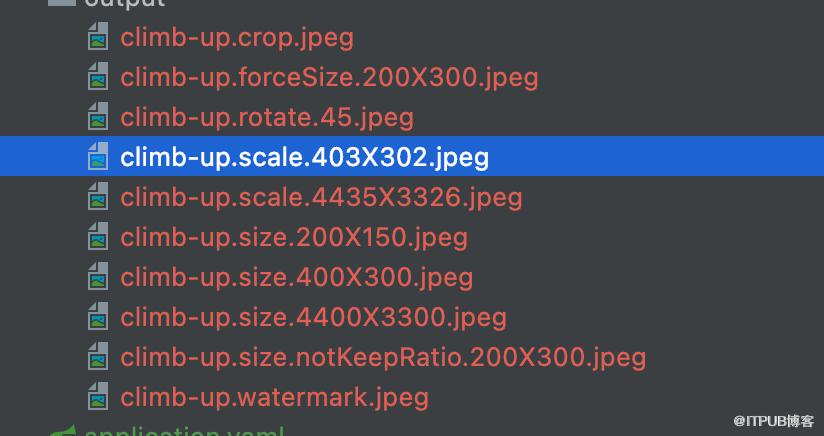
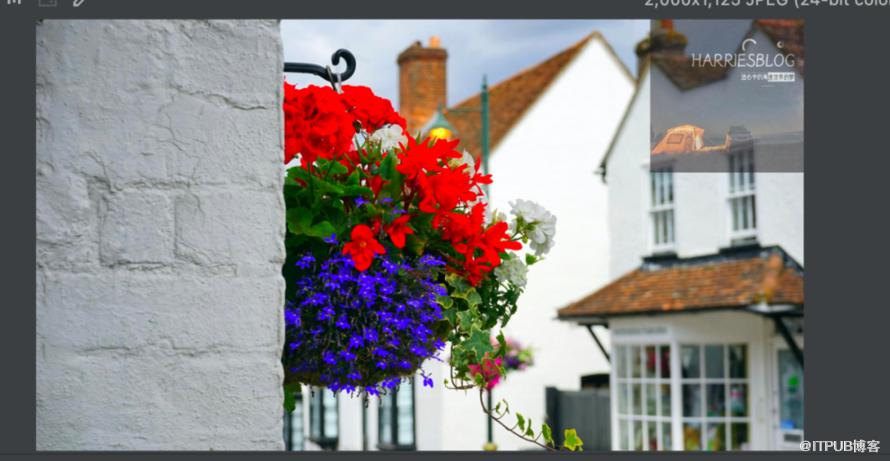
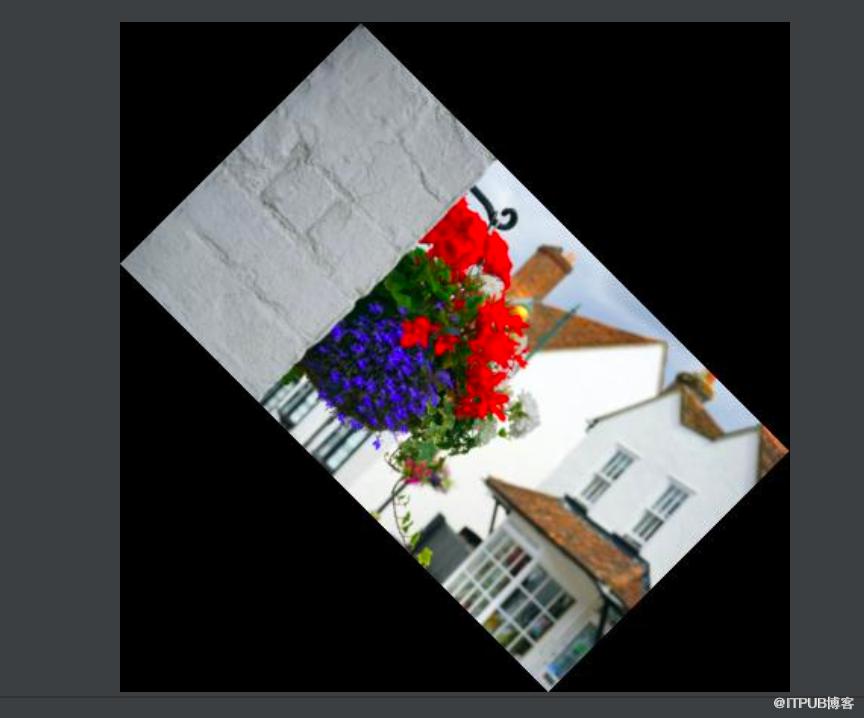
package com.et.thumbnailtor.util;import net.coobird.thumbnailator.Thumbnails;import net.coobird.thumbnailator.geometry.Positions;import net.coobird.thumbnailator.name.Rename;import javax.imageio.ImageIO;import java.io.File;import java.io.IOException;import java.util.Objects;public class ThumbnailatorUtil {public static void main(String[] args) throws IOException {String originalPic = "/Users/liuhaihua/IdeaProjects/springboot-demo/thumbnailator/src/main/resources/origin-image/pexels-mike-b-130851.jpg";String picturePath = "/Users/liuhaihua/IdeaProjects/springboot-demo/thumbnailator/src/main/resources/output/";// Then output the result according to the parametersThumbnails.of(originalPic).size(400, 300).toFile(picturePath + "climb-up.size.400X300.jpeg");// Then enlarge it proportionally and take the smallest valueThumbnails.of(originalPic).size(4400, 3400).toFile(picturePath + "climb-up.size.4400X3300.jpeg");//Then scale down and take the smallest valueThumbnails.of(originalPic).size(200, 150).toFile(picturePath + "climb-up.size.200X150.jpeg");// keepAspectRatioThumbnails.of(originalPic).size(200, 300).keepAspectRatio(false).toFile(picturePath + "climb-up.size.notKeepRatio.200X300.jpeg");// forcesizeThumbnails.of(originalPic).forceSize(200, 300).toFile(picturePath + "climb-up.forceSize.200X300.jpeg");// The width and height are reduced to 0.1 times of the originalThumbnails.of(originalPic).scale(0.1f).toFile(picturePath + "climb-up.scale.403X302.jpeg");// The width and height are both enlarged to 1.1 times the originalThumbnails.of(originalPic).scale(1.1f).toFile(picturePath + "climb-up.scale.4435X3326.jpeg");// rotateThumbnails.of(originalPic).size(400,300).rotate(45).toFile(picturePath + "climb-up.rotate.45.jpeg");// add watermarkThumbnails.of(originalPic).size(2000,1500).watermark(Positions.TOP_RIGHT, ImageIO.read(new File("/Users/liuhaihua/IdeaProjects/springboot-demo/thumbnailator/src/main/resources/origin-image/watermark.jpg")), 0.5f).toFile(picturePath + "climb-up.watermark.jpeg");// cropThumbnails.of(originalPic).sourceRegion(Positions.TOP_RIGHT, 1800, 1800).size(400, 400).toFile(picturePath + "climb-up.crop.jpeg");// batch operatorThumbnails.of(Objects.requireNonNull(new File(picturePath).listFiles())).size(400, 400).toFiles(Rename.PREFIX_DOT_THUMBNAIL);}}
以上只是一些关键代码,所有代码请参见下面代码仓库
代码仓库
https://github.com/Harries/springboot-demo
4.测试
运行ThumbnailatorUtil里面的main函数,查看生成的文件
5.引用
https://github.com/coobird/thumbnailator