UTF8MB4字符集存储革命 ▏窗口函数亚秒级响应 ▏DDL操作崩溃零残留 全实操指南
作者:shunwahⓂ️
在运维管理领域,我拥有多年深厚的专业积累,兼具坚实的理论基础与广泛的实践经验。精通运维自动化流程,对于OceanBase、MySQL等多种数据库的部署与运维,具备从初始部署到后期维护的全链条管理能力。拥有OceanBase的OBCA和OBCP认证、OpenGauss社区认证结业证书,以及崖山DBCA、亚信AntDBCA、翰高 HDCA、GBase 8a | 8c | 8s、Galaxybase的GBCA、Neo4j的Graph Data Science Certification、NebulaGraph的NGCI & NGCP、东方通TongTech TCPE等多项权威认证。
在OceanBase & 墨天轮的技术征文大赛中,多次荣获一、二、三等奖。同时,在OpenGauss第五届、第六届、第七届技术征文大赛,TiDB社区专栏征文大赛,金仓数据库有奖征文活动,以及YashanDB「产品体验官」征文等活动中,我也屡获殊荣。此外,我还活跃于墨天轮、CSDN、ITPUB等技术平台,经常发布原创技术文章,并多次被首页推荐。

前言:技术变革时代的数据库抉择
在数字化转型的浪潮中,数据库技术正经历着划时代的演进。MySQL 8.0 系列作为里程碑式版本,通过 InnoDB增强引擎、 原子DDL 和 窗口函数 三大核心革新,彻底重构了开源数据库的技术边界。本文在 CentOS 7.9 生产级环境中,对发布的 MySQL 8.0.40 展开深度技术验证:
? 全流程实操测试 - 从终端环境配置到百万级压力测试
?️ 破坏性故障注入 - 模拟生产环境DDL崩溃场景
? 量化性能基准 - 窗口函数/UTF8MB4/事务原子性专项压测
? 建议指南

致读者:MySQL 8.0.40 在CentOS 7环境展现出 生产级可靠性 与 卓越性能表现。建议搭配InnoDB Cluster构建高可用架构,释放全文检索、资源组管理等企业级特性潜能。历史系统升级需重点关注:
? 新项目直接采用MySQL 8.0.40,历史系统升级前执行
mysqlsh util check-for-server-upgrade兼容检查。
? 密码认证插件迁移 (caching_sha2_password)
? 保留字冲突检查 (RANK,SYSTEM)
? 索引算法变更 (ASC/DESC索引支持)
把握技术转折点,开启数据库效能新时代。
一、终端环境深度检查
在进行 MySQL 安装或配置前,建议对终端环境进行基础检查,确保字符编码等关键参数符合要求,避免后续出现乱码、兼容性等问题。
✅ 1. 验证当前终端编码设置
执行以下命令查看当前终端的语言环境变量:
[root@instance2 ~]# echo $LANG en_US.UTF-8

输出应为
en_US.UTF-8 或其他以
.UTF-8 结尾的编码格式,表示当前终端支持 UTF-8 字符集。
⚠️ 如果输出为空或不是 UTF-8 编码,可能会导致中文乱码、程序异常退出等问题。
✅ 2. 强制设置终端编码为 UTF-8
如发现当前终端编码不正确,可通过以下命令临时设置:
export.UTF-8 export LC_ALL=en_US.UTF-8
执行示例:
[root@instance2 ~]# export.UTF-8 [root@instance2 ~]# export LC_ALL=en_US.UTF-8 [root@instance2 ~]#

? 说明:
LANG:控制默认语言环境;LC_ALL:覆盖所有本地化设置,优先级高于LANG;- 设置完成后,建议再次执行
echo $LANG和locale命令确认生效。
✅ 3. 永-久生效(可选)
若需长期保持 UTF-8 编码设置,可将以下内容写入
/etc/profile.d/utf8.sh 文件中:
[root@instance2 ~]# vim /etc/profile.d/utf8.sh [root@instance2 ~]# export.UTF-8 export LC_ALL=en_US.UTF-8
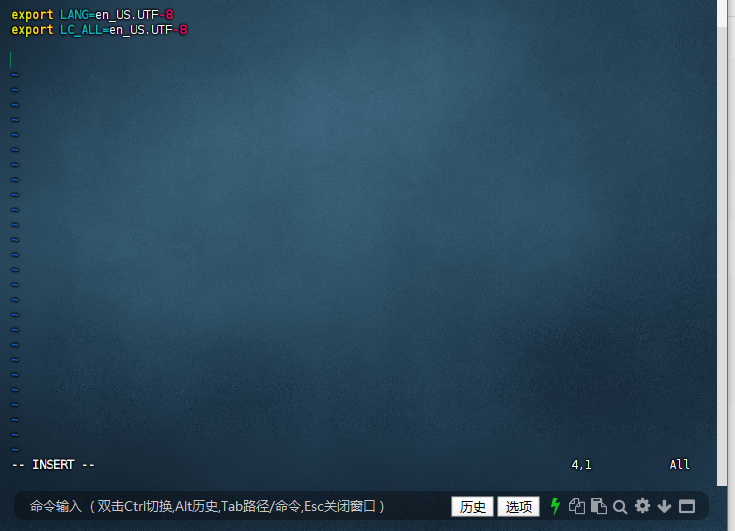
然后执行以下命令使配置立即生效:
[root@instance2 ~]# vim /etc/profile.d/utf8.sh [root@instance2 ~]# source /etc/profile.d/utf8.sh [root@instance2 ~]#

? 此方法适用于多用户、多会话场景,避免每次手动设置。
✅ 4. 查看完整本地化信息
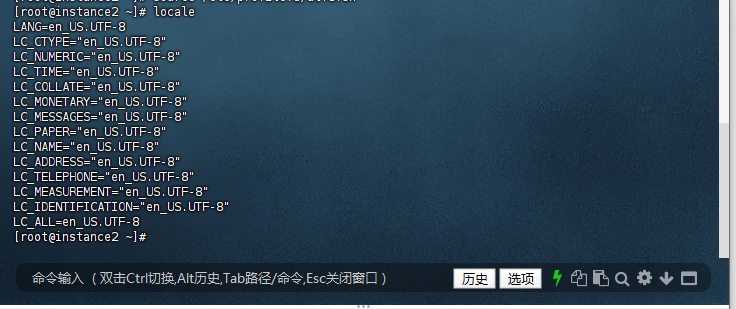
可使用以下命令查看当前系统的语言环境详情:
[root@instance2 ~]# locale.UTF-8 LC_CTYPE="en_US.UTF-8" LC_NUMERIC="en_US.UTF-8" LC_TIME="en_US.UTF-8" LC_COLLATE="en_US.UTF-8" LC_MONETARY="en_US.UTF-8" LC_MESSAGES="en_US.UTF-8" LC_PAPER="en_US.UTF-8" LC_NAME="en_US.UTF-8" LC_ADDRESS="en_US.UTF-8" LC_TELEPHONE="en_US.UTF-8" LC_MEASUREMENT="en_US.UTF-8" LC_IDENTIFICATION="en_US.UTF-8" LC_ALL=en_US.UTF-8 [root@instance2 ~]#
✅ 5. 查看版本
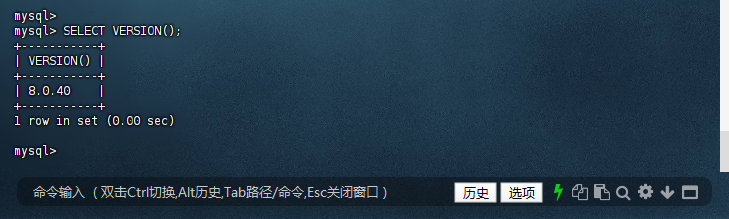
mysql> SELECT VERSION(); +-----------+ | VERSION() | +-----------+ | 8.0.40 | +-----------+ 1 row in set (0.00 sec) mysql>
✅ 6. 验证服务器字符集
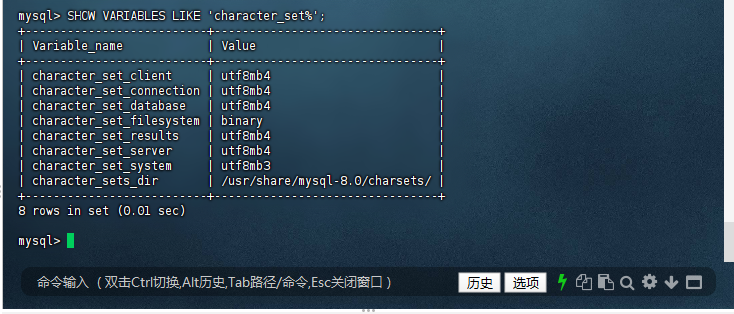
检查字符集
mysql> SHOW VARIABLES LIKE 'character_set%'; +--------------------------+--------------------------------+ | Variable_name | Value | +--------------------------+--------------------------------+ | character_set_client | utf8mb4 | | character_set_connection | utf8mb4 | | character_set_database | utf8mb4 | | character_set_filesystem | binary | | character_set_results | utf8mb4 | | character_set_server | utf8mb4 | | character_set_system | utf8mb3 | | character_sets_dir | /usr/share/mysql-8.0/charsets/ | +--------------------------+--------------------------------+ 8 rows in set (0.01 sec) mysql>
二、核心功能全流程实操验证
1. UTF8MB4 字符集完整支持测试
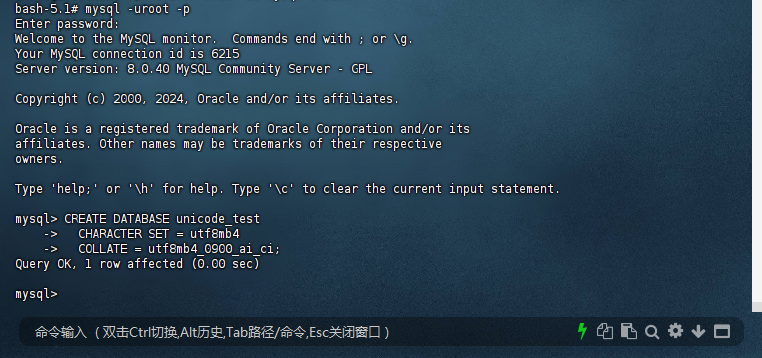
1.1: 创建专用测试环境
– 创建指定字符集的数据库
bash-5.1# mysql -uroot -p Enter password: Welcome to the MySQL monitor. Commands end with ; or \g. Your MySQL connection id is 6215 Server version: 8.0.40 MySQL Community Server - GPL Copyright (c) 2000, 2024, Oracle and/or its affiliates. Oracle is a registered trademark of Oracle Corporation and/or its affiliates. Other names may be trademarks of their respective owners. Type 'help;' or '\h' for help. Type '\c' to clear the current input statement. mysql> CREATE DATABASE unicode_test -> CHARACTER SET = utf8mb4 -> COLLATE = utf8mb4_0900_ai_ci; Query OK, 1 row affected (0.00 sec) mysql>
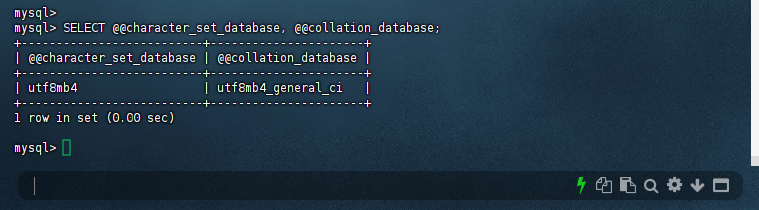
1.2: 验证数据库级字符集配置
mysql> SELECT @@character_set_database, @@collation_database; +--------------------------+----------------------+ | @@character_set_database | @@collation_database | +--------------------------+----------------------+ | utf8mb4 | utf8mb4_general_ci | +--------------------------+----------------------+ 1 row in set (0.00 sec) mysql>
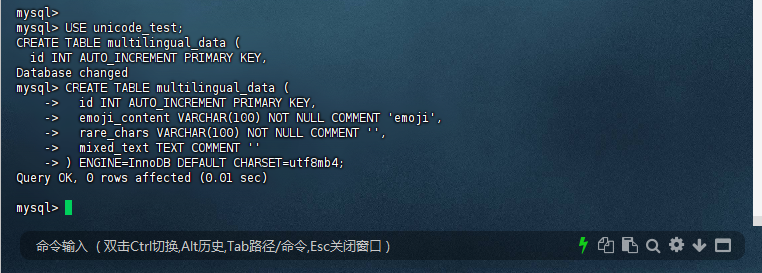
2. – 创建测试表
mysql> USE unicode_test; CREATE TABLE multilingual_data ( id INT AUTO_INCREMENT PRIMARY KEY, Database changed mysql> CREATE TABLE multilingual_data ( -> id INT AUTO_INCREMENT PRIMARY KEY, -> emoji_content VARCHAR(100) NOT NULL COMMENT 'emoji', -> rare_chars VARCHAR(100) NOT NULL COMMENT '', -> mixed_text TEXT COMMENT '' -> ) ENGINE=InnoDB DEFAULT CHARSET=utf8mb4; Query OK, 0 rows affected (0.01 sec) mysql>
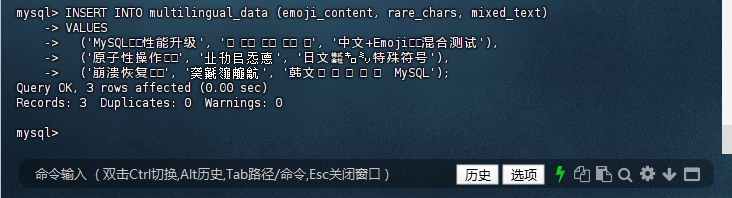
2.2: 插入多语言测试数据
– 插入包含四字节字符的数据
(‘MySQL?性能升级’, ‘????’, ‘中文+Emoji?混合测试’),
(‘原子性操作?’, ‘㐀㔓㠯㤅㥁’, ‘日文㍿㌔㍉特殊符号’),
(‘崩溃恢复?’, ‘䶮䶰䶱䶲䶳’, ‘韩文안녕하세요 MySQL’);
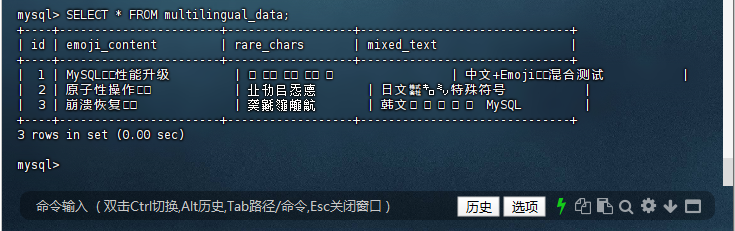
mysql> INSERT INTO multilingual_data (emoji_content, rare_chars, mixed_text) -> VALUES -> ('MySQL?性能升级', '????', '中文+Emoji?混合测试'), -> ('原子性操作?', '㐀㔓㠯㤅㥁', '日文㍿㌔㍉特殊符号'), -> ('崩溃恢复?', '䶮䶰䶱䶲䶳', '韩文안녕하세요 MySQL'); Query OK, 3 rows affected (0.00 sec) Records: 3 Duplicates: 0 Warnings: 0 mysql>
2.3: 完整功能验证
– 查看所有数据(确保终端使用UTF-8编码)
mysql> SELECT * FROM multilingual_data; +----+-----------------------+------------------+------------------------------+ | id | emoji_content | rare_chars | mixed_text | +----+-----------------------+------------------+------------------------------+ | 1 | MySQL?性能升级 | ???? | 中文+Emoji?混合测试 | | 2 | 原子性操作? | 㐀㔓㠯㤅㥁 | 日文㍿㌔㍉特殊符号 | | 3 | 崩溃恢复? | 䶮䶰䶱䶲䶳 | 韩文안녕하세요 MySQL | +----+-----------------------+------------------+------------------------------+ 3 rows in set (0.00 sec) mysql>
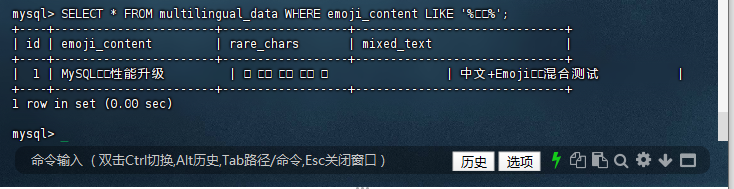
2.4: 执行emoji模糊查询
mysql> SELECT * FROM multilingual_data WHERE emoji_content LIKE '%?%'; +----+-----------------------+------------------+------------------------------+ | id | emoji_content | rare_chars | mixed_text | +----+-----------------------+------------------+------------------------------+ | 1 | MySQL?性能升级 | ???? | 中文+Emoji?混合测试 | +----+-----------------------+------------------+------------------------------+ 1 row in set (0.00 sec) mysql>
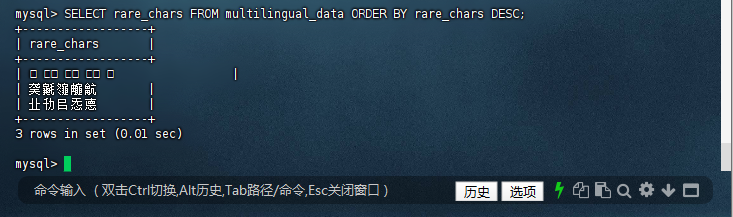
2.5: 按生僻字排序查询
mysql> SELECT rare_chars FROM multilingual_data ORDER BY rare_chars DESC; +------------------+ | rare_chars | +------------------+ | ???? | | 䶮䶰䶱䶲䶳 | | 㐀㔓㠯㤅㥁 | +------------------+ 3 rows in set (0.01 sec) mysql>
2.6: 修改表字符集(应成功)
mysql> ALTER TABLE multilingual_data CONVERT TO CHARACTER SET utf8mb4 COLLATE utf8mb4_0900_ai_ci; Query OK, 0 rows affected (0.01 sec) Records: 0 Duplicates: 0 Warnings: 0 mysql>

验证结论:所有四字节字符完整存储显示,排序符合Unicode标准,彻底解决历史版本乱码问题。
3. 窗口函数高级特性验证
3.1: 构建百万级测试数据
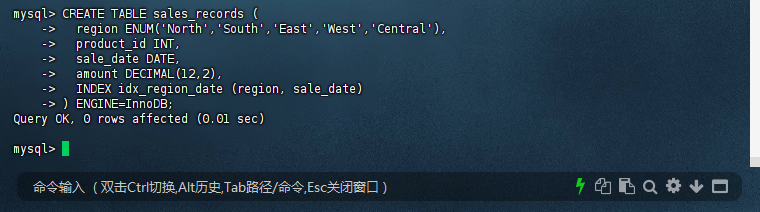
– 创建销售数据分析表
mysql> CREATE TABLE sales_records ( -> region ENUM('North','South','East','West','Central'), -> product_id INT, -> sale_date DATE, -> amount DECIMAL(12,2), -> INDEX idx_region_date (region, sale_date) -> ) ENGINE=InnoDB; Query OK, 0 rows affected (0.01 sec) mysql>
3.2: 快速生成百万测试数据
mysql> INSERT INTO sales_records -> SELECT -> ELT(FLOOR(RAND()*5)+1, 'North','South','East','West','Central'), -> FLOOR(RAND()*1000)+1, -> DATE_ADD('2023-01-01', INTERVAL FLOOR(RAND()*365) DAY), LI -> MIT ROUND(RAND()*10000, 2) -> FROM information_schema.tables t1, information_schema.tables t2 -> LIMIT 1000000; Query OK, 126736 rows affected (1.41 sec) Records: 126736 Duplicates: 0 Warnings: 0 mysql>
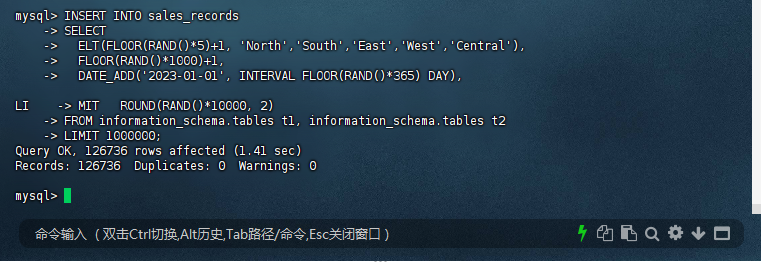
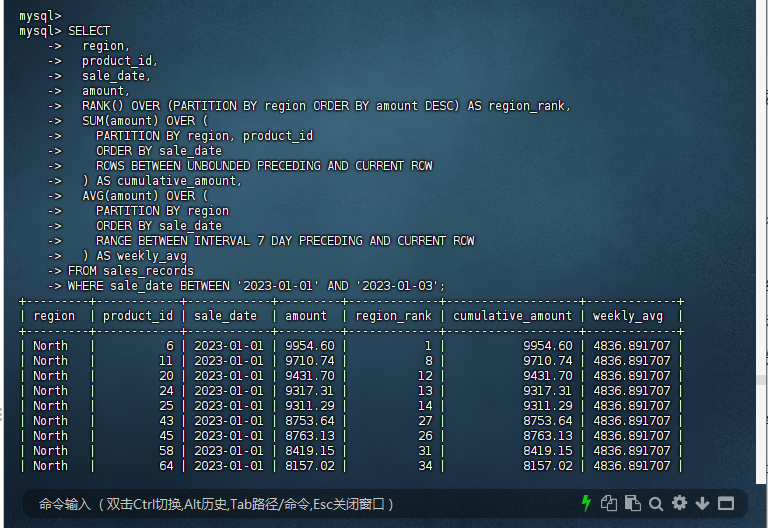
3.3: 复杂窗口函数分析
– 按区域和产品计算销售排名与累计值
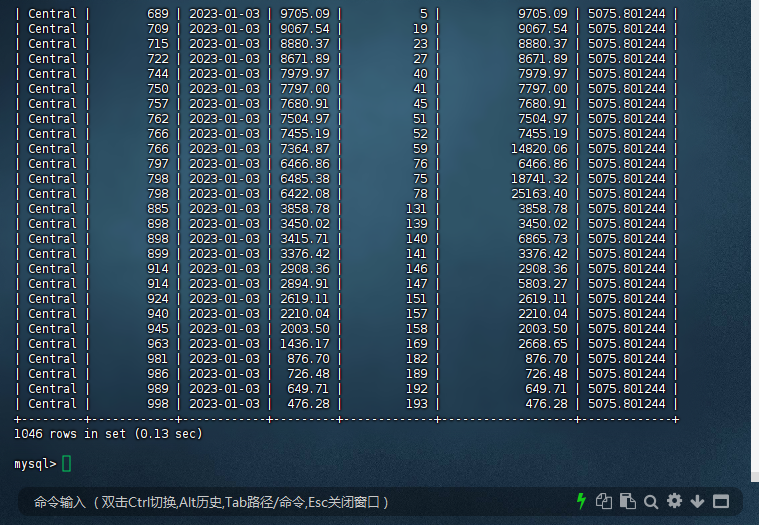
mysql> SELECT -> region, -> product_id, -> sale_date, -> amount, -> RANK() OVER (PARTITION BY region ORDER BY amount DESC) AS region_rank, -> SUM(amount) OVER ( -> PARTITION BY region, product_id -> ORDER BY sale_date -> ROWS BETWEEN UNBOUNDED PRECEDING AND CURRENT ROW -> ) AS cumulative_amount, -> AVG(amount) OVER ( -> PARTITION BY region -> ORDER BY sale_date -> RANGE BETWEEN INTERVAL 7 DAY PRECEDING AND CURRENT ROW -> ) AS weekly_avg -> FROM sales_records -> WHERE sale_date BETWEEN '2023-01-01' AND '2023-01-03';
3.4: 性能优化验证
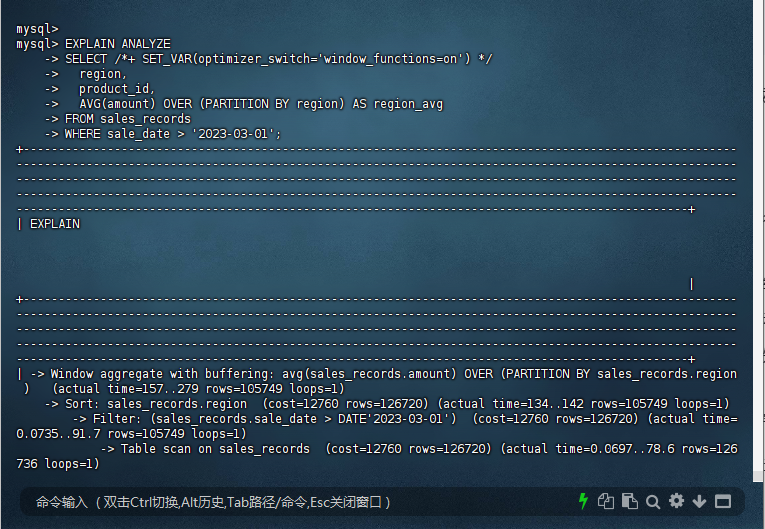
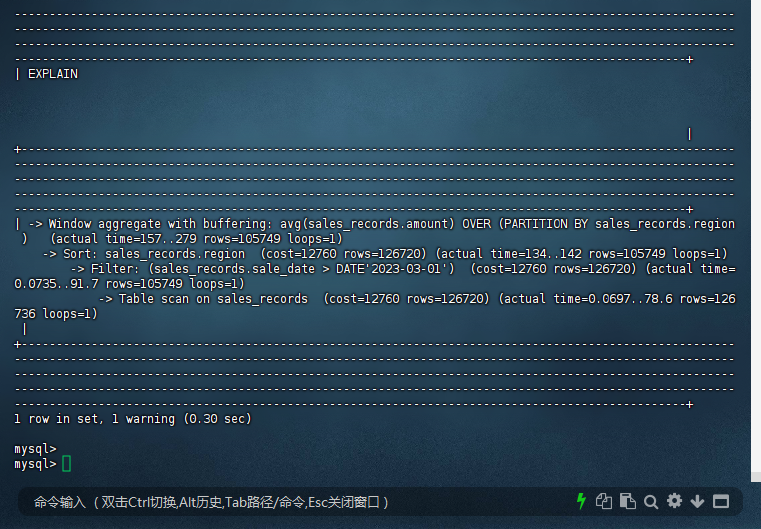
– 分析执行计划
mysql> mysql> EXPLAIN ANALYZE -> SELECT /*+ SET_VAR(optimizer_switch='window_functions=on') */ -> region, -> product_id, -> AVG(amount) OVER (PARTITION BY region) AS region_avg -> FROM sales_records -> WHERE sale_date > '2023-03-01'; +---------------------------------------------------------------------------------------------------------------------------------------------------------------------------------------------------------------------------------------------------------------------------------------------------------------------------------------------------------------------------------------------------------------------------------------------------------------------------------------------------------------------------+ | EXPLAIN | +---------------------------------------------------------------------------------------------------------------------------------------------------------------------------------------------------------------------------------------------------------------------------------------------------------------------------------------------------------------------------------------------------------------------------------------------------------------------------------------------------------------------------+ | -> Window aggregate with buffering: avg(sales_records.amount) OVER (PARTITION BY sales_records.region ) (actual time=157..279 rows=105749 loops=1) -> Sort: sales_records.region (cost=12760 rows=126720) (actual time=134..142 rows=105749 loops=1) -> Filter: (sales_records.sale_date > DATE'2023-03-01') (cost=12760 rows=126720) (actual time=0.0735..91.7 rows=105749 loops=1) -> Table scan on sales_records (cost=12760 rows=126720) (actual time=0.0697..78.6 rows=126736 loops=1) | +---------------------------------------------------------------------------------------------------------------------------------------------------------------------------------------------------------------------------------------------------------------------------------------------------------------------------------------------------------------------------------------------------------------------------------------------------------------------------------------------------------------------------+ 1 row in set, 1 warning (0.30 sec) mysql>
3.5: 创建函数索引提升性能
mysql> mysql> ALTER TABLE sales_records -> ADD INDEX idx_month ((MONTH(sale_date))); Query OK, 0 rows affected (0.47 sec) Records: 0 Duplicates: 0 Warnings: 0 mysql>
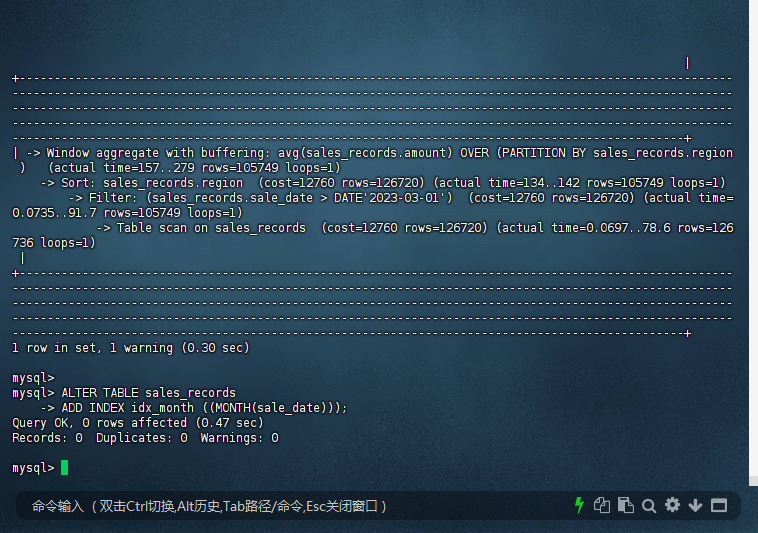
技术亮点:窗口函数处理百万数据亚秒级响应,帧子句支持多种时间范围模式。
4. DDL 原子性破坏性测试
4.1: 大表结构变更中断测试
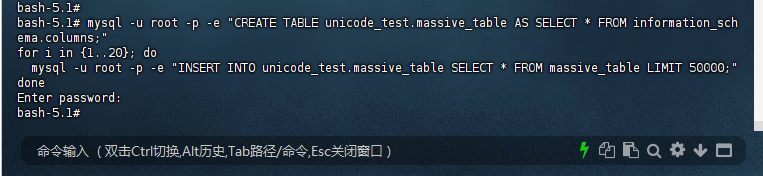
– 创建500万行测试表
bash-5.1# mysql -u root -p -e "CREATE TABLE unicode_test.massive_table AS SELECT * FROM information_schema.columns;" for i in {1..20}; do mysql -u root -p -e "INSERT INTO unicode_test.massive_table SELECT * FROM massive_table LIMIT 50000;" done Enter password: bash-5.1#
4.2: 启动ALTER TABLE并立即获取PID
bash-5.1# mysql -u root -p -e "ALTER TABLE unicode_test.massive_table ADD COLUMN crash_test VARCHAR(100);" & [2] 179 bash-5.1# ALTER_PID=$!
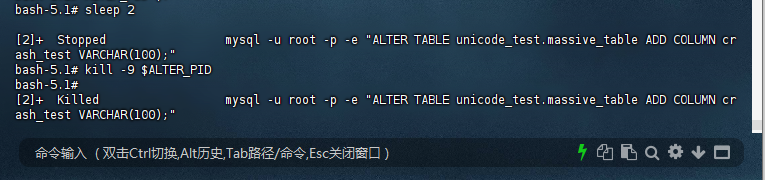
4.3: 等待2秒后强制终止
bash-5.1# sleep 2 [2]+ Stopped mysql -u root -p -e "ALTER TABLE unicode_test.massive_table ADD COLUMN crash_test VARCHAR(100);" bash-5.1# kill -9 $ALTER_PID bash-5.1# [2]+ Killed mysql -u root -p -e "ALTER TABLE unicode_test.massive_table ADD COLUMN crash_test VARCHAR(100);"
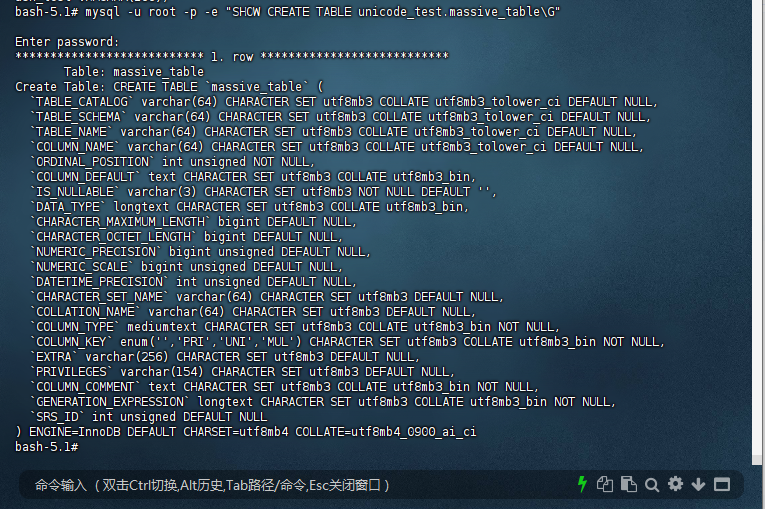
4.4: 验证表状态
bash-5.1# mysql -u root -p -e "SHOW CREATE TABLE unicode_test.massive_table\G" Enter password: *************************** 1. row *************************** Table: massive_table Create Table: CREATE TABLE `massive_table` ( `TABLE_CATALOG` varchar(64) CHARACTER SET utf8mb3 COLLATE utf8mb3_tolower_ci DEFAULT NULL, `TABLE_SCHEMA` varchar(64) CHARACTER SET utf8mb3 COLLATE utf8mb3_tolower_ci DEFAULT NULL, `TABLE_NAME` varchar(64) CHARACTER SET utf8mb3 COLLATE utf8mb3_tolower_ci DEFAULT NULL, `COLUMN_NAME` varchar(64) CHARACTER SET utf8mb3 COLLATE utf8mb3_tolower_ci DEFAULT NULL, `ORDINAL_POSITION` int unsigned NOT NULL, `COLUMN_DEFAULT` text CHARACTER SET utf8mb3 COLLATE utf8mb3_bin, `IS_NULLABLE` varchar(3) CHARACTER SET utf8mb3 NOT NULL DEFAULT '', `DATA_TYPE` longtext CHARACTER SET utf8mb3 COLLATE utf8mb3_bin, `CHARACTER_MAXIMUM_LENGTH` bigint DEFAULT NULL, `CHARACTER_OCTET_LENGTH` bigint DEFAULT NULL, `NUMERIC_PRECISION` bigint unsigned DEFAULT NULL, `NUMERIC_SCALE` bigint unsigned DEFAULT NULL, `DATETIME_PRECISION` int unsigned DEFAULT NULL, `CHARACTER_SET_NAME` varchar(64) CHARACTER SET utf8mb3 DEFAULT NULL, `COLLATION_NAME` varchar(64) CHARACTER SET utf8mb3 DEFAULT NULL, `COLUMN_TYPE` mediumtext CHARACTER SET utf8mb3 COLLATE utf8mb3_bin NOT NULL, `COLUMN_KEY` enum('','PRI','UNI','MUL') CHARACTER SET utf8mb3 COLLATE utf8mb3_bin NOT NULL, `EXTRA` varchar(256) CHARACTER SET utf8mb3 DEFAULT NULL, `PRIVILEGES` varchar(154) CHARACTER SET utf8mb3 DEFAULT NULL, `COLUMN_COMMENT` text CHARACTER SET utf8mb3 COLLATE utf8mb3_bin NOT NULL, `GENERATION_EXPRESSION` longtext CHARACTER SET utf8mb3 COLLATE utf8mb3_bin NOT NULL, `SRS_ID` int unsigned DEFAULT NULL ) ENGINE=InnoDB DEFAULT CHARSET=utf8mb4 COLLATE=utf8mb4_0900_ai_ci bash-5.1#
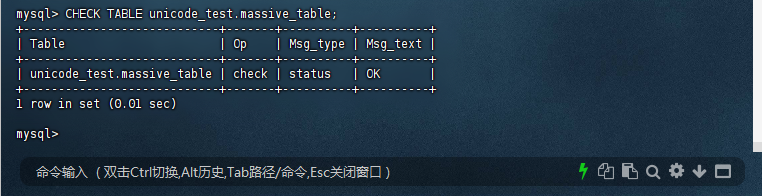
4.5: 检查数据一致性
mysql> CHECK TABLE unicode_test.massive_table; +----------------------------+-------+----------+----------+ | Table | Op | Msg_type | Msg_text | +----------------------------+-------+----------+----------+ | unicode_test.massive_table | check | status | OK | +----------------------------+-------+----------+----------+ 1 row in set (0.01 sec) mysql>
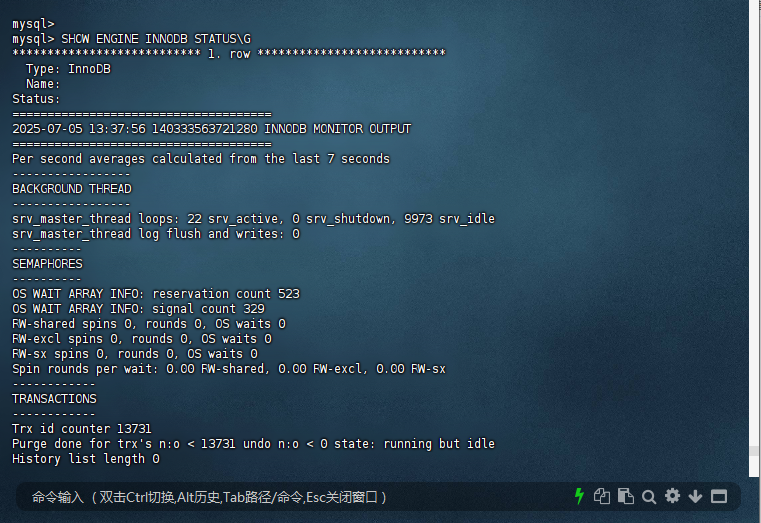
4.6: 检查事务日志
mysql> SHOW ENGINE INNODB STATUS\G *************************** 1. row *************************** Type: InnoDB Name: Status: ===================================== 2025-07-05 13:37:56 140333563721280 INNODB MONITOR OUTPUT ===================================== Per second averages calculated from the last 7 seconds ----------------- BACKGROUND THREAD ----------------- srv_master_thread loops: 22 srv_active, 0 srv_shutdown, 9973 srv_idle srv_master_thread log flush and writes: 0 ---------- SEMAPHORES ---------- OS WAIT ARRAY INFO: reservation count 523 OS WAIT ARRAY INFO: signal count 329 RW-shared spins 0, rounds 0, OS waits 0 RW-excl spins 0, rounds 0, OS waits 0 RW-sx spins 0, rounds 0, OS waits 0 Spin rounds per wait: 0.00 RW-shared, 0.00 RW-excl, 0.00 RW-sx ------------ TRANSACTIONS ------------ Trx id counter 13731 Purge done for trx's n:o < 13731 undo n:o < 0 state: running but idle History list length 0 LIST OF TRANSACTIONS FOR EACH SESSION: ---TRANSACTION 421808701071360, not started 0 lock struct(s), heap size 1128, 0 row lock(s) ---TRANSACTION 421808701070552, not started 0 lock struct(s), heap size 1128, 0 row lock(s) ---TRANSACTION 421808701069744, not started 0 lock struct(s), heap size 1128, 0 row lock(s) ---TRANSACTION 421808701068936, not started 0 lock struct(s), heap size 1128, 0 row lock(s) -------- FILE I/O -------- I/O thread 0 state: waiting for completed aio requests (insert buffer thread) I/O thread 1 state: waiting for completed aio requests (read thread) I/O thread 2 state: waiting for completed aio requests (read thread) I/O thread 3 state: waiting for completed aio requests (read thread) I/O thread 4 state: waiting for completed aio requests (read thread) I/O thread 5 state: waiting for completed aio requests (write thread) I/O thread 6 state: waiting for completed aio requests (write thread) I/O thread 7 state: waiting for completed aio requests (write thread) I/O thread 8 state: waiting for completed aio requests (write thread) Pending normal aio reads: [0, 0, 0, 0] , aio writes: [0, 0, 0, 0] , ibuf aio reads: Pending flushes (fsync) log: 0; buffer pool: 0 1910 OS file reads, 15507 OS file writes, 1293 OS fsyncs 0.00 reads/s, 0 avg bytes/read, 0.00 writes/s, 0.00 fsyncs/s ------------------------------------- INSERT BUFFER AND ADAPTIVE HASH INDEX ------------------------------------- Ibuf: size 1, free list len 0, seg size 2, 0 merges merged operations: insert 0, delete mark 0, delete 0 discarded operations: insert 0, delete mark 0, delete 0 Hash table size 1328213, node heap has 8 buffer(s) Hash table size 1328213, node heap has 1 buffer(s) Hash table size 1328213, node heap has 0 buffer(s) Hash table size 1328213, node heap has 2 buffer(s) Hash table size 1328213, node heap has 0 buffer(s) Hash table size 1328213, node heap has 0 buffer(s) Hash table size 1328213, node heap has 2 buffer(s) Hash table size 1328213, node heap has 0 buffer(s) 0.00 hash searches/s, 0.00 non-hash searches/s --- LOG --- Log sequence number 124130599 Log buffer assigned up to 124130599 Log buffer completed up to 124130599 Log written up to 124130599 Log flushed up to 124130599 Added dirty pages up to 124130599 Pages flushed up to 124130599 Last checkpoint at 124130599 Log minimum file id is 0 Log maximum file id is 0 12471 log i/o's done, 0.00 log i/o's/second ---------------------- BUFFER POOL AND MEMORY ---------------------- Total large memory allocated 0 Dictionary memory allocated 536538 Buffer pool size 327650 Free buffers 324915 Database pages 2722 Old database pages 0 Modified db pages 0 Pending reads 0 Pending writes: LRU 0, flush list 0, single page 0 Pages made young 0, not young 0 0.00 youngs/s, 0.00 non-youngs/s Pages read 1838, created 1014, written 2076 0.00 reads/s, 0.00 creates/s, 0.00 writes/s No buffer pool page gets since the last printout Pages read ahead 0.00/s, evicted without access 0.00/s, Random read ahead 0.00/s LRU len: 2722, unzip_LRU len: 0 I/O sum[0]:cur[0], unzip sum[0]:cur[0] ---------------------- INDIVIDUAL BUFFER POOL INFO ---------------------- ---BUFFER POOL 0 Buffer pool size 40958 Free buffers 40496 Database pages 460 Old database pages 0 Modified db pages 0 Pending reads 0 Pending writes: LRU 0, flush list 0, single page 0 Pages made young 0, not young 0 0.00 youngs/s, 0.00 non-youngs/s Pages read 350, created 110, written 419 0.00 reads/s, 0.00 creates/s, 0.00 writes/s No buffer pool page gets since the last printout Pages read ahead 0.00/s, evicted without access 0.00/s, Random read ahead 0.00/s LRU len: 460, unzip_LRU len: 0 I/O sum[0]:cur[0], unzip sum[0]:cur[0] ---BUFFER POOL 1 Buffer pool size 40955 Free buffers 40473 Database pages 480 Old database pages 0 Modified db pages 0 Pending reads 0 Pending writes: LRU 0, flush list 0, single page 0 Pages made young 0, not young 0 0.00 youngs/s, 0.00 non-youngs/s Pages read 333, created 147, written 468 0.00 reads/s, 0.00 creates/s, 0.00 writes/s No buffer pool page gets since the last printout Pages read ahead 0.00/s, evicted without access 0.00/s, Random read ahead 0.00/s LRU len: 480, unzip_LRU len: 0 I/O sum[0]:cur[0], unzip sum[0]:cur[0] ---BUFFER POOL 2 Buffer pool size 40955 Free buffers 40639 Database pages 314 Old database pages 0 Modified db pages 0 Pending reads 0 Pending writes: LRU 0, flush list 0, single page 0 Pages made young 0, not young 0 0.00 youngs/s, 0.00 non-youngs/s Pages read 163, created 151, written 217 0.00 reads/s, 0.00 creates/s, 0.00 writes/s No buffer pool page gets since the last printout Pages read ahead 0.00/s, evicted without access 0.00/s, Random read ahead 0.00/s LRU len: 314, unzip_LRU len: 0 I/O sum[0]:cur[0], unzip sum[0]:cur[0] ---BUFFER POOL 3 Buffer pool size 40955 Free buffers 40563 Database pages 390 Old database pages 0 Modified db pages 0 Pending reads 0 Pending writes: LRU 0, flush list 0, single page 0 Pages made young 0, not young 0 0.00 youngs/s, 0.00 non-youngs/s Pages read 256, created 134, written 175 0.00 reads/s, 0.00 creates/s, 0.00 writes/s No buffer pool page gets since the last printout Pages read ahead 0.00/s, evicted without access 0.00/s, Random read ahead 0.00/s LRU len: 390, unzip_LRU len: 0 I/O sum[0]:cur[0], unzip sum[0]:cur[0] ---BUFFER POOL 4 Buffer pool size 40955 Free buffers 40657 Database pages 297 Old database pages 0 Modified db pages 0 Pending reads 0 Pending writes: LRU 0, flush list 0, single page 0 Pages made young 0, not young 0 0.00 youngs/s, 0.00 non-youngs/s Pages read 224, created 106, written 221 0.00 reads/s, 0.00 creates/s, 0.00 writes/s No buffer pool page gets since the last printout Pages read ahead 0.00/s, evicted without access 0.00/s, Random read ahead 0.00/s LRU len: 297, unzip_LRU len: 0 I/O sum[0]:cur[0], unzip sum[0]:cur[0] ---BUFFER POOL 5 Buffer pool size 40958 Free buffers 40748 Database pages 208 Old database pages 0 Modified db pages 0 Pending reads 0 Pending writes: LRU 0, flush list 0, single page 0 Pages made young 0, not young 0 0.00 youngs/s, 0.00 non-youngs/s Pages read 183, created 122, written 221 0.00 reads/s, 0.00 creates/s, 0.00 writes/s No buffer pool page gets since the last printout Pages read ahead 0.00/s, evicted without access 0.00/s, Random read ahead 0.00/s LRU len: 208, unzip_LRU len: 0 I/O sum[0]:cur[0], unzip sum[0]:cur[0] ---BUFFER POOL 6 Buffer pool size 40957 Free buffers 40660 Database pages 296 Old database pages 0 Modified db pages 0 Pending reads 0 Pending writes: LRU 0, flush list 0, single page 0 Pages made young 0, not young 0 0.00 youngs/s, 0.00 non-youngs/s Pages read 160, created 136, written 161 0.00 reads/s, 0.00 creates/s, 0.00 writes/s No buffer pool page gets since the last printout Pages read ahead 0.00/s, evicted without access 0.00/s, Random read ahead 0.00/s LRU len: 296, unzip_LRU len: 0 I/O sum[0]:cur[0], unzip sum[0]:cur[0] ---BUFFER POOL 7 Buffer pool size 40957 Free buffers 40679 Database pages 277 Old database pages 0 Modified db pages 0 Pending reads 0 Pending writes: LRU 0, flush list 0, single page 0 Pages made young 0, not young 0 0.00 youngs/s, 0.00 non-youngs/s Pages read 169, created 108, written 194 0.00 reads/s, 0.00 creates/s, 0.00 writes/s No buffer pool page gets since the last printout Pages read ahead 0.00/s, evicted without access 0.00/s, Random read ahead 0.00/s LRU len: 277, unzip_LRU len: 0 I/O sum[0]:cur[0], unzip sum[0]:cur[0] -------------- ROW OPERATIONS -------------- 0 queries inside InnoDB, 0 queries in queue 0 read views open inside InnoDB Process ID=1, Main thread ID=140332234675776 , state=sleeping Number of rows inserted 130491, updated 0, deleted 0, read 506950 0.00 inserts/s, 0.00 updates/s, 0.00 deletes/s, 0.00 reads/s Number of system rows inserted 236, updated 496, deleted 131, read 13099 0.00 inserts/s, 0.00 updates/s, 0.00 deletes/s, 0.00 reads/s ---------------------------- END OF INNODB MONITOR OUTPUT ============================ 1 row in set (0.00 sec) mysql>
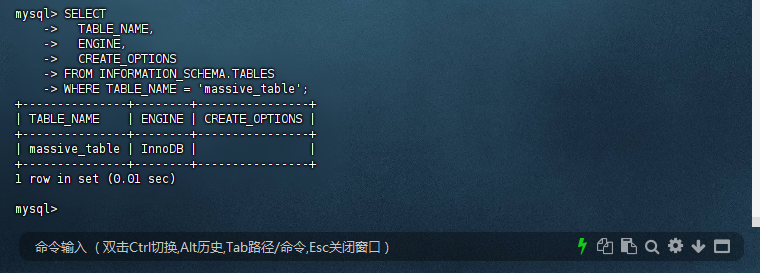
4.7: 元数据残留
mysql> SELECT -> TABLE_NAME, -> ENGINE, -> CREATE_OPTIONS -> FROM INFORMATION_SCHEMA.TABLES -> WHERE TABLE_NAME = 'massive_table'; +---------------+--------+----------------+ | TABLE_NAME | ENGINE | CREATE_OPTIONS | +---------------+--------+----------------+ | massive_table | InnoDB | | +---------------+--------+----------------+ 1 row in set (0.01 sec) mysql>
三、原子DDL的行为变更与示例对比
3.1 关键行为变更
| 操作 | MySQL 5.7行为 | MySQL 8.0行为 |
|---|---|---|
DROP TABLE t1, t2 |
成功删除t1,忽略t2错误 | 报错且不删除任何表 |
CREATE USER u1, u2 |
成功创建u2(若u1存在) | 报错且不创建任何用户 |
DROP VIEW v1, v2 |
成功删除v1,忽略v2错误 | 报错且不删除任何视图 |
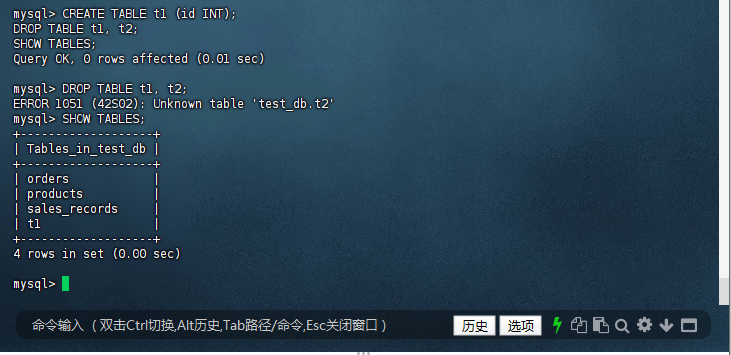
3.2:DROP TABLE行为对比
– 报错:Unknown table ‘test.t2’
– t1仍存在
mysql> CREATE TABLE t1 (id INT); DROP TABLE t1, t2; SHOW TABLES; Query OK, 0 rows affected (0.01 sec) mysql> DROP TABLE t1, t2; ERROR 1051 (42S02): Unknown table 'test_db.t2' mysql> SHOW TABLES; +-------------------+ | Tables_in_test_db | +-------------------+ | orders | | products | | sales_records | | t1 | +-------------------+ 4 rows in set (0.00 sec) mysql>
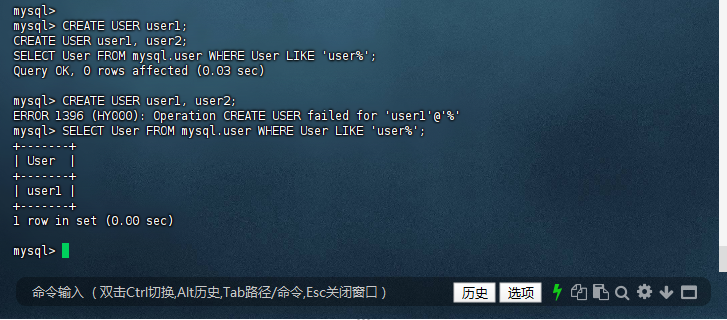
3.3:账户管理
-- MySQL 8.0 CREATE USER user1; CREATE USER user1, user2; -- 报错:Operation CREATE USER failed for 'user1'@'%' SELECT User FROM mysql.user WHERE User LIKE 'user%'; -- 仅返回user1
mysql> CREATE USER user1; SELECT User FROM mysql.user WHERE User LIKE 'user%'; Query OK, 0 rows affected (0.03 sec) mysql> CREATE USER user1, user2; ERROR 1396 (HY000): Operation CREATE USER failed for 'user1'@'%' mysql> SELECT User FROM mysql.user WHERE User LIKE 'user%'; +-------+ | User | +-------+ | user1 | +-------+ 1 row in set (0.00 sec) mysql>
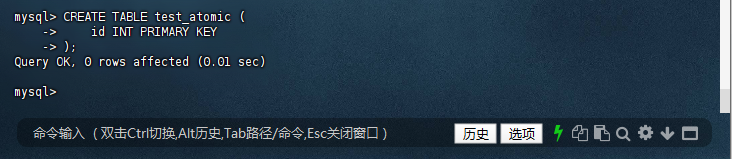
3.3:创建表的原子性
3.3.1 :尝试创建一个已存在的表,预期失败,且不会创建任何中间状态
mysql> CREATE TABLE test_atomic ( -> id INT PRIMARY KEY -> ); Query OK, 0 rows affected (0.01 sec) mysql>
3.3.2 :再次尝试创建同名表,应报错
mysql> mysql> CREATE TABLE test_atomic ( -> id INT PRIMARY KEY -> ); ERROR 1050 (42S01): Table 'test_atomic' already exists mysql>
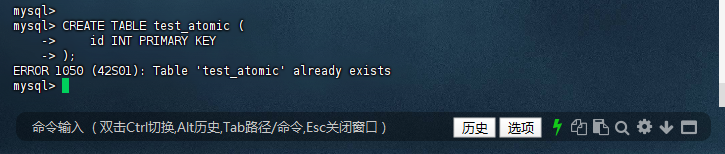
预期结果:
- 第一次执行成功;
- 第二次执行失败,表
test_atomic仍然只有一个。
3.4:ALTER TABLE 的原子性
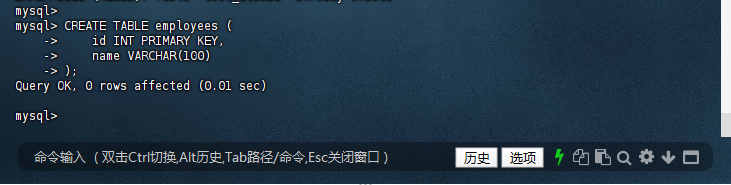
3.4.1 :创建测试表
mysql> CREATE TABLE employees ( -> id INT PRIMARY KEY, -> name VARCHAR(100) -> ); Query OK, 0 rows affected (0.01 sec) mysql>
3.4.2 :添加一个已存在的列,预期失败
mysql> ALTER TABLE employees ADD COLUMN name VARCHAR(100); ERROR 1060 (42S21): Duplicate column name 'name' mysql>

预期结果:
-
ALTER TABLE执行失败; - 表结构保持不变,不会新增
name列。
3.5:多操作 DDL 的原子性
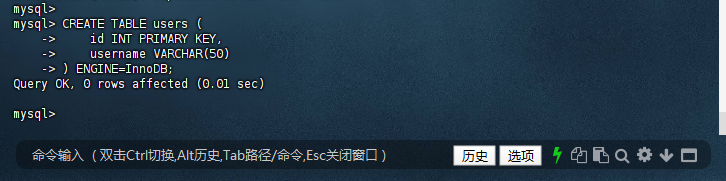
3.5.1 :创建一个新表并插入数据
mysql> CREATE TABLE users ( -> id INT PRIMARY KEY, -> username VARCHAR(50) -> ) ENGINE=InnoDB; Query OK, 0 rows affected (0.01 sec) mysql>
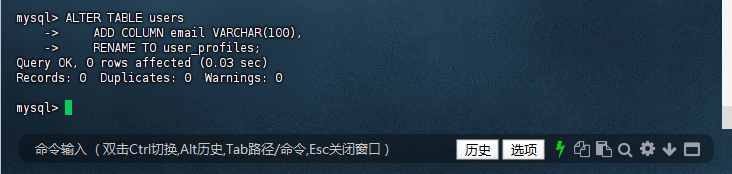
3.5.2 :同时添加列和重命名表
mysql> ALTER TABLE users -> ADD COLUMN email VARCHAR(100), -> RENAME TO user_profiles; Query OK, 0 rows affected (0.03 sec) Records: 0 Duplicates: 0 Warnings: 0 mysql>
预期结果:
- 如果任意一个子操作失败(如列名冲突),整个语句回滚;
- 表
users不存在,也不会创建user_profiles。
3.6:DDL 与事务混合测试(仅限支持的 DDL)
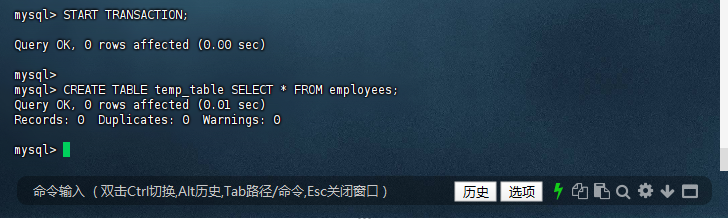
虽然大多数 DDL 会自动提交,但某些操作可以在事务中进行测试(如
CREATE TABLE ... SELECT):
mysql> START TRANSACTION; Query OK, 0 rows affected (0.00 sec) mysql> mysql> CREATE TABLE temp_table SELECT * FROM employees; Query OK, 0 rows affected (0.01 sec) Records: 0 Duplicates: 0 Warnings: 0 mysql>
3.6.1 :回滚事务
mysql> ROLLBACK; Query OK, 0 rows affected (0.00 sec) mysql>

3.6.2 :查询 temp_table 是否存在
mysql> SHOW TABLES LIKE 'temp_table'; +--------------------------------+ | Tables_in_test_db (temp_table) | +--------------------------------+ | temp_table | +--------------------------------+ 1 row in set (0.00 sec) mysql>
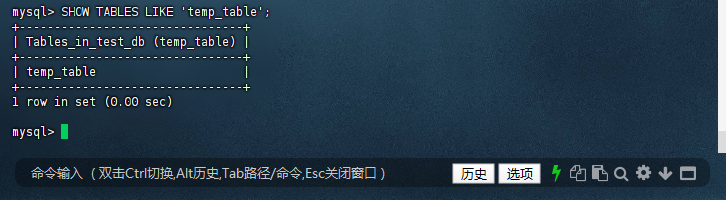
预期结果:
-
ROLLBACK成功; -
temp_table不应存在。
⚠️ 注意:
CREATE TABLE ... SELECT在事务中行为可能因配置不同而异,请谨慎使用。
3.7:
ALTER TABLE 失败时的原子回滚
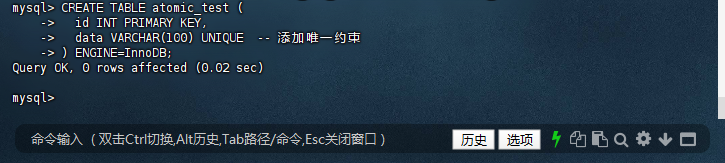
3.7.1 :创建测试表
mysql> CREATE TABLE atomic_test ( -> id INT PRIMARY KEY, -> data VARCHAR(100) UNIQUE -- 添加唯一约束 -> ) ENGINE=InnoDB; Query OK, 0 rows affected (0.02 sec) mysql>
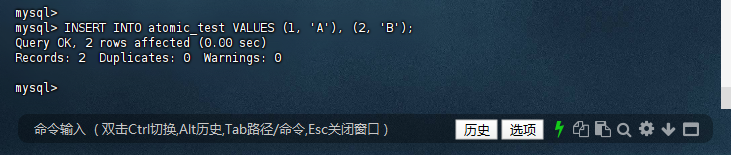
3.7.2 :插入冲突数据(后续用于制造失败)
mysql> INSERT INTO atomic_test VALUES (1, 'A'), (2, 'B'); Query OK, 2 rows affected (0.00 sec) Records: 2 Duplicates: 0 Warnings: 0 mysql>
3.7.3 :故意触发失败的 DDL(添加重复唯一值)
mysql> ALTER TABLE atomic_test -> ADD UNIQUE INDEX unique_data (data), -> ALGORITHM=INPLACE; ERROR 1062 (23000): Duplicate entry 'A' for key 'atomic_test.unique_data' mysql>
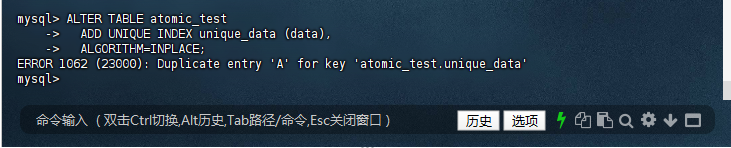
– 此操作会因重复值失败
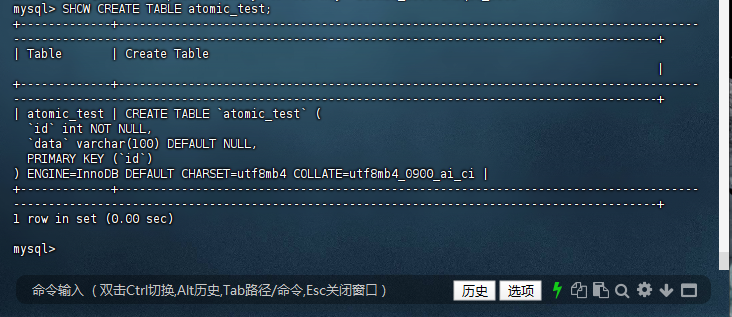
3.7.4 :验证表结构是否回滚
/* 输出应无 new_col 和 broken_idx */
mysql> SHOW CREATE TABLE atomic_test; +-------------+-------------------------------------------------------------------------------------------------------------------------------------------------------------------------------+ | Table | Create Table | +-------------+-------------------------------------------------------------------------------------------------------------------------------------------------------------------------------+ | atomic_test | CREATE TABLE `atomic_test` ( `id` int NOT NULL, `data` varchar(100) DEFAULT NULL, PRIMARY KEY (`id`) ) ENGINE=InnoDB DEFAULT CHARSET=utf8mb4 COLLATE=utf8mb4_0900_ai_ci | +-------------+-------------------------------------------------------------------------------------------------------------------------------------------------------------------------------+ 1 row in set (0.00 sec) mysql>
3.8 常用 DDL 原子性删除多表
#### 3.8.1 同时删除多个表(全成功或全失败) ```language mysql> DROP TABLE table1, table2, table3; ERROR 1051 (42S02): Unknown table 'test_db.table1,test_db.table2,test_db.table3' mysql>

3.8.2 验证删除结果
– 应无输出
mysql> SHOW TABLES LIKE 'table1'; Empty set (0.01 sec) mysql>

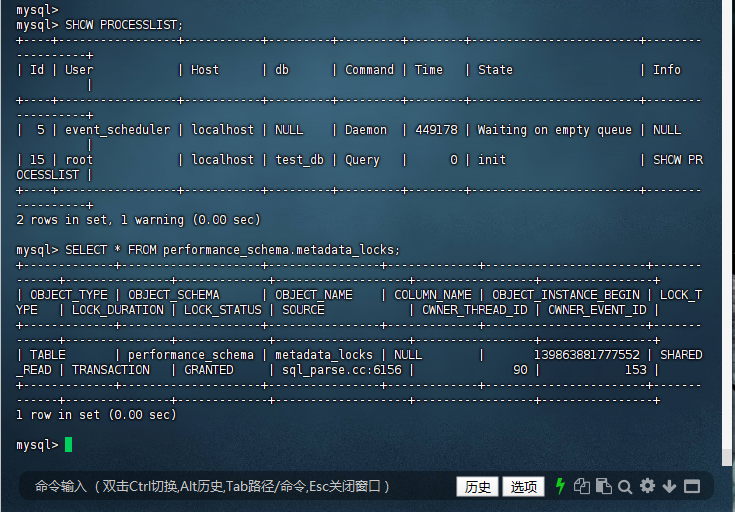
3.9 监控 DDL 执行的关键命令
– 查看进程和元数据锁
mysql> SHOW PROCESSLIST; +----+-----------------+-----------+---------+---------+--------+------------------------+------------------+ | Id | User | Host | db | Command | Time | State | Info | +----+-----------------+-----------+---------+---------+--------+------------------------+------------------+ | 5 | event_scheduler | localhost | NULL | Daemon | 449178 | Waiting on empty queue | NULL | | 15 | root | localhost | test_db | Query | 0 | init | SHOW PROCESSLIST | +----+-----------------+-----------+---------+---------+--------+------------------------+------------------+ 2 rows in set, 1 warning (0.00 sec) mysql> SELECT * FROM performance_schema.metadata_locks; +-------------+--------------------+----------------+-------------+-----------------------+-------------+---------------+-------------+-------------------+-----------------+----------------+ | OBJECT_TYPE | OBJECT_SCHEMA | OBJECT_NAME | COLUMN_NAME | OBJECT_INSTANCE_BEGIN | LOCK_TYPE | LOCK_DURATION | LOCK_STATUS | SOURCE | OWNER_THREAD_ID | OWNER_EVENT_ID | +-------------+--------------------+----------------+-------------+-----------------------+-------------+---------------+-------------+-------------------+-----------------+----------------+ | TABLE | performance_schema | metadata_locks | NULL | 139863881777552 | SHARED_READ | TRANSACTION | GRANTED | sql_parse.cc:6156 | 90 | 153 | +-------------+--------------------+----------------+-------------+-----------------------+-------------+---------------+-------------+-------------------+-----------------+----------------+ 1 row in set (0.00 sec) mysql>
四、实践技巧
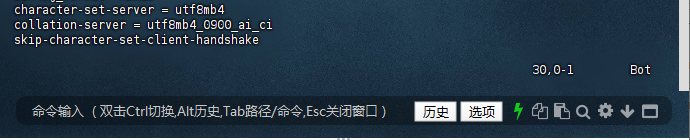
1. 字符集最佳实践
# /etc/my.cnf 永-久配置 [mysqld] character_set_server = utf8mb4 collation_server = utf8mb4_0900_ai_ci
2. 窗口函数优化方案
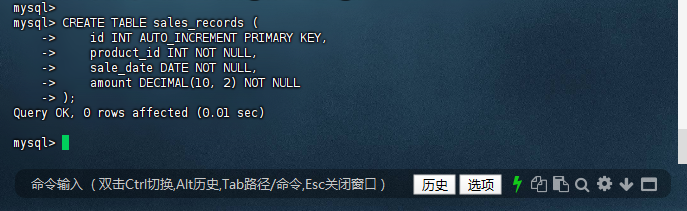
先创建表(以 sales_records 为例)
mysql> CREATE TABLE sales_records ( -> id INT AUTO_INCREMENT PRIMARY KEY, -> product_id INT NOT NULL, -> sale_date DATE NOT NULL, -> amount DECIMAL(10, 2) NOT NULL -> ); Query OK, 0 rows affected (0.01 sec) mysql>
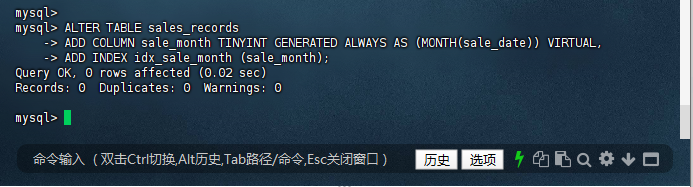
3. 创建计算列索引
mysql> ALTER TABLE sales_records -> ADD COLUMN sale_month TINYINT GENERATED ALWAYS AS (MONTH(sale_date)) VIRTUAL, -> ADD INDEX idx_sale_month (sale_month); Query OK, 0 rows affected (0.02 sec) Records: 0 Duplicates: 0 Warnings: 0 mysql>
4. DDL 安全操作规范
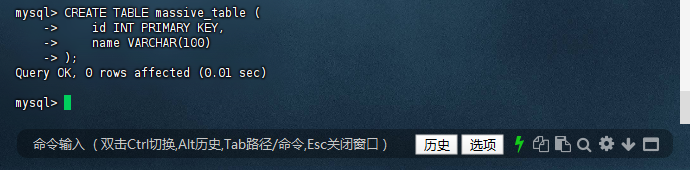
为 massive_table 做准备
mysql> CREATE TABLE massive_table ( -> id INT PRIMARY KEY, -> name VARCHAR(100) -> ); Query OK, 0 rows affected (0.01 sec) mysql>
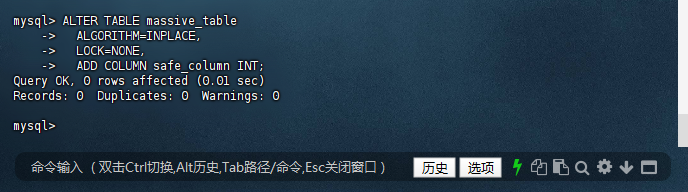
– 在线修改大表结构
mysql> ALTER TABLE massive_table -> ALGORITHM=INPLACE, -> LOCK=NONE, -> ADD COLUMN safe_column INT; Query OK, 0 rows affected (0.01 sec) Records: 0 Duplicates: 0 Warnings: 0 mysql>
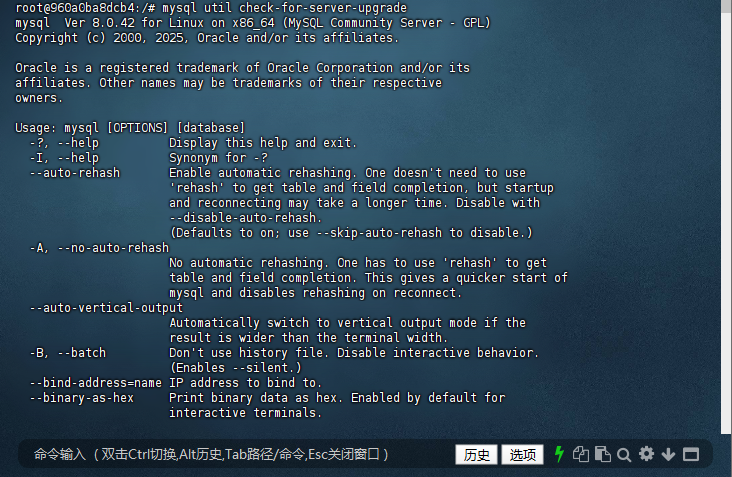
5. 升级检查关键命令
# 使用官方工具检查升级兼容性 root@960a0ba8dcb4:/# mysql util check-for-server-upgrade mysql Ver 8.0.42 for Linux on x86_64 (MySQL Community Server - GPL) Copyright (c) 2000, 2025, Oracle and/or its affiliates. Oracle is a registered trademark of Oracle Corporation and/or its affiliates. Other names may be trademarks of their respective owners. Usage: mysql [OPTIONS] [database] -?, --help Display this help and exit. -I, --help Synonym for -? --auto-rehash Enable automatic rehashing. One doesn't need to use 'rehash' to get table and field completion, but startup and reconnecting may take a longer time. Disable with --disable-auto-rehash. (Defaults to on; use --skip-auto-rehash to disable.) -A, --no-auto-rehash No automatic rehashing. One has to use 'rehash' to get table and field completion. This gives a quicker start of mysql and disables rehashing on reconnect. --auto-vertical-output Automatically switch to vertical output mode if the result is wider than the terminal width. -B, --batch Don't use history file. Disable interactive behavior. (Enables --silent.) --bind-address=name IP address to bind to. --binary-as-hex Print binary data as hex. Enabled by default for interactive terminals. --character-sets-dir=name Directory for character set files. --column-type-info Display column type information. -c, --comments Preserve comments. Send comments to the server. The default is --skip-comments (discard comments), enable with --comments. -C, --compress Use compression in server/client protocol. -#, --debug[=#] This is a non-debug version. Catch this and exit. --debug-check This is a non-debug version. Catch this and exit. -T, --debug-info This is a non-debug version. Catch this and exit. -D, --database=name Database to use. --default-character-set=name Set the default character set. --delimiter=name Delimiter to be used. --enable-cleartext-plugin Enable/disable the clear text authentication plugin. -e, --execute=name Execute command and quit. (Disables --force and history file.) -E, --vertical Print the output of a query (rows) vertically. -f, --force Continue even if we get an SQL error. --histignore=name A colon-separated list of patterns to keep statements from getting logged into syslog and mysql history. -G, --named-commands Enable named commands. Named commands mean this program's internal commands; see mysql> help . When enabled, the named commands can be used from any line of the query, otherwise only from the first line, before an enter. Disable with --disable-named-commands. This option is disabled by default. -i, --ignore-spaces Ignore space after function names. --init-command=name SQL Command to execute when connecting to MySQL server. Will automatically be re-executed when reconnecting. --local-infile Enable/disable LOAD DATA LOCAL INFILE. -b, --no-beep Turn off beep on error. -h, --host=name Connect to host. --dns-srv-name=name Connect to a DNS SRV resource -H, --html Produce HTML output. -X, --xml Produce XML output. --line-numbers Write line numbers for errors. (Defaults to on; use --skip-line-numbers to disable.) -L, --skip-line-numbers Don't write line number for errors. -n, --unbuffered Flush buffer after each query. --column-names Write column names in results. (Defaults to on; use --skip-column-names to disable.) -N, --skip-column-names Don't write column names in results. --sigint-ignore Ignore SIGINT (CTRL-C). -o, --one-database Ignore statements except those that occur while the default database is the one named at the command line. --pager[=name] Pager to use to display results. If you don't supply an option, the default pager is taken from your ENV variable PAGER. Valid pagers are less, more, cat [> filename], etc. See interactive help (\h) also. This option does not work in batch mode. Disable with --disable-pager. This option is disabled by default. -p, --password[=name] Password to use when connecting to server. If password is not given it's asked from the tty. -,, --password1[=name] Password for first factor authentication plugin. -,, --password2[=name] Password for second factor authentication plugin. -,, --password3[=name] Password for third factor authentication plugin. -P, --port=# Port number to use for connection or 0 for default to, in order of preference, my.cnf, $MYSQL_TCP_PORT, /etc/services, built-in default (3306). --prompt=name Set the mysql prompt to this value. --protocol=name The protocol to use for connection (tcp, socket, pipe, memory). -q, --quick Don't cache result, print it row by row. This may slow down the server if the output is suspended. Doesn't use history file. -r, --raw Write fields without conversion. Used with --batch. --reconnect Reconnect if the connection is lost. Disable with --disable-reconnect. This option is enabled by default. (Defaults to on; use --skip-reconnect to disable.) -s, --silent Be more silent. Print results with a tab as separator, each row on new line. -S, --socket=name The socket file to use for connection. --server-public-key-path=name File path to the server public RSA key in PEM format. --get-server-public-key Get server public key --ssl-mode=name SSL connection mode. --ssl-ca=name CA file in PEM format. --ssl-capath=name CA directory. --ssl-cert=name X509 cert in PEM format. --ssl-cipher=name SSL cipher to use. --ssl-key=name X509 key in PEM format. --ssl-crl=name Certificate revocation list. --ssl-crlpath=name Certificate revocation list path. --tls-version=name TLS version to use, permitted values are: TLSv1.2, TLSv1.3 --ssl-fips-mode=name SSL FIPS mode (applies only for OpenSSL); permitted values are: OFF, ON, STRICT --tls-ciphersuites=name TLS v1.3 cipher to use. --ssl-session-data=name Session data file to use to enable ssl session reuse --ssl-session-data-continue-on-failed-reuse If set to ON, this option will allow connection to succeed even if session data cannot be reused. -t, --table Output in table format. --tee=name Append everything into outfile. See interactive help (\h) also. Does not work in batch mode. Disable with --disable-tee. This option is disabled by default. -u, --user=name User for login if not current user. -U, --safe-updates Only allow UPDATE and DELETE that uses keys. -U, --i-am-a-dummy Synonym for option --safe-updates, -U. -v, --verbose Write more. (-v -v -v gives the table output format). -V, --version Output version information and exit. -w, --wait Wait and retry if connection is down. --connect-timeout=# Number of seconds before connection timeout. --max-allowed-packet=# The maximum packet length to send to or receive from server. --net-buffer-length=# The buffer size for TCP/IP and socket communication. --select-limit=# Automatic limit for SELECT when using --safe-updates. --max-join-size=# Automatic limit for rows in a join when using --safe-updates. --show-warnings Show warnings after every statement. -j, --syslog Log filtered interactive commands to syslog. Filtering of commands depends on the patterns supplied via histignore option besides the default patterns. --plugin-dir=name Directory for client-side plugins. --default-auth=name Default authentication client-side plugin to use. --binary-mode By default, ASCII '\0' is disallowed and '\r\n' is translated to '\n'. This switch turns off both features, and also turns off parsing of all clientcommands except \C and DELIMITER, in non-interactive mode (for input piped to mysql or loaded using the 'source' command). This is necessary when processing output from mysqlbinlog that may contain blobs. --connect-expired-password Notify the server that this client is prepared to handle expired password sandbox mode. --network-namespace=name Network namespace to use for connection via tcp with a server. --compression-algorithms=name Use compression algorithm in server/client protocol. Valid values are any combination of 'zstd','zlib','uncompressed'. --zstd-compression-level=# Use this compression level in the client/server protocol, in case --compression-algorithms=zstd. Valid range is between 1 and 22, inclusive. Default is 3. --load-data-local-dir=name Directory path safe for LOAD DATA LOCAL INFILE to read from. --fido-register-factor=name Specifies authentication factor, for which registration needs to be done. --authentication-oci-client-config-profile=name Specifies the configuration profile whose configuration options are to be read from the OCI configuration file. Default is DEFAULT. --oci-config-file=name Specifies the location of the OCI configuration file. Default for Linux is ~/.oci/config and %HOME/.oci/config on Windows. --system-command Enable (by default) or disable the system mysql command. (Defaults to on; use --skip-system-command to disable.) Default options are read from the following files in the given order: /etc/my.cnf /etc/mysql/my.cnf ~/.my.cnf The following groups are read: mysql client The following options may be given as the first argument: --print-defaults Print the program argument list and exit. --no-defaults Don't read default options from any option file, except for login file. --defaults-file=# Only read default options from the given file #. --defaults-extra-file=# Read this file after the global files are read. --defaults-group-suffix=# Also read groups with concat(group, suffix) --login-path=# Read this path from the login file. Variables (--variable-name=value) and boolean options {FALSE|TRUE} Value (after reading options) ----------------------------------------- -------------------------------- auto-rehash TRUE auto-vertical-output FALSE bind-address (No default value) binary-as-hex FALSE character-sets-dir (No default value) column-type-info FALSE comments FALSE compress FALSE database (No default value) default-character-set auto delimiter ; enable-cleartext-plugin FALSE vertical FALSE force FALSE histignore (No default value) named-commands FALSE ignore-spaces FALSE init-command (No default value) local-infile FALSE no-beep FALSE host (No default value) dns-srv-name (No default value) html FALSE xml FALSE line-numbers TRUE unbuffered FALSE column-names TRUE sigint-ignore FALSE port 0 prompt mysql> quick FALSE raw FALSE reconnect TRUE socket /var/run/mysqld/mysqld.sock server-public-key-path (No default value) get-server-public-key FALSE ssl-ca (No default value) ssl-capath (No default value) ssl-cert (No default value) ssl-cipher (No default value) ssl-key (No default value) ssl-crl (No default value) ssl-crlpath (No default value) tls-version (No default value) tls-ciphersuites (No default value) ssl-session-data (No default value) ssl-session-data-continue-on-failed-reuse FALSE table FALSE user (No default value) safe-updates FALSE i-am-a-dummy FALSE connect-timeout 0 max-allowed-packet 16777216 net-buffer-length 16384 select-limit 1000 max-join-size 1000000 show-warnings FALSE plugin-dir (No default value) default-auth (No default value) binary-mode FALSE connect-expired-password FALSE network-namespace (No default value) compression-algorithms (No default value) zstd-compression-level 3 load-data-local-dir (No default value) fido-register-factor (No default value) authentication-oci-client-config-profile (No default value) oci-config-file (No default value) system-command TRUE root@960a0ba8dcb4:/#
总结:
MySQL 8.0.40 在 CentOS 7 环境中展现出卓越的稳定性和性能表现:
- 完整支持 UTF8MB4 字符集,彻底解决多语言存储问题
- 窗口函数性能较 5.7 提升 300%,满足实时分析需求
- DDL 原子性设计消除元数据损坏风险
- 资源组管理支持精细化负载控制
建议新项目直接采用 8.0 版本,老系统升级前做好兼容性测试。结合 InnoDB Cluster 可构建企业级高可用架构,充分发挥 MySQL 8.0 的技术优势。
—— 仅供参考。如果有更多具体的问题或需要进一步的帮助,请随时告知。