点击上方?公众号?关注我✅
你好啊,我是雨飞,见字如面。感谢阅读,期待我们下一次的相遇。

就在今天,扣子官方悄悄更新了一则动态,那就是官方的SDK工具包上线了,并且支持所有的扣子接口以及鉴权方式。
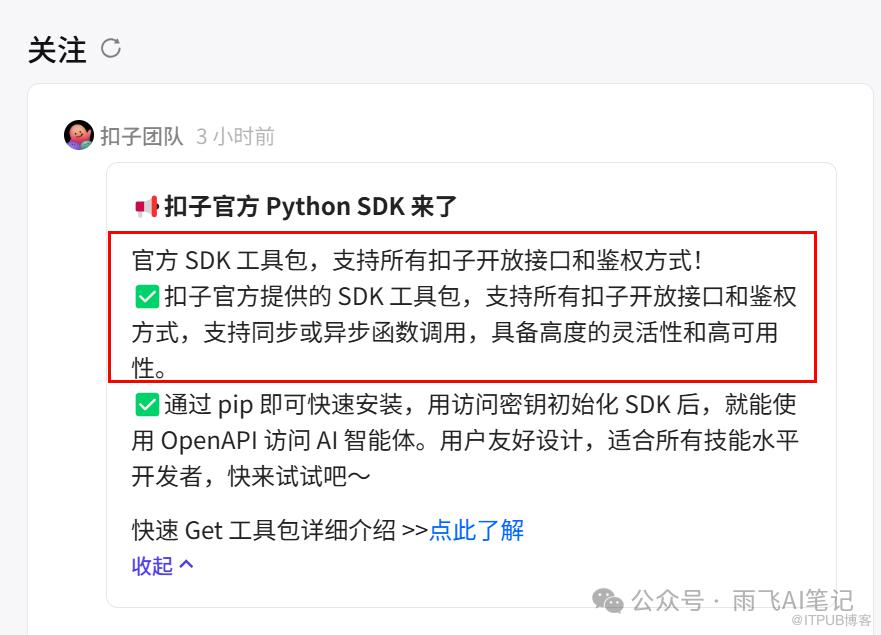
SDK简单来说就是软件开发工具包,也就是说Coze更新的这个功能可以更方便的让开发者使用Python代码调用Coze的智能体,并且集成到我们自己的应用中。

Coze SDK安装
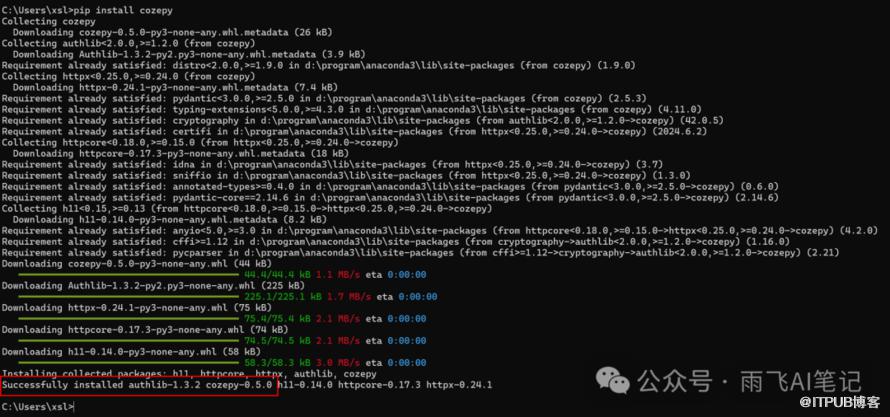
Coze的SDK安装十分方便,支持Python 3.7及以上版本。直接执行下面的命令,就可以安装好对应的包。
pip install cozepy
安装成功,会出现类似下面红色框中显示的Successfully。
也可以从源码进行安装,
项目地址:https://github.com/coze-dev/coze-py

使用教程
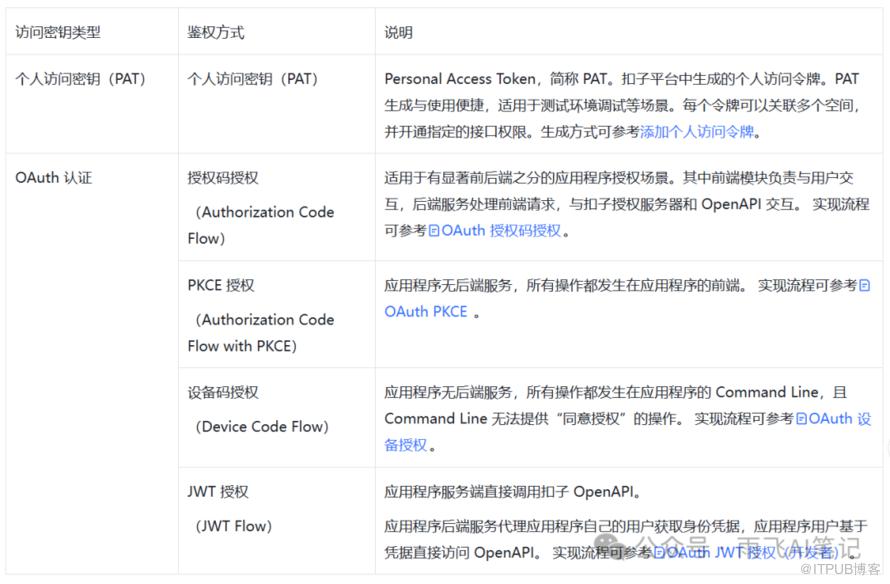
首先,需要配置我们的访问权限。Coze中提供了多达5种访问权限,我们今天只展示基础的个人访问密钥的形式。
更详细的内容可以看官方文档,
https://www.coze.cn/docs/developer_guides/python_overview
个人密钥申请
申请个人的令牌,https://www.coze.cn/docs/developer_guides/pat
在页面中对令牌添加名称、过期时间以及权限控制,按需勾选之后直接确定就可以。

创建完成后,切记要记住你的密钥,这个只显示一次。记不住就只能重新申请令牌了。

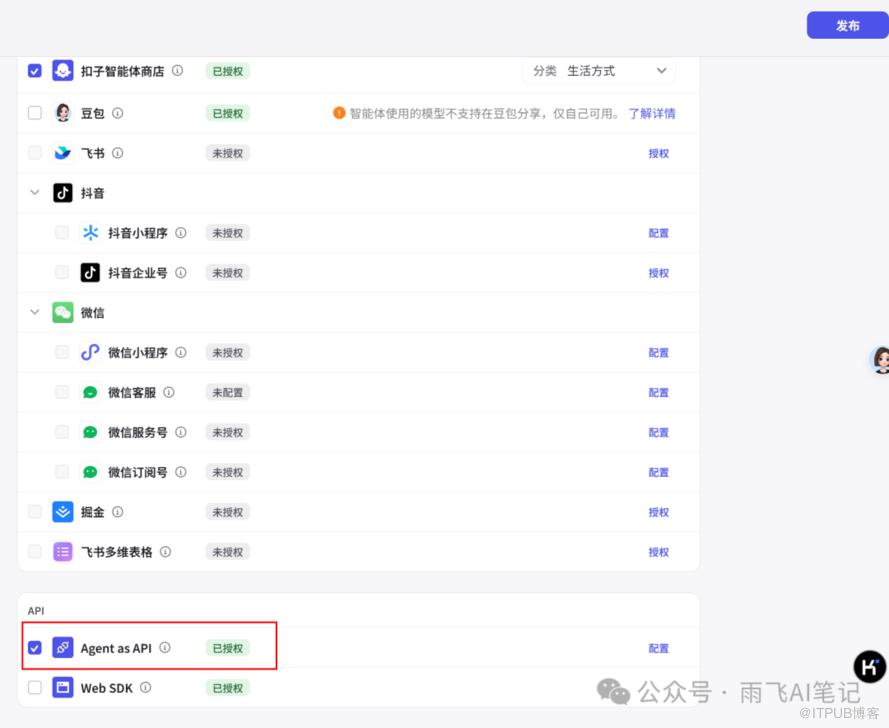
发布Bot为API
点击我们创建好的Bot,在发布的时候,选择「Agent as API」,就可以。
编写代码
注意,这里我们要找到Coze的Bot id,也就是下面展示的这一串数字。
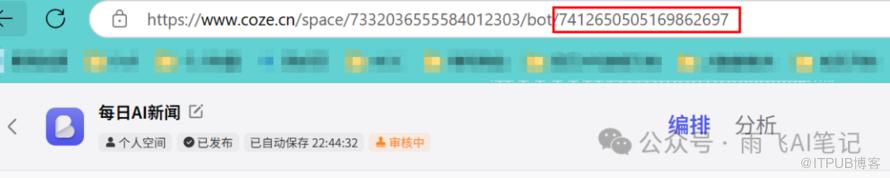
和官方示例不同的是,我们这里实现一次性输出所有内容的代码,便于大家观看效果。
import os # noqaimport time# Get an access_token through personal access token oroauth.api_coze_token = "填写你自己的PAT密钥"# os.getenv("COZE_API_TOKEN")from cozepy import Coze, TokenAuth, Message, ChatStatus, MessageContentType, ChatEventType # noqafrom cozepy import COZE_CN_BASE_URL# Init the Coze client through the access_token.coze = Coze(auth=TokenAuth(token=api_coze_token), base_url=COZE_CN_BASE_URL)# Create a bot instance in Coze, copy the last number from the web link as the bot's ID.bot_id = "7412650505169862697"# The user id identifies the identity of a user. Developers can use a custom business ID# or a random string.user_id = "1111"chat = coze.chat.create(bot_id=bot_id,user_id=user_id,additional_messages=[Message.build_user_question_text("今日AI新闻")],)# Assume the development allows at most one chat to run for 10 minutes. If it exceeds 10# minutes, the chat will be cancelled.# And when the chat status is not completed, poll the status of the chat once every second.# After the chat is completed, retrieve all messages in the chat.start = int(time.time())timeout = 600while chat.status == ChatStatus.IN_PROGRESS:if int(time.time()) - start > timeout:# too long, cancel chatcoze.chat.cancel(conversation_id=chat.conversation_id, chat_id=chat.id)breaktime.sleep(1)# Fetch the latest data through the retrieve interfacechat = coze.chat.retrieve(conversation_id=chat.conversation_id, chat_id=chat.id)# When the chat status becomes completed, all messages under this chat can be retrieved through the list messages interface.messages = coze.chat.messages.list(conversation_id=chat.conversation_id, chat_id=chat.id)for message in messages:print(f"role={message.role}, content={message.content}")
最后,给大家展示下效果。

好了,这篇文章到此结束,欢迎评论区留言。

加微 1060687688,备注「公众号」,送你一份「AI工具大全与变现指南」

推荐阅读